The Samsung Galaxy Z Flip8 appeals to buyers who want a full-size smartphone that folds into something easier to carry. However, its appeal goes beyond pocketability. The cover screen and folding camera setup change how you check information, take photographs and interact with your phone.Before buying, consider how those features fit your routine. A flip phone can make quick interactions convenient, but it also introduces different handling habits. These FAQs explain what to expect from the Galaxy Z Flip8 without assuming that everyone needs a foldable.
What Can You Do on the Cover Screen?
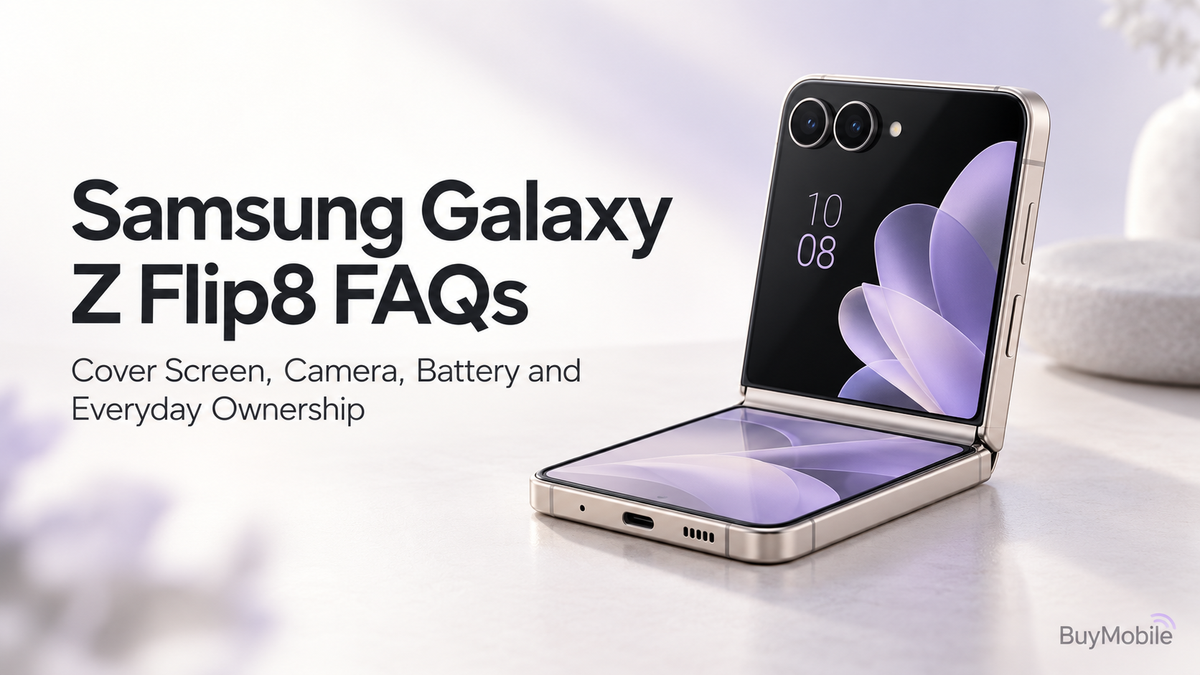
Samsung calls the Galaxy Z Flip8’s cover display FlexWindow. It lets you take photos, access frequently used apps and use supported AI experiences without unfolding the phone. Samsung also offers options to personalise its appearance and information. The practical benefit is reducing how often you open the main screen for a short task. Checking information while standing in a queue or framing a selfie can become a more compact interaction.However, a smaller screen still involves compromises. Long messages, detailed documents and extended browsing are generally easier on the main display. Check whether your favourite apps work comfortably in the cover-screen interface before making it a major reason to buy.
Does Folding Make the Phone Easier to Carry?
Folding changes the shape of the phone rather than making its volume disappear. The shorter footprint may suit small bags and pockets, while the folded thickness can feel different from a conventional handset.Try holding the phone both open and closed. Check whether you can comfortably reach the controls, open it and use it with your usual case.The important question is whether the folded shape solves a problem for you. If your current phone already fits comfortably everywhere, the benefit may be less significant.
What Cameras Does the Galaxy Z Flip8 Have?
Samsung lists a 50MP wide camera and a 12MP ultrawide camera on the rear, alongside a 10MP camera inside the main screen. The camera system offers different ways to frame everyday subjects. Use the main camera as your starting point for general photography. The ultrawide is useful when you need to fit more of a room, landscape or group into the frame.Megapixels alone do not establish image quality. Lighting, subject movement, processing and framing influence the result. Before an important occasion, practise with the camera modes you intend to use and review your photographs at full size.
Why Is FlexCam Useful for Selfies and Videos?
FlexCam takes advantage of the folding design for hands-free capture. Samsung highlights using the rear camera for portraits, selfies and group photographs while the phone remains folded. A supported position on a stable surface can help when you want to appear in the shot without holding the phone.Check the composition before recording. A low table can create an unflattering angle, while nearby objects may block part of the view. For longer recordings, confirm that the surface is steady and that the phone cannot easily slide or fall.
How Long Does the Battery Last?
The Galaxy Z Flip8 has a typical 4,300mAh battery. Samsung advertises up to 31 hours of video playback under its testing conditions. That figure should not be interpreted as a promise of 31 hours of mixed everyday use. Navigation, mobile reception, gaming, camera recording and screen brightness all affect battery consumption. Your habits matter more than comparing battery capacity alone.During your first week, check battery usage after representative days. If you regularly travel, film or navigate for extended periods, plan convenient charging opportunities. Avoid making an endurance judgement based only on the initial setup period.
Can the Cover Screen Help Save Battery?
It may change your usage habits, but using the cover screen does not guarantee a particular battery improvement.Completing a brief task without opening the phone could reduce time spent on the larger display. However, repeatedly checking either screen still consumes power, and background activity continues.Focus on practical settings rather than expecting the fold to solve battery drain. Review brightness, unnecessary notifications and apps consuming power in the background. Choose settings that preserve the features you actually use.
Does the Folding Screen Need Special Care?
Yes. Samsung’s foldable-device guidance advises against pressing the screen with sharp objects and recommends leaving the protective film in place. It also warns against installing additional films or stickers that could cause damage. Before closing the phone, check for objects caught between the two halves. Keep it away from loose keys and gritty debris.If the protective film lifts or the display develops an unusual mark, seek authorised service advice. Do not treat the inner screen exactly like a conventional rigid glass display.
What Should Australian Buyers Check Before Purchasing?
Confirm the exact model, storage, warranty arrangements and network compatibility. Ask how repairs are handled, especially if you are buying an imported device.Samsung lists 256GB and 512GB storage options on its specifications page. Choose according to your app collection, downloads and video habits.
Who Is the Galaxy Z Flip8 Best For?
The Galaxy Z Flip8 suits people who value its compact folded shape, cover-screen interactions and flexible camera positioning.Choose it when those benefits improve your everyday routine. Consider a regular smartphone if simpler handling, camera priorities or charging habits matter more than the folding experience.