






































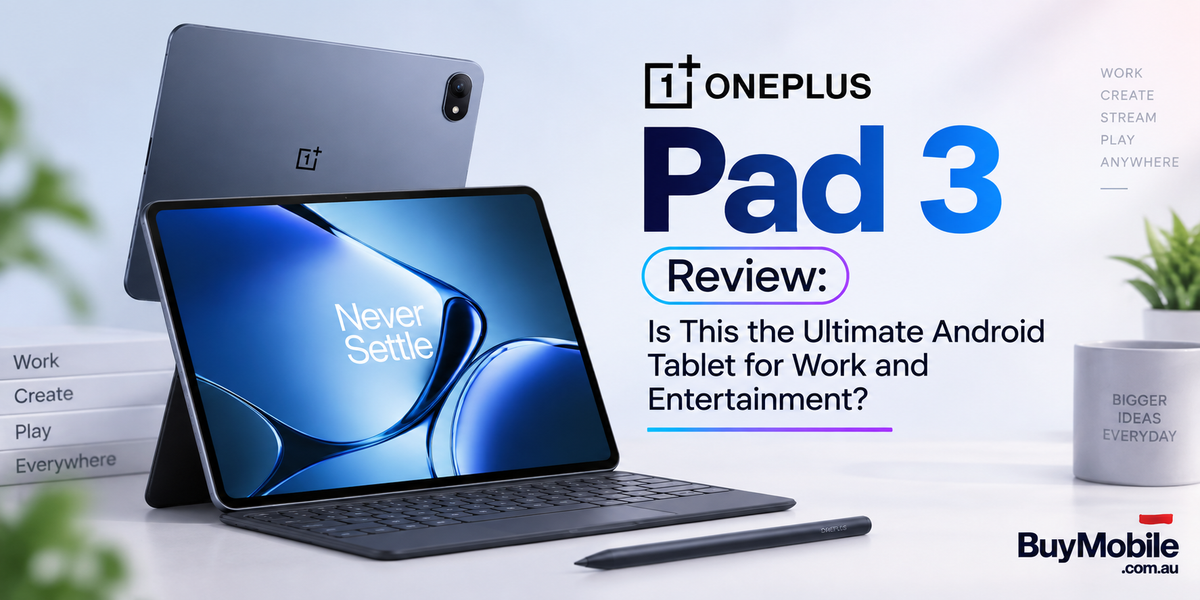
The Android tablet market has become far more competitive, and the OnePlus Pad 3 is one of the devices trying to prove that an Android tablet can handle serious productivity without sacrificing entertainment. With a large high-resolution display, Snapdragon 8 Elite performance, a massive battery, fast charging and multitasking-focused software, the Pad 3 looks impressive on paper.But specifications are only part of the experience. A premium tablet needs to be comfortable for everyday work, powerful enough for demanding apps and enjoyable when it is finally time to stop working and watch Netflix or play games. So, does the OnePlus Pad 3 have the right balance?
What Makes the OnePlus Pad 3 Stand Out?
The OnePlus Pad 3 is built around a large 13.2-inch LCD display with a 3392 × 2400 resolution and up to a 144Hz refresh rate. That gives users plenty of screen space for documents, websites, videos, games and multitasking.Inside is Qualcomm's Snapdragon 8 Elite platform, accompanied by LPDDR5T/LPDDR5X memory depending on configuration and UFS 4.0 storage. This places the tablet firmly in premium Android territory.The hardware immediately gives the Pad 3 a different personality from basic tablets designed mainly for casual streaming and browsing. It wants to function as both an entertainment screen and a serious portable computer.
Is the 13.2-Inch Display Good for Work?
The large screen is one of the Pad 3's biggest productivity advantages.Working with documents, spreadsheets and browser tabs becomes considerably easier when you have more display space. The 7:5 aspect ratio is also particularly practical for productivity because it provides a relatively spacious canvas for reading and editing.OnePlus supports adaptive refresh rates up to 144Hz, making scrolling and interface animations feel extremely smooth.The LCD panel may disappoint buyers specifically looking for OLED-level blacks and contrast, but its high resolution produces crisp text and detailed images.For email, research, presentations, online meetings and document editing, the display provides enough room to make the tablet feel like a genuine work device rather than an oversized smartphone.
How Powerful Is the OnePlus Pad 3?
Performance is arguably one of the tablet's strongest features.The Snapdragon 8 Elite is a flagship-class processor capable of handling demanding Android applications, multitasking and high-end gaming. Everyday actions such as opening apps, switching between documents, browsing complex websites and editing photographs should feel extremely responsive.The performance advantage becomes more important when you start pushing the tablet harder.Editing large images, working with several applications or running demanding games requires considerably more processing power than watching videos. The Pad 3 has enough performance headroom to handle these heavier workloads without feeling like productivity was added as an afterthought.For most users, processing power is unlikely to be the limitation.
How Good Is Multitasking?
Hardware performance wouldn't matter much for productivity without software that can take advantage of the large display.OnePlus uses Open Canvas to make multitasking more flexible. Instead of simply splitting the screen into two rigid sections, the system allows multiple apps to be arranged in a more practical workspace.You might keep a browser open while writing a document, reference a PDF while taking notes or work between communication and productivity applications without constantly switching full-screen apps.OnePlus has continued improving Open Canvas specifically for large-screen devices, and it remains one of the features that helps distinguish the Pad series.For students and professionals, this can dramatically improve how useful an Android tablet feels during real work.
Can It Replace a Laptop?
For some people, yes. For everyone, no.Pairing the OnePlus Pad 3 with a compatible keyboard turns it into a far more laptop-like device. Add a mouse or trackpad and the tablet becomes practical for emails, writing, web-based work, presentations and many everyday office tasks.The challenge is software.Android applications don't always provide the same desktop-level functionality as their Windows or macOS counterparts. Specialised accounting software, advanced development environments, certain professional creative tools and complex business workflows may still require a conventional computer.However, someone whose day mainly involves Google Workspace, Microsoft 365, browser applications, communication tools and content consumption could realistically complete a significant amount of work on the Pad 3.The hardware is capable. Whether it replaces your laptop depends primarily on the applications you need.
Is the OnePlus Pad 3 Good for Entertainment?
Once work is finished, the Pad 3 becomes an impressive entertainment device.Its 13.2-inch display provides a much larger viewing experience than a smartphone, making movies and television shows more immersive. OnePlus also equips the tablet with an eight-speaker system, creating a more spacious audio experience without requiring headphones.This combination makes it particularly attractive for Netflix, YouTube and other streaming services.The large display also works well for reading digital magazines, comics and websites, although the tablet's overall dimensions mean it isn't as effortless to hold for extended periods as a smaller tablet.For entertainment at home, though, the extra screen space is usually an advantage.
What About Gaming?
The Snapdragon 8 Elite makes the OnePlus Pad 3 a serious gaming tabletPopular competitive games should benefit from the high-refresh-rate display, while demanding titles have access to significantly more processing and graphics power than on typical mid-range tablets.The large screen can make visually detailed games particularly impressive.There is a trade-off: holding a 13.2-inch tablet during long gaming sessions isn't as convenient as using a smartphone or compact tablet. A controller or tabletop setup may provide a better experience for extended sessions.Still, for users who want one device for work during the day and gaming afterward, the Pad 3 has the performance required.
How Good Is the Battery Life?
A powerful tablet needs enough battery capacity to support its large screen and flagship processor.The OnePlus Pad 3 includes a huge 12,140mAh battery, giving it substantial capacity for long workdays, entertainment and mixed everyday use.OnePlus also supports 80W SUPERVOOC charging, which is particularly valuable with such a large battery.Rather than leaving the tablet connected to a charger for several hours, fast charging makes shorter top-ups more practical.Actual endurance naturally depends on brightness, refresh rate, gaming, video streaming, background activity and other factors. Heavy gaming will consume power considerably faster than reading documents.For general mixed use, however, the combination of a large battery and fast charging is one of the Pad 3's strongest practical advantages.
Is It Comfortable to Carry?
Despite its large display, the Pad 3 has a surprisingly slim metal design.OnePlus lists it at around 5.97mm thick, helping it maintain a premium and relatively portable feel despite the 13.2-inch screen.However, size still matters.This isn't a compact tablet designed for one-handed reading on a crowded train. It makes more sense inside a backpack, on a desk, on an aeroplane tray or around the house.Adding a keyboard case also increases the overall weight and thickness.Buyers should therefore think carefully about whether they prioritise maximum screen space or ultra-light portability.
Who Should Buy the OnePlus Pad 3?
The OnePlus Pad 3 makes the most sense for users who want one Android tablet to cover several different roles.Students can use the large display for research, notes, online classes and entertainment. Professionals can benefit from Open Canvas multitasking, keyboard support and flagship performance. Creators can use the processing power for photo editing and other mobile creative workflows. Gamers get Snapdragon 8 Elite performance and a high-refresh-rate display.And for anyone who mainly wants a premium entertainment tablet, the combination of the 13.2-inch screen, eight speakers and huge battery is compelling.
Is the OnePlus Pad 3 the Ultimate Android Tablet?
The OnePlus Pad 3 gets remarkably close to the idea of an all-purpose Android tablet.Its Snapdragon 8 Elite processor provides serious performance, the 13.2-inch 144Hz display gives work and entertainment plenty of room, Open Canvas makes multitasking more practical, and the 12,140mAh battery with 80W charging addresses one of the biggest concerns with powerful portable devices.There are compromises. The LCD display won't provide the deep blacks of a premium OLED panel, its large dimensions won't suit everyone, and Android still has limitations when replacing specialised desktop software.But the overall package is impressively balanced.If your ideal tablet needs to handle emails and documents in the morning, multitasking and creative work in the afternoon, then Netflix and gaming at night, the OnePlus Pad 3 is one of the strongest examples of how versatile a modern Android tablet can be.


