






































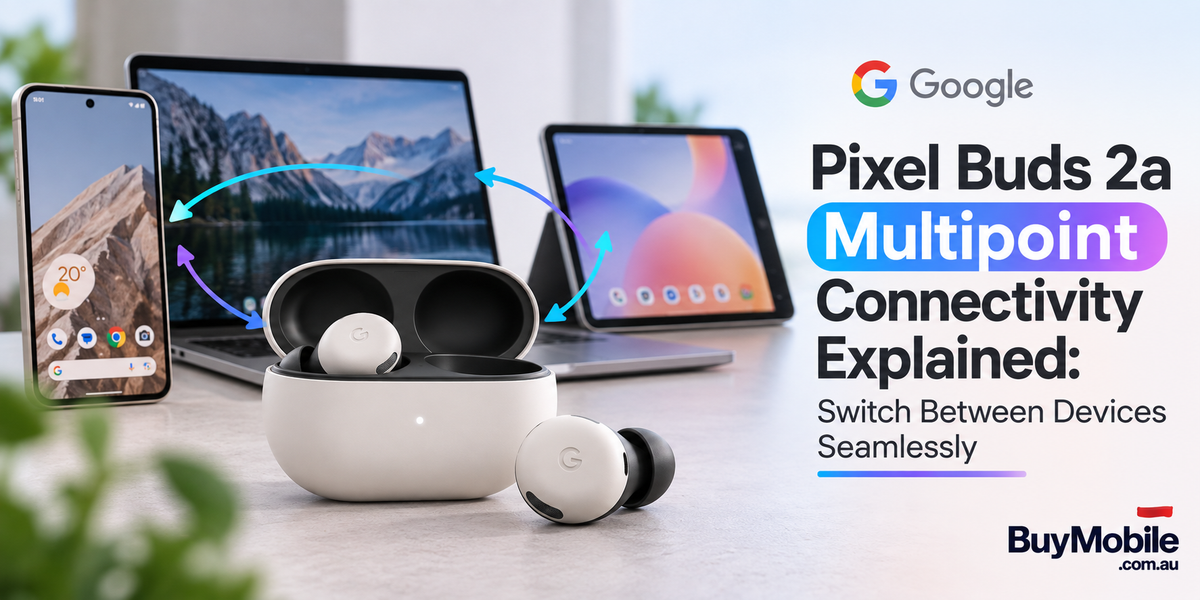
Wireless earbuds are no longer connected to just one device. During a normal day, you might listen to music from your phone, join a meeting on your laptop and watch a movie on your tablet. Constantly opening Bluetooth settings and reconnecting earbuds can quickly become frustrating.That's where Multipoint Connectivity on the Google Pixel Buds 2a becomes useful. Unlike the older Pixel Buds A-Series, the Pixel Buds 2a support Multipoint, allowing the earbuds to maintain Bluetooth connections with two devices simultaneously. Google also offers Audio Switch for compatible devices, making transitions between different audio sources even more convenient. So how does Multipoint work, which devices can you use, and is it actually useful in everyday life?
What Is Multipoint Connectivity on Pixel Buds 2a?
Multipoint is a Bluetooth feature that allows the Pixel Buds 2a to remain connected to two Bluetooth source devices at the same time.For example, you could have your earbuds connected to your Android phone and Windows laptop simultaneously. You might be listening to music from your laptop when a call arrives on your phone. Instead of disconnecting the laptop and manually connecting your phone, the earbuds can prioritise the incoming call. Once the call finishes, you can return to what you were listening to.It's a relatively simple feature, but it solves one of the most annoying problems with using wireless earbuds across multiple devices.
What Devices Work With Multipoint?
Pixel Buds 2a aren't limited to Pixel smartphones.Google says Multipoint can work across compatible laptops, tablets, TVs, Android phones and iPhones. The earbuds themselves can pair with Bluetooth 4.0 or newer devices, including Android, iOS, tablets and laptops.That flexibility is important.Someone using a Pixel phone at home but a Windows laptop at work doesn't need separate headphones. Likewise, you could connect an iPhone and laptop or an Android tablet and smartphone.Google Pixel Buds can also retain pairings for up to eight devices, although Multipoint maintains two simultaneous active connections.
How Do You Turn On Multipoint?
Multipoint is not necessarily enabled automatically, so it's worth checking your settings.On a Pixel phone running Android 10 or newer, go to Settings > Connected devices, then tap the settings icon next to your Pixel Buds.On another compatible Android phone, open the Google Pixel Buds app, select More settings > Multipoint, and turn on Use Multipoint.Both devices must already have been paired with the earbuds. Once Multipoint is enabled, connect to the Pixel Buds from the Bluetooth settings on your first device and then connect from your second.The earbuds should then maintain both connections.
What Happens When a Phone Call Arrives?
This is probably the best demonstration of why Multipoint matters.Imagine you're working on your laptop while listening to Spotify through your Pixel Buds 2a. Your smartphone is sitting beside you.When someone calls your phone, Google gives that call priority over ordinary media playback. The music pauses and the earbuds move to the phone call. You don't need to remove the earbuds or manually change Bluetooth connections. When the conversation ends, you can tap the earbud to resume playback from the previous audio source.For anyone who works from a laptop while keeping their phone nearby, this can make the Pixel Buds 2a significantly more convenient.
Can Music Automatically Jump Between Two Devices?
Multipoint is smart, but there are some rules.If music or video is already playing from one connected device, starting media on the second device doesn't simply interrupt it. Google requires you to pause playback on the first device before beginning media playback from the second.This behaviour prevents random applications and notification sounds from constantly stealing your earbuds.Calls are treated differently because they receive higher priority.It's an important distinction: Multipoint maintains two connections, but that doesn't mean both devices play audio simultaneously.
What's the Difference Between Multipoint and Audio Switch?
These features sound similar, but they aren't exactly the same.Multipoint keeps the Pixel Buds connected to two Bluetooth devices simultaneously.Audio Switch intelligently moves your audio between compatible Fast Pair devices based on what you're doing.Google gives an example of moving from watching content on a tablet to answering a call on your phone and then listening to music from another device.Audio Switch is particularly useful inside Google's Android ecosystem. Google says compatible Android devices running Android 8 or later, using Google Play Services and signed into the same Google Account, can use the feature with Fast Pair devices. The two features can also be enabled together, and Google says enabling Multipoint can make Audio Switch faster.
Phone and Laptop: The Ideal Multipoint Setup?
For many people, this will be the most useful combination.You could keep the Pixel Buds 2a connected to your smartphone and work laptop throughout the day.Play music from the laptop while working. If your phone rings, the earbuds can switch to the call. When you're finished, return to your laptop audio.You don't need to think about which device currently owns the Bluetooth connection.Remote workers, students and office users are likely to get the most value from this setup because they're frequently moving between communication and entertainment.
What About a Phone and Tablet?
Multipoint also makes sense if your tablet is your primary entertainment device.You could watch YouTube or a movie on your tablet while remaining connected to your smartphone for calls.Without Multipoint, you might miss a call because the earbuds are connected only to the tablet. With both connections maintained, the phone remains part of your audio setup.It's particularly convenient when travelling because a tablet can handle movies while your smartphone remains available for communication.
Does It Work With iPhones?
The Pixel Buds 2a aren't Android-only Bluetooth earbuds.Google lists iOS among the supported Bluetooth platforms, and its Multipoint documentation specifically includes iOS phones among devices that can participate in Multipoint connections. However, the complete Pixel Buds feature experience is more deeply integrated with Android and Google's ecosystem.An iPhone user can still benefit from Bluetooth connectivity and compatible Multipoint functionality, but features tied to Google's Android services may have different requirements.
How Does Fast Pair Make Setup Easier?
Android users also benefit from Fast Pair.When setting up the Pixel Buds 2a with a compatible Android phone, Fast Pair simplifies the initial connection process instead of requiring you to search through Bluetooth menus manually. Google specifically highlights easy setup through Fast Pair as part of the Pixel Buds 2a experienceOnce your devices have been paired, Multipoint and Audio Switch can reduce how often you need to revisit those Bluetooth settings.That combination is what makes the earbuds feel more integrated rather than simply connected.
What Else Do Pixel Buds 2a Offer?
Multipoint isn't the only feature aimed at everyday convenience.Pixel Buds 2a use Bluetooth 5.4 and Google's Tensor A1 processor. They include Active Noise Cancellation with Silent Seal 1.5, Transparency mode, Clear Calling and custom 11mm dynamic drivers. Battery life is rated at up to 7 hours of listening with ANC enabled and up to 20 hours including the charging case. Turning ANC off increases those figures to up to 10 hours from the earbuds and 27 hours total. A five-minute charge in the case can provide up to an hour of listening with ANC enabled. These features make Multipoint part of a broader everyday-use package rather than an isolated connectivity trick.
Is Pixel Buds 2a Multipoint Actually Worth Using?
Definitely turn it on if you regularly use two devices.The biggest advantage isn't flashy technology. It's simply removing friction from your day. Your phone and laptop can stay connected simultaneously, calls can take priority over music, and you spend less time opening Bluetooth settings.Audio Switch takes the concept further for compatible Android devices by intelligently moving your listening session based on what you're doing. There are limitations. Multipoint handles two active device connections rather than every paired device simultaneously, and ordinary media playing from one source needs to be paused before media from the other takes over. Some Google ecosystem features also work best with compatible Android devices.But those limitations don't undermine the main benefit.If your typical day involves moving between a smartphone, laptop or tablet, Multipoint is one of the Pixel Buds 2a features you should actually enable. Once your earbuds stop making you think about Bluetooth connections, they're doing exactly what good wireless technology should do: getting out of the way and letting you listen.


