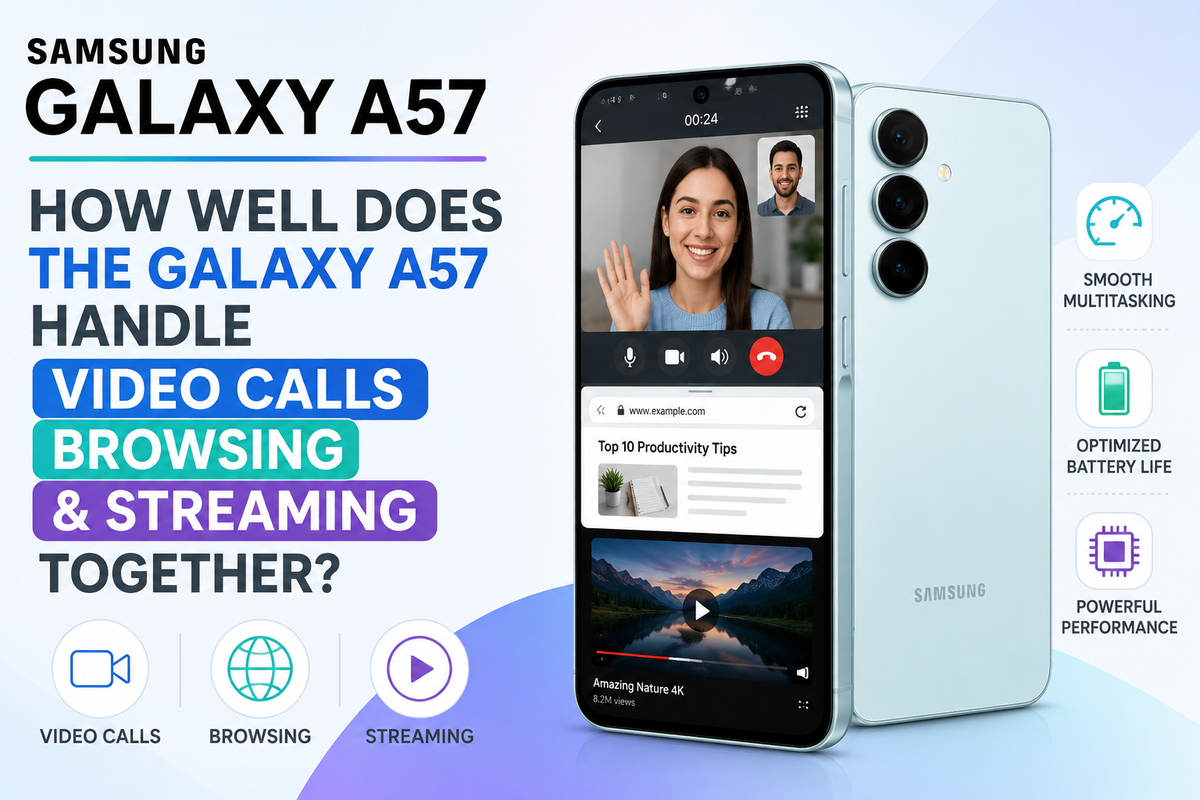
Modern smartphones are rarely used for just one task at a time. You might be on a video call while searching for information online, checking an email, opening a document or watching a video during a break. For many people, this type of multitasking has become part of everyday smartphone use.That makes performance particularly important for a mid-range smartphone like the Samsung Galaxy A57. Buyers do not necessarily need extreme gaming power, but they do expect their phone to remain responsive when several everyday activities overlap.So, how well does the Galaxy A57 handle video calls, browsing and streaming together? For typical everyday multitasking, the experience should be comfortable, although demanding combinations of apps can naturally put more pressure on performance, memory, battery life and temperature.
Everyday Multitasking Is the Real Test
Benchmark numbers can tell you something about smartphone performance, but they do not always represent the way most people actually use their phones.A more realistic test might involve joining a video meeting, opening a browser to check some information, switching to a messaging app and then returning to the call. Later, you might stream YouTube or Netflix while continuing to receive emails and notifications in the background.These activities require the processor, memory, network connection and software to work together efficiently.The Galaxy A57 is designed as a mainstream Galaxy A series device, making this kind of everyday workload far more relevant than simply asking whether it can achieve the highest benchmark score.
Video Calls Can Be Surprisingly Demanding
Video calling may look like a relatively simple activity, but a lot is happening behind the scenes.Your Galaxy A57 needs to capture video from the front camera, process that image, record your voice, transmit data through Wi-Fi or a mobile network and simultaneously receive audio and video from other participants.The display remains active throughout the call as well.Apps such as Google Meet, Microsoft Teams, Zoom and WhatsApp can therefore place a continuous load on the phone, particularly during longer calls.Under normal conditions, the Galaxy A57 should be well suited to everyday video meetings and personal calls. The more interesting question is what happens when you begin performing additional tasks without ending the call.
Browsing During a Video Call Is a Useful Multitasking Test
Imagine you are attending an online meeting and someone mentions a website, product or document you need to check.Instead of ending the call, you switch to the browser.This is exactly the kind of situation where good memory management becomes important. The phone needs to keep the video call active while allowing the browser to load webpages and potentially manage several open tabs.For normal browsing, this should be a manageable workload for the Galaxy A57Simple websites, Google searches, online shopping pages and news articles are generally not exceptionally demanding individually. However, keeping numerous browser tabs open while several background applications are active can gradually increase memory usage.Samsung's One UI software also provides multitasking tools that can make moving between compatible applications more convenient.
Split-Screen Can Make the Experience Better
One of Android's biggest advantages for multitasking is the ability to use compatible apps together.Samsung's software allows supported applications to operate in split-screen views. This can be particularly useful when you need information from one application while interacting with another.For example, you could have a browser available while participating in a compatible communication workflow, or keep notes and reference material accessible while working.The Galaxy A57's relatively large smartphone display makes this functionality more practical than it would be on a much smaller screen.There is still limited space compared with a tablet or laptop, so split-screen is better for quick multitasking than complex desktop-style work. Nevertheless, it can reduce constant switching between applications.
Streaming Should Be an Easy Everyday Task
Video streaming is another common activity that modern smartphones are built to handle efficiently.Watching YouTube, Netflix or another streaming platform mostly involves decoding video while maintaining a stable internet connection and keeping the display active.On its own, streaming should not present a serious challenge for the Galaxy A57.The more demanding situation occurs when streaming is combined with background activity. You might be watching YouTube while downloading files, receiving messages, synchronising cloud photos and keeping several browser tabs available.Even then, the experience should generally remain responsive for ordinary users, provided background workloads do not become excessive.
Can You Switch Between Apps Without Constant Reloading?
One of the most noticeable signs of limited smartphone memory is when applications frequently reload after you switch back to them.Good memory management helps the phone retain recently used applications so you can move between them more naturally.During an everyday session involving a browser, messaging apps, email, video streaming and social media, the Galaxy A57 should be aimed at providing a smooth switching experience.However, no smartphone keeps an unlimited number of apps permanently active.Android may eventually close background processes to free resources, particularly when demanding applications are running. A game, camera application or intensive editing tool can consume considerably more resources than a simple messaging app.For typical productivity and entertainment multitasking, occasional app refreshing should not be confused with the phone being slow.
What Happens When You Push It Harder?
The Galaxy A57 is more likely to show its limits when several demanding activities occur simultaneously.Consider a long video call while screen sharing, downloading a large file, keeping many browser tabs open and running several background applications.The processor has more work to perform, memory usage increases and network activity becomes heavier.You might eventually notice slightly slower app switching or an application refreshing when reopened. The phone could also become warmer during prolonged workloads.That does not necessarily indicate a problem. Smartphones automatically manage processing power and temperature to maintain stable operation.
Heat Can Affect Long Multitasking Sessions
Video calls, mobile data, high screen brightness and continuous processing can all generate heat.If you are making a lengthy video call while charging the Galaxy A57, using 5G and switching between multiple applications, you may notice more warmth than during ordinary browsing.Environmental conditions matter too. Using a phone outdoors on a hot day is very different from using it in an air-conditioned room.When smartphones become too warm, they can automatically adjust performance and other functions to control temperature.For everyday calls and browsing, this is unlikely to dominate the experience. It becomes more relevant during extended, demanding sessions.
Battery Drain May Be More Noticeable Than Performance Limits
For many users, battery consumption could be a bigger concern than raw performance when combining video calls, browsing and streaming.All three activities can keep major components of the phone busy.Video calling uses the camera, microphone, display, processor and network connection. Browsing continuously loads new data, while streaming keeps the display and network active for extended periods.Using 5G and high screen brightness can increase power consumption further.If you know you have several hours of meetings or streaming ahead, reducing unnecessary brightness, closing demanding apps you are no longer using and connecting to reliable Wi-Fi can help manage power consumption.
Is the Galaxy A57 Good for Students and Remote Workers?
This kind of multitasking makes the Galaxy A57 particularly interesting for students and people who occasionally work from their phones.A student could join an online class, research a topic, check messages and access cloud documents without needing to move constantly between different devices.Remote workers could similarly use the phone for meetings, email, web research and communication while away from their main computer.A laptop or tablet remains more comfortable for complex productivity because of the larger screen and physical keyboard, but the Galaxy A57 can function as a useful mobile productivity device when necessary.