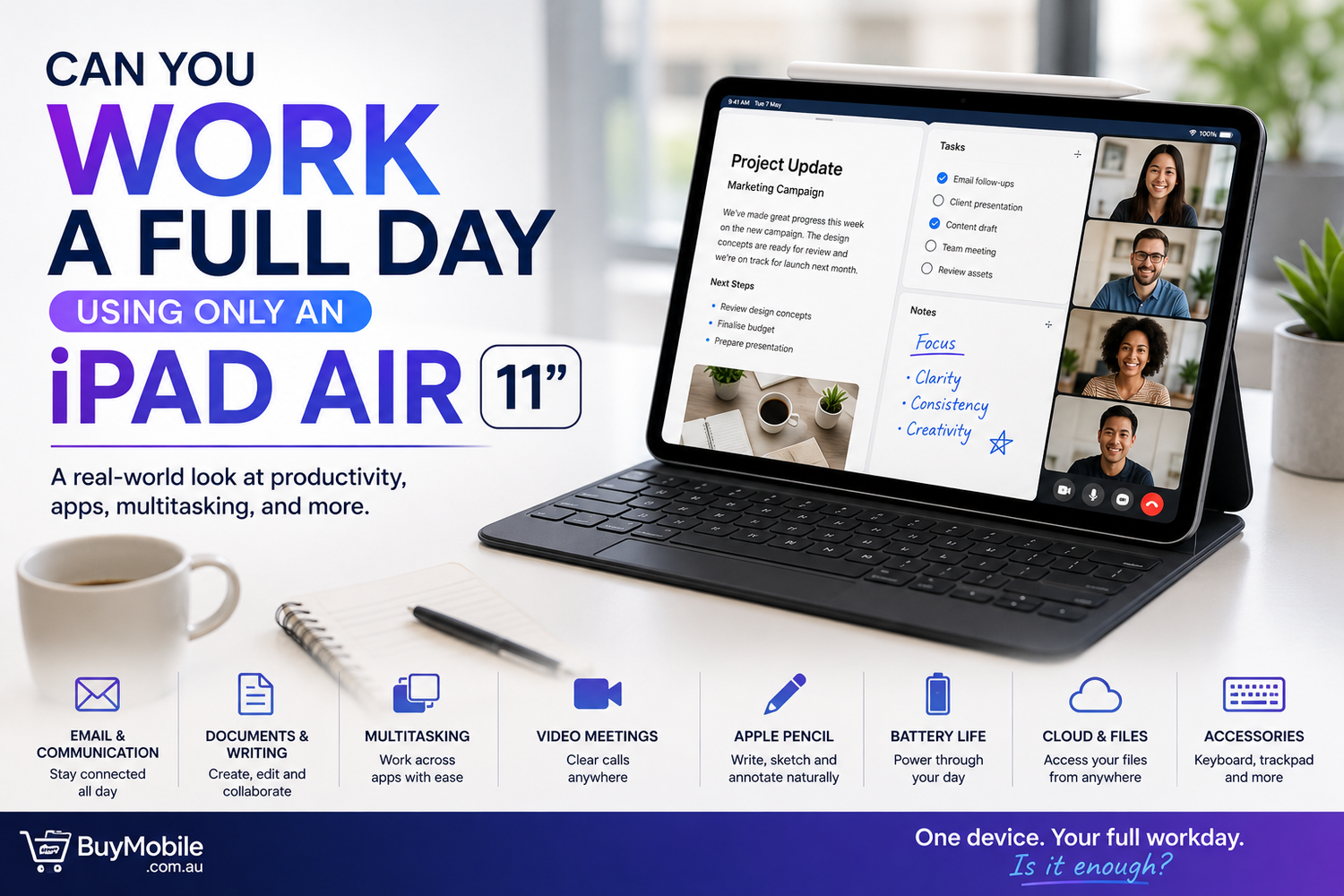
The idea of replacing a laptop with a tablet once seemed unrealistic. Today, the Apple iPad Air 11-inch is powerful enough to make that question much more interesting. With a portable design, capable hardware, iPadOS, keyboard and Apple Pencil support, and access to a huge selection of productivity apps, it can handle considerably more than entertainment and casual browsing.But specifications don't necessarily tell you whether a device can survive an actual working day.Can you start at 9 a.m., answer emails, join meetings, work on documents, research online, manage projects, edit content, and finish the day without reaching for a laptop?For many people, the answer is yes but your workflow matters.Here's what working an entire day using only an iPad Air 11-inch can look like.
1. Starting the Day With Email and Messages
For many professionals, the working day begins with email.The iPad Air is well suited to this task. Apple's Mail app and popular third-party email services provide the essential tools needed to read messages, respond to colleagues, organize conversations, and manage attachments.Communication apps such as Slack, Microsoft Teams, and other workplace platforms can also fit comfortably into an iPad-based workflow.The 11-inch screen offers a useful balance here. It's large enough to work comfortably but compact enough to carry between rooms, meetings, or locations.Add a physical keyboard, and responding to longer emails becomes considerably more comfortable than typing everything on the touchscreen.
2. Writing Documents Is Surprisingly Comfortable
Writing is one of the most important tests for any laptop replacement.The iPad Air can handle articles, reports, assignments, meeting notes, proposals, and other everyday documents using apps such as Pages, Microsoft Word, and Google Docs.For short pieces, the on-screen keyboard may be sufficient. If you're spending several hours writing, however, a compatible keyboard can transform the experience.Keyboard shortcuts can also reduce your reliance on touchscreen navigation.The result can feel surprisingly close to working on a traditional laptop, particularly if your job mainly involves writing and editing rather than specialized desktop software.
3. Multitasking Makes a Major Difference
Professional work rarely happens inside one application.You might need a browser open while writing a report, reference an email while updating a document, or move information between different apps.Modern iPadOS multitasking features help make these workflows more practical.The generous 11-inch display gives you enough room to work with multiple pieces of information without the device becoming excessively large.There is still a difference between multitasking on an iPad and working across several large desktop windows. Users accustomed to multiple monitors may initially find the iPad restrictive.But for focused workflows involving a few applications at a time, the experience can be efficient.
4. Video Meetings Are Easy to Handle
Remote and hybrid work means video calls are now a normal part of many working days.The iPad Air can handle meetings through popular communication platforms, making it easy to join calls without carrying a laptop.Its portability can actually provide an advantage.You can quickly move from your desk to another room, take a meeting from a quieter location, or carry the tablet between meetings.Pairing wireless earbuds or headphones can improve privacy and audio clarity.If you're frequently presenting complex content or managing several applications while on a call, a desktop environment may still feel easier. For normal meetings and discussions, however, an iPad Air can be more than sufficient.
5. Web Browsing Covers Most Everyday Research
A significant amount of modern work happens inside a web browser.Researching competitors, accessing online tools, reading reports, managing cloud services, and searching for information can all be handled through Safari and other supported browsers. For ordinary websites and cloud-based tools, the experience can be very capable.However, this is also where your particular job matters.Some specialized websites and enterprise systems are designed specifically around desktop browsers and may behave differently on a tablet. If your job depends on a particular web platform, testing compatibility before replacing your laptop is sensible.For general browsing and research, though, the iPad Air should feel perfectly at home.
6. Apple Pencil Can Improve Your Workflow
A laptop may have a keyboard and trackpad, but it doesn't usually give you a digital pen experience.That's one area where the iPad Air can offer something different.With a compatible Apple Pencil, you can handwrite meeting notes, annotate PDFs, mark up screenshots, sketch ideas, sign documents, and create diagrams directly on the display.For designers, students, teachers, managers, and creative professionals, this can be extremely useful.Imagine reviewing a report and circling changes directly on the page or sketching a concept during a video meeting.The Apple Pencil doesn't simply help the iPad imitate a laptop—it gives it capabilities that many conventional laptops don't offer as naturally.
7. File Management Is Much Better Than It Used to Be
File management was once one of the biggest weaknesses of using an iPad for serious work.The Files app has made the experience much more capable.You can organize documents into folders, access supported cloud-storage services, work with downloaded files, and move content between locations.External storage support can also be useful when transferring larger files.However, professionals with extremely complex folder structures, network storage requirements, or specialized file-management workflows may still find a traditional computer more flexible.For ordinary documents, PDFs, images, and cloud-based files, the iPad workflow should be manageable for many users.
8. Creative Work Is One of the iPad's Strengths
The iPad Air isn't limited to spreadsheets and email.It can be particularly effective for creative work.Photographers can edit images, designers can create illustrations, social media managers can prepare posts, and video creators can work on content using compatible editing applications.The touchscreen and Apple Pencil make certain creative tasks feel more direct than using a mouse.An 11-inch screen also gives creators a useful combination of working space and portability.Professional workflows involving enormous projects, specialized plug-ins, or desktop-only applications may still require a Mac or PC. But for mobile content creation, the iPad Air can be an impressive workstation.
9. Accessories Can Turn It Into a Laptop-Like Setup
The iPad Air itself is only part of the productivity equation.Add a compatible keyboard and trackpad, and the experience changes considerably.Typing becomes faster, keyboard shortcuts become available, and precise cursor control makes document editing and web browsing easier.Apple Pencil can then handle handwriting and creative work.At a desk, you may also be able to incorporate supported external displays, storage, hubs, and other accessories depending on your setup.Of course, accessories increase the total cost.That's important when comparing an iPad Air setup against a traditional laptop. A tablet that looks affordable on its own may become considerably more expensive once you add the keyboard, Pencil, case, and other accessories you need.
10. Battery Life Needs to Match Your Workday
Portability doesn't help if you're constantly searching for a power socket.Apple designs the iPad Air for mobile use, but actual battery endurance depends heavily on what you're doing.Writing documents and reading email place different demands on the battery from continuous video meetings, gaming, high screen brightness, or intensive creative applications.If you're attempting a complete working day, reducing unnecessary screen brightness and closing demanding tasks you aren't using can help.Keeping a USB-C charger nearby is still sensible for particularly intensive days.For many normal productivity workflows, the iPad Air is designed to provide the kind of portability expected from an all-day mobile device.
Where the iPad Air Can Struggle
The iPad Air 11-inch isn't automatically a complete laptop replacement for everyone.Software developers, engineers, professional 3D artists, financial analysts, and people relying on specialist desktop applications may encounter limitations.Advanced spreadsheet workflows can also be more comfortable with a large monitor, keyboard, and mouse.Some company systems may require desktop software that simply isn't available on iPadOS.The key question isn't whether an iPad Air can replace a laptop.It's whether it can replace your laptop.
Who Could Work All Day on an iPad Air?
The iPad Air 11-inch is particularly well suited to writers, students, teachers, managers, sales professionals, consultants, marketers, social media managers, and mobile creatives.If your typical workday consists of email, web applications, documents, presentations, meetings, note-taking, and light creative work, an iPad-only day can be entirely realistic.It's especially attractive to people who regularly work from cafés, coworking spaces, airports, classrooms, or different locations throughout the day.
Final Verdict: Can You Really Work a Full Day on It?
Yes, you can work a full day using only an iPad Air 11-inch provided your job fits the strengths of iPadOS.For communication, writing, research, video calls, document annotation, presentations, and many creative tasks, the iPad Air can be a highly capable productivity device.A keyboard makes long typing sessions much easier, while Apple Pencil adds a dimension that conventional laptops often lack. Combine those accessories with cloud storage and the right apps, and the iPad Air can become a remarkably portable workstation.It won't replace every laptop for every professional. Desktop-only applications, advanced multitasking, complex file workflows, and specialized software remain reasons some users will still need a Mac or PC.But that's not necessarily a weakness.The real appeal of the iPad Air 11-inch is that it can handle a surprisingly large portion of a modern working day while remaining lighter, simpler, and more flexible than a conventional laptop.For the right user, the question may no longer be “Can I work all day on an iPad?”It may be “How often do I actually need my laptop?”