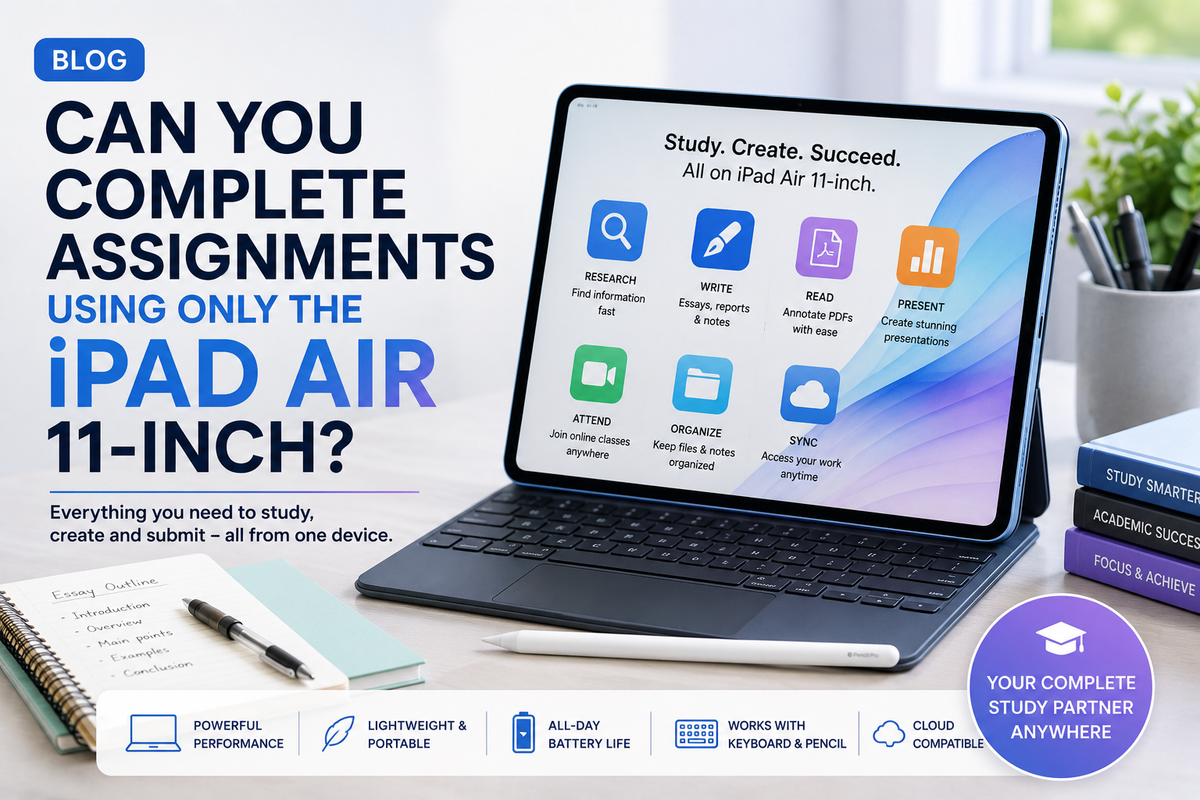
The Apple iPad Air 11-inch sits in an interesting position between a traditional tablet and a laptop. It is portable enough to carry around campus all day, yet powerful enough to handle many of the applications students regularly use for research, writing, presentations and online classes.That raises an important question for students: can you complete assignments using only the iPad Air 11-inch?For many school and university assignments, the answer is yes. Researching topics, writing essays, reading PDFs, preparing presentations, attending online classes and submitting coursework can all be handled on an iPad Air. However, whether it can completely replace your laptop depends on your course, workflow and the specialist software you need.
Researching an Assignment Is Easy on the Larger Display
Research is usually the first stage of an assignment, and this is one area where the iPad Air 11-inch works particularly well.The 11-inch display provides significantly more working space than a smartphone, making websites, academic articles and online libraries more comfortable to browse. Safari also provides a desktop-style browsing experience that works well with many educational websites.You can search for information, save useful webpages, download documents and organise research without needing to move to a laptop.The iPad becomes even more convenient when research materials are stored in cloud services because they remain accessible across different devices.
Multitasking Makes Research and Writing Easier
One of the biggest advantages of using an iPad instead of a phone is multitasking.When preparing an essay, you may need to read an article while simultaneously taking notes. You might also want a document open while checking information in Safari.The iPad's multitasking capabilities make these workflows considerably easier.Instead of constantly switching between full-screen applications, you can organise your workspace so that the information you need remains accessible.This can make the iPad Air particularly useful for research-heavy assignments because it begins to feel more like a compact workstation than a simple media tablet.
Writing Essays Is Completely Possible
For ordinary essays and written assignments, the iPad Air 11-inch can easily handle the actual document creation.Applications such as Microsoft Word, Google Docs and Apple's Pages provide the essential tools most students need. You can create headings, format paragraphs, add images, build tables and work with references.The biggest consideration is not software performance. It is typing.Writing a few hundred words using the touchscreen keyboard is manageable. Writing a 3,000-word university assignment that way is much less enjoyable.A physical keyboard dramatically changes the experience.Pairing the iPad Air with a compatible keyboard transforms it into a much more laptop-like writing device. If assignments are a major reason you are buying the tablet, a keyboard should probably be considered part of the overall setup.
Apple Pencil Can Be Excellent for Notes
Not every assignment begins with typing.Students studying mathematics, science, engineering, design or other subjects involving diagrams and handwritten calculations may benefit from Apple Pencil support.You can annotate lecture slides, highlight PDFs, sketch diagrams and write notes directly on the screen.Handwritten notes can also be useful when brainstorming an essay. Instead of opening a blank document and immediately trying to write complete paragraphs, you can sketch ideas, create a rough structure and organise your thoughts first.For students who normally carry several notebooks, combining digital documents and handwritten notes on one device can be particularly convenient.
Reading PDFs Is One of Its Strongest Uses
University and school assignments often involve enormous amounts of reading.Research papers, lecture notes, textbooks, assignment instructions and downloaded documents are generally much more comfortable to read on an 11-inch tablet than on a phone.The iPad Air can also make these documents more interactive.Instead of printing a PDF, you can highlight important passages, add comments and mark sections you want to reference later.This is one area where the tablet format can actually feel more natural than a traditional laptop because you can hold the iPad like a document while reading.
Presentations Are Possible Too
Assignments are not always essays.If you need to create a presentation, applications such as Microsoft PowerPoint, Google Slides and Apple Keynote give you several options.You can build slides, insert images, create charts and organise information directly from the iPad.The touchscreen can make certain visual tasks surprisingly intuitive. Moving images, resizing objects and reorganising elements can feel more direct when you are touching the content instead of controlling a cursor.A keyboard and trackpad can still make detailed editing easier, particularly when dealing with complicated presentations.
Online Classes Should Not Be a Problem
The iPad Air can also function as a portable online classroom.Video conferencing applications, educational platforms, email and cloud storage are all easily accessible. You can join a class, download learning materials and continue working on an assignment from the same device.The portability is particularly valuable.A laptop usually requires a desk or stable surface for comfortable use. An iPad can be used at a library desk, on public transport, on a sofa or almost anywhere you can comfortably hold it.For students who move between classrooms, libraries and home, that flexibility can be extremely useful.
File Management Requires Some Adjustment
One area where laptop users may need time to adjust is file management.The Files app gives you access to local files, external storage and supported cloud services, but the workflow can still feel different from using Finder on a Mac or File Explorer on Windows.You need to develop a good system for organising assignments.Creating folders for individual subjects, using consistent file names and keeping important work synchronised with cloud storage can prevent confusion.Once you establish a routine, managing assignments on the iPad becomes considerably easier.
Where Can the iPad Air Struggle?
The iPad Air 11-inch is powerful, but hardware performance is not the only factor determining whether it can replace a laptop.Software availability matters.Some university courses require specialised desktop applications that either do not exist on iPadOS or provide fewer capabilities in their iPad versions.Students studying software development, advanced engineering, architecture, statistics, professional video production, 3D modelling or certain scientific subjects may still need access to Windows or macOS software.Before buying an iPad Air as your only study computer, check which applications your school or university requires.That simple step can prevent an expensive mistake.
Accessories Can Change the Experience
An iPad Air by itself is excellent for reading, browsing and handwritten notes.Add a keyboard and it becomes far more suitable for long assignments.Add Apple Pencil and it becomes a digital notebook and annotation device.A stand, external display or USB-C accessories can expand the setup further.However, accessories also increase the total cost. Students comparing an iPad Air with a laptop should therefore compare the complete setup rather than only the price of the tablet.
Can You Study for an Entire Day With It?
For many students, yes.A typical study day might involve checking email, attending a lecture, downloading slides, annotating a PDF, researching an assignment, writing in Google Docs and watching an educational video.The iPad Air 11-inch can handle all of those tasks from one lightweight device.Its biggest strength is versatility. You can move from typing to reading to handwriting without changing devices.That flexibility is difficult for a conventional laptop to replicate.