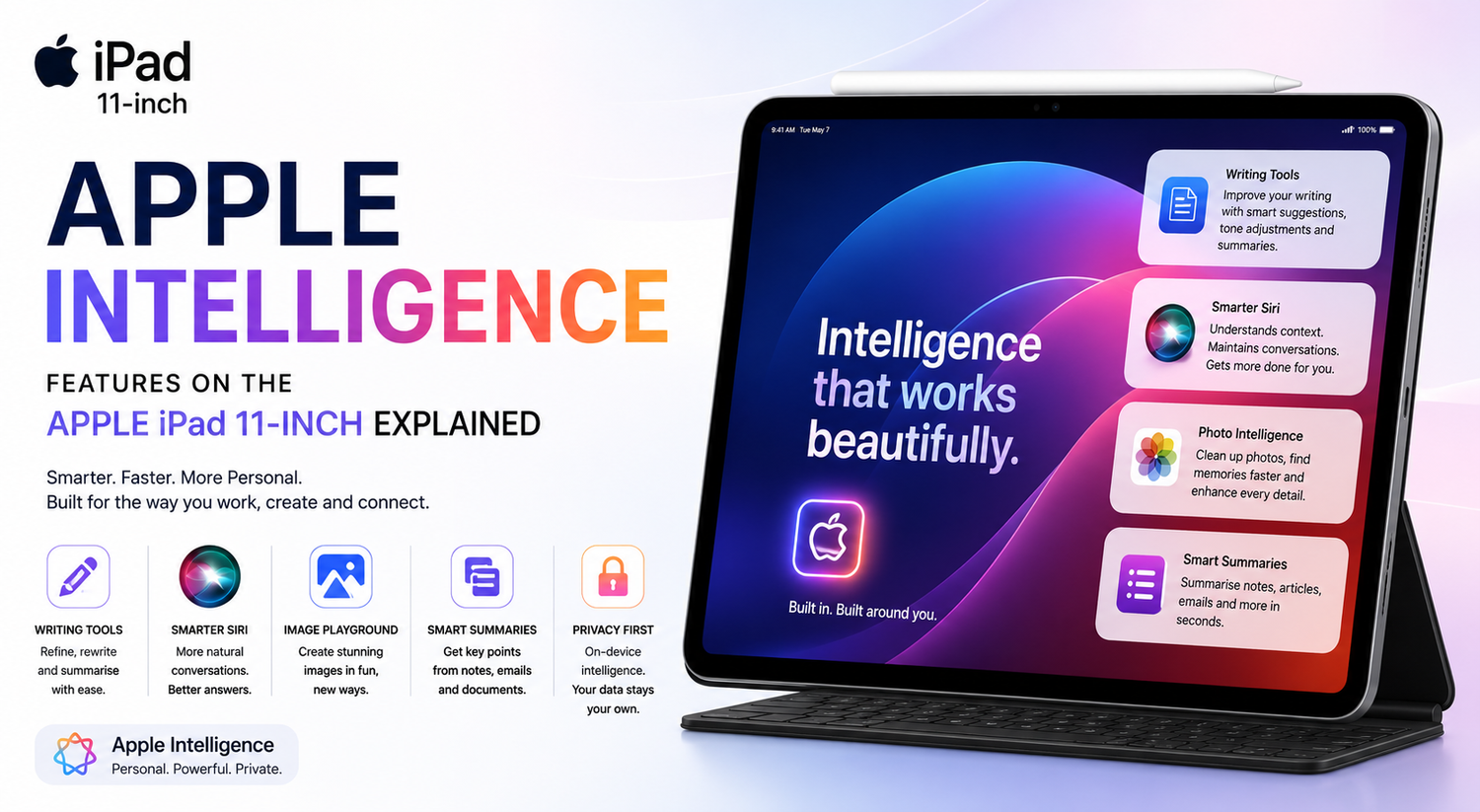
Artificial intelligence is changing the way we interact with technology, making everyday tasks faster, smarter, and more intuitive. Apple has embraced this shift with Apple Intelligence, a powerful suite of AI-powered features designed to enhance productivity, creativity, communication, and privacy across its latest devices. On the Apple iPad 11-inch, Apple Intelligence transforms the tablet into more than just a device for work or entertainment it becomes a smart assistant that helps users accomplish more with less effort.Whether you're a student, professional, creator, or first-time iPad buyer, understanding how Apple Intelligence works can help you get the most out of your device. Here's a closer look at the key Apple Intelligence features available on the Apple iPad 11-inch and how they improve your everyday experience.
What Is Apple Intelligence?
Apple Intelligence is Apple's personal AI system built directly into iPadOS. Unlike traditional AI services that rely heavily on cloud processing, Apple Intelligence combines powerful on-device processing with Private Cloud Compute to deliver fast, intelligent assistance while protecting your personal information.The system is designed to understand context, simplify everyday tasks, and help users write, organise, create, and communicate more efficiently. Since privacy remains one of Apple's biggest priorities, many AI tasks are processed directly on the device, ensuring your data remains secure.
Writing Tools That Make Communication Easier
One of the most useful Apple Intelligence features on the iPad 11-inch is the new Writing Tools.Whether you're writing emails, school assignments, business proposals, or social media posts, Apple Intelligence helps improve your content in seconds. It can rewrite sentences to sound more professional, friendly, or concise depending on your needs. It also helps correct grammar, improve clarity, and summarise long passages into shorter, more readable versions.For students preparing reports or professionals sending important emails, these intelligent writing tools save time while improving overall communication.
Smarter Siri with Better Conversations
Siri has received one of its biggest upgrades with Apple Intelligence.The new Siri understands natural conversations more accurately and responds with greater context than before. Instead of repeating commands or using exact phrases, users can speak more naturally while Siri understands what they mean.For example, if you're working on a presentation and ask Siri to find a recently downloaded document, it can better understand the request and help you locate it quickly.Siri can also maintain context between multiple questions, making conversations feel smoother and more human.
Image Creation Made Simple
Creativity becomes even more enjoyable with Apple Intelligence.The Image Playground feature allows users to generate fun and creative images directly on the iPad. Whether you want illustrations for presentations, creative artwork, or personalised graphics for messages, Apple Intelligence makes image generation simple and intuitive.Users can experiment with different artistic styles and quickly create visuals without requiring advanced design skills.For students, content creators, and professionals, this feature opens new creative possibilities.
Smarter Photo Editing
Apple Intelligence also enhances the Photos app.Instead of spending time manually editing every image, intelligent editing tools help users remove unwanted objects, improve image quality, and organise photo collections more efficiently.Searching through thousands of photos becomes easier because Apple Intelligence better understands image content, making it faster to locate specific memories.Whether you're editing travel photos or organising your photo library, these AI-powered tools simplify the process.
Better Note-Taking for Students and Professionals
The iPad has long been popular for digital note-taking, and Apple Intelligence makes it even more powerful.Meeting notes, lecture summaries, and research documents can be organised automatically. Long paragraphs become concise summaries, allowing users to quickly review important information without rereading entire documents.Students can revise more efficiently, while professionals can prepare meeting reports faster.Combined with Apple Pencil support, the iPad 11-inch becomes an outstanding productivity tool.
Intelligent Email Management
Managing emails becomes easier with Apple Intelligence.The system helps summarise lengthy email conversations, allowing users to understand key information without reading every message individually.Suggested replies also become more accurate and context-aware, helping users respond quickly while maintaining a professional tone.For users receiving dozens of emails daily, these improvements significantly reduce time spent managing their inbox.
Better Productivity Throughout the Day
Apple Intelligence works quietly in the background to improve everyday productivity.Whether scheduling appointments, organising files, summarising documents, or suggesting relevant information, the system continuously assists users without becoming intrusive.Instead of requiring separate AI applications, many intelligent features are built directly into iPadOS, making them easily accessible whenever needed.This seamless integration helps users stay focused on their work rather than switching between multiple apps.
Privacy Remains a Priority
One of Apple's biggest advantages over many AI platforms is its strong commitment to privacy.Apple Intelligence processes many requests directly on the iPad using on-device processing. For more advanced requests requiring cloud resources, Apple uses Private Cloud Compute, ensuring personal information remains protected while maintaining transparency.Unlike some AI services that collect large amounts of user data, Apple has designed Apple Intelligence to prioritise security without sacrificing performance.This approach gives users greater confidence when using AI-powered features.
Great for Creative Professionals
Creative users will also benefit from Apple Intelligence.Writers can refine articles more efficiently. Designers can generate creative concepts using Image Playground. Photographers can organise and edit large image collections faster.Content creators can brainstorm ideas, draft scripts, improve written content, and manage projects more effectively using AI-powered assistance throughout the creative process.The iPad becomes more than a tablet it becomes an intelligent creative companion.
Built for Everyday Users
Apple Intelligence isn't limited to professionals or technology enthusiasts.Families can use it to organise schedules, students can improve assignments, travellers can summarise itineraries, and casual users can communicate more effectively through writing assistance and smarter Siri interactions.The AI features are designed to feel natural rather than overwhelming, making them useful for virtually every type of iPad owner.Even users unfamiliar with artificial intelligence can begin benefiting immediately.
Why Apple Intelligence Makes the iPad Better
The Apple iPad 11-inch has always been known for its versatility, but Apple Intelligence takes that versatility even further.Instead of simply offering faster hardware, Apple has focused on making the software genuinely more helpful. Writing becomes easier, communication becomes clearer, creativity becomes more accessible, and productivity improves across nearly every application.Rather than replacing human creativity, Apple Intelligence acts as an intelligent assistant that helps users complete everyday tasks more efficiently.