Wireless earbuds have become an essential part of everyday life, whether you're listening to music, attending virtual meetings, watching movies, or taking phone calls. While sound quality and battery life often receive the most attention, one feature that truly enhances the user experience is seamless connectivity. Apple has perfected this with the AirPods 4, introducing intelligent device switching that makes moving between Apple devices almost effortless.If you own multiple Apple devices or are planning to invest in the Apple ecosystem, the AirPods 4's Seamless Device Switching feature could completely change the way you use your headphones. Here's everything first-time buyers and Apple fans need to know.
What Is Seamless Device Switching?
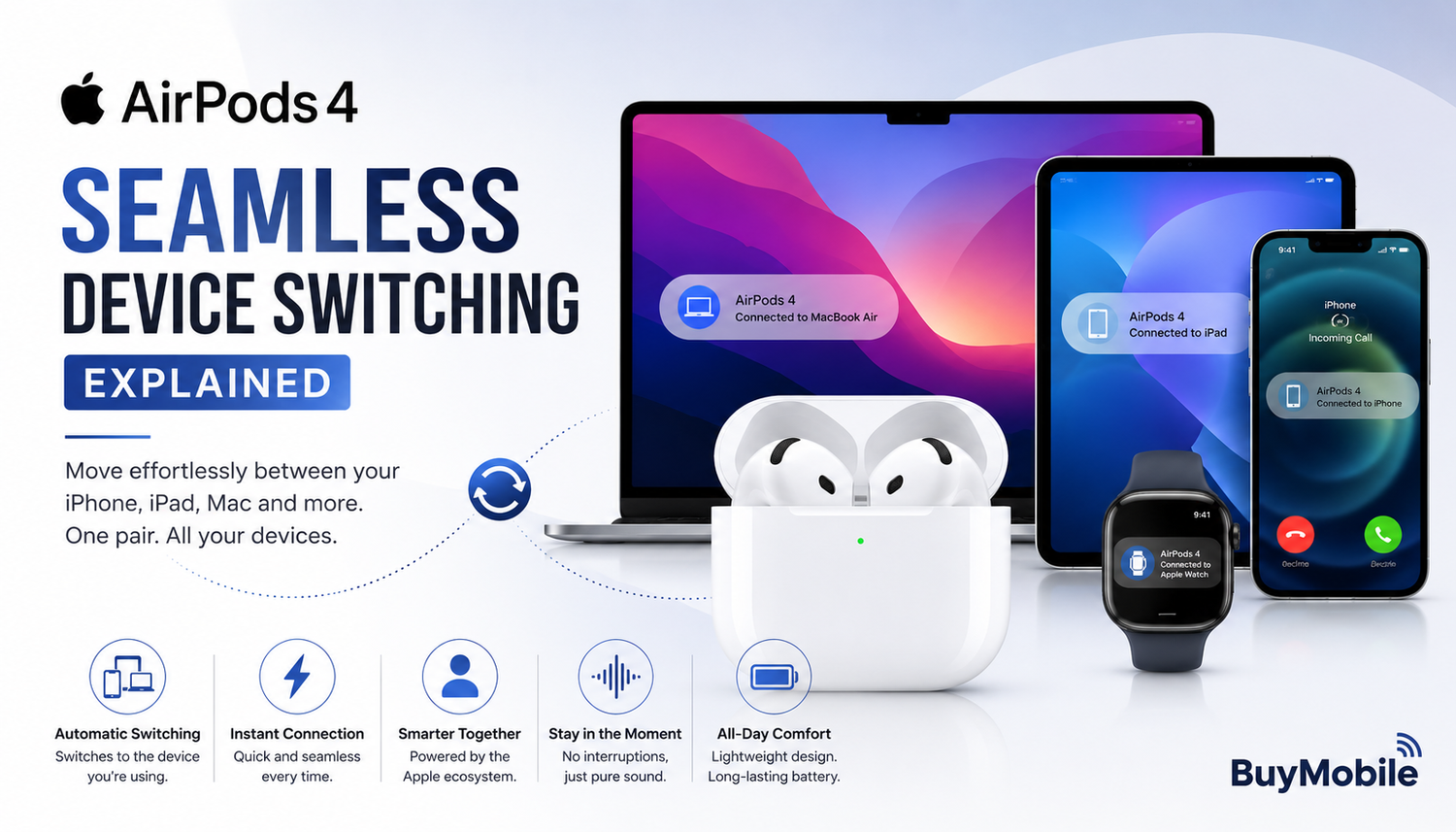
Seamless Device Switching is an intelligent feature that allows the Apple AirPods 4 to automatically connect to the Apple device you're actively using. Instead of manually disconnecting from one device and pairing with another, the AirPods recognise when you switch activities and adjust the connection automatically.For example, you could be listening to music on your MacBook while working. If a phone call comes in on your iPhone, the AirPods 4 automatically transfer the audio to your phone so you can answer without touching your Bluetooth settings. Once the call ends, they reconnect to your MacBook, allowing you to continue exactly where you left off.The transition feels quick, natural, and almost invisible, making everyday multitasking much more convenient.
How Apple Makes It Work
The magic behind Seamless Device Switching lies in Apple's tightly integrated ecosystem. Once your AirPods 4 are paired with one Apple device using your Apple ID, they become available across all compatible Apple devices signed in to the same account.The earbuds constantly communicate with iCloud and nearby Apple devices to determine which one you're actively using. When another device requires audio output, the AirPods intelligently switch to it within seconds.This level of integration removes one of the biggest frustrations associated with Bluetooth headphones manually reconnecting every time you change devices.
A Better Experience for Everyday Users
Many people use more than one Apple device throughout the day. You may begin the morning by checking emails on your MacBook, continue reading news on your iPad during breakfast, answer calls on your iPhone throughout the day, and relax with a movie on Apple TV in the evening.Normally, this would require reconnecting your Bluetooth headphones multiple times.With the AirPods 4, those interruptions disappear. The earbuds intelligently follow your workflow, allowing you to focus on what you're doing instead of managing Bluetooth connections.It's one of those features you quickly begin to appreciate because it works quietly in the background.
Perfect for Remote Work
Professionals working from home or travelling between meetings will benefit greatly from Seamless Device Switching.Imagine you're participating in a Microsoft Teams meeting on your MacBook while your iPhone remains beside you. During a short break, an important client calls your phone. Instead of removing your headphones or manually switching devices, the AirPods 4 automatically connect to your iPhone so you can answer immediately.After finishing the conversation, they reconnect to your MacBook, allowing you to resume work without unnecessary interruptions.For busy professionals, these small conveniences add up throughout the workday.
Great for Students
Students often move between multiple Apple devices while studying.An online lecture might be playing on an iPad while research is being completed on a MacBook. If a FaceTime call arrives from classmates discussing an assignment, the AirPods 4 can automatically switch to the iPhone.Once the conversation ends, the earbuds reconnect to the original device so learning can continue without distractions.This creates a smoother study experience while reducing unnecessary setup time.
Entertainment Without Interruptions
Entertainment becomes much more enjoyable when technology stays out of your way.You may start watching a film on your iPad while travelling home and later decide to continue on your Apple TV after arriving.Rather than opening Bluetooth settings again, the AirPods 4 automatically recognise the new playback device and transfer the audio almost instantly.Whether you're listening to music, streaming TV shows, watching YouTube videos, or enjoying podcasts, transitions happen naturally.
Instant Pairing Makes Setup Simple
Before Seamless Device Switching can work, the AirPods 4 must first be paired with your Apple account.Fortunately, Apple has made this incredibly simple.After opening the AirPods charging case near your iPhone, a setup animation appears on the screen. Within seconds, the earbuds become connected not only to your iPhone but also to your iPad, Mac, Apple Watch, and Apple TV that share the same Apple ID.This single setup process eliminates the need to manually pair every device individually.
Works Beautifully with the Apple Ecosystem
Seamless Device Switching is only one part of Apple's connected ecosystem.The AirPods 4 also work alongside features like Siri voice control, Find My, Audio Sharing, Personalized Spatial Audio, and iCloud synchronisation.Together, these technologies create an experience that feels far more connected than using ordinary Bluetooth earbuds.Everything works together automatically, helping users spend less time adjusting settings and more time enjoying their content.
Smart Enough to Know When to Switch
One reason the AirPods 4 feel so intuitive is that Apple has designed the switching system to understand user behaviour.The earbuds don't simply jump between every nearby device. Instead, they prioritise the device you're actively using.If you're watching a movie on your Mac, they remain connected unless another activity—such as answering an incoming call requires immediate attention.This intelligent decision-making helps prevent unnecessary interruptions while still keeping switching fast and reliable.
Can You Control Automatic Switching?
Although most users appreciate automatic switching, Apple also allows users to customise the feature.Inside the Bluetooth settings, you can choose whether your AirPods connect automatically or only reconnect to the last device you used.This flexibility is useful for people who regularly use shared computers or who simply prefer greater manual control over Bluetooth connections.Apple gives users the freedom to decide which experience best suits their workflow.
Is It Only for Apple Users?
The AirPods 4 function as standard Bluetooth earbuds with Android phones, Windows laptops, and other Bluetooth-enabled devices.However, Seamless Device Switching is an exclusive Apple ecosystem feature.Users who own several Apple products receive the greatest benefit because the earbuds can communicate across Apple's hardware and software ecosystem.For those already invested in Apple devices, this feature becomes one of the biggest reasons to choose AirPods over competing wireless earbuds.
Why It Matters
At first glance, automatic device switching may seem like a small feature.However, over weeks and months of daily use, it saves considerable time and removes one of the most common frustrations associated with wireless headphones.Instead of thinking about Bluetooth settings, you simply move from one device to another while the AirPods quietly manage the connection in the background.This convenience reflects Apple's philosophy of creating technology that feels effortless.