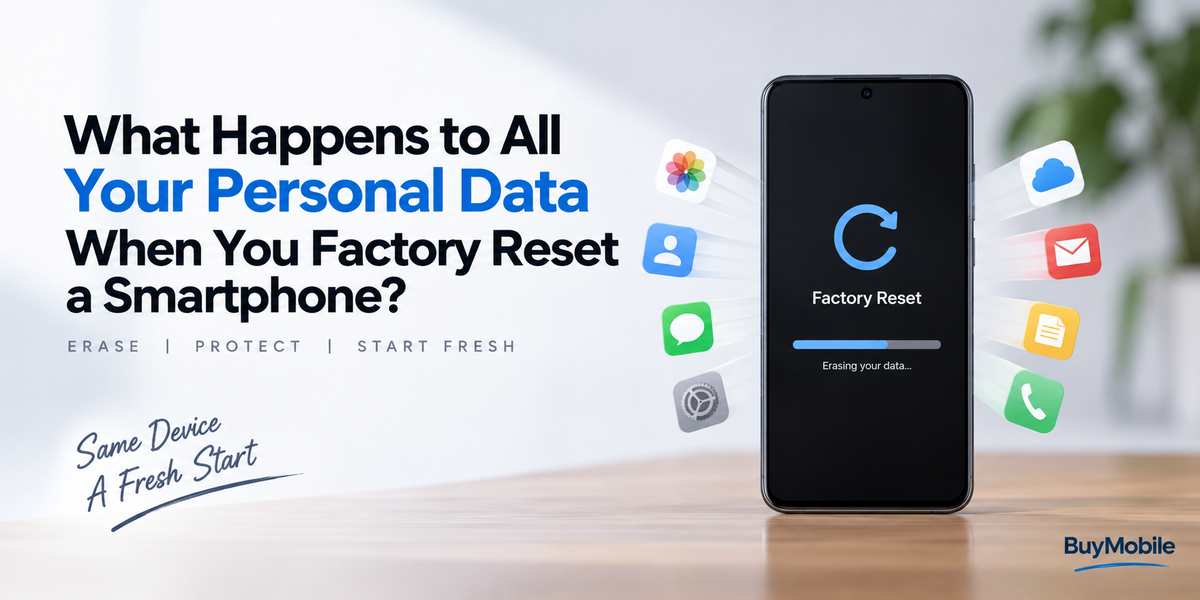
Your smartphone can contain an enormous amount of personal information. Photos, messages, contacts, passwords, banking apps, emails, browsing history and years of application data may all be stored on a device small enough to fit inside your pocket.That makes factory resetting a smartphone particularly important when you plan to sell it, trade it in, give it to someone else or simply start fresh.Most people understand that a factory reset "deletes everything," but what actually happens to your information? Does every photo physically disappear from the storage chip? Can another person recover your files? What happens to information stored in iCloud or Google services?The answer becomes easier to understand when you separate data stored on the smartphone from data stored elsewhere.
What Is a Factory Reset?
A factory reset returns a smartphone to a state similar to when it was originally prepared for a new user.Your accounts are removed from the device, installed applications disappear and locally stored personal settings and information are erased.After the reset finishes, the phone normally displays its initial setup screen.The next person using it should not see your old photo library, messages, applications or home screen.However, resetting a phone is different from simply deleting a few files manually.Modern smartphones use storage management and encryption technologies that make the process much more secure.
Your Locally Stored Personal Data Is Removed
Think about everything accumulated on your phone.There may be photographs, downloaded documents, call records, text messages, saved Wi-Fi information, application databases and account information.A factory reset removes the user data stored in the areas of internal storage intended for your personal information.Applications you installed are removed as well.That means someone turning on the reset smartphone should encounter the setup process rather than your personal environment.The operating system itself is not simply destroyed. The phone still needs enough system software to start and guide the next user through configuration.
Does a Factory Reset Literally Overwrite Every File?
This is where things become more interesting.On older storage systems, deleting a file often meant removing the information that told the operating system where that file was located. The underlying bits could sometimes remain until another file eventually overwrote them.That history is one reason people worry about deleted-file recovery.Modern smartphones operate differently, particularly because encryption has become a fundamental part of mobile security.Instead of thinking of a reset as someone individually shredding every photograph, message and password, it can be more useful to think about encrypted information becoming inaccessible when the cryptographic material required to access it is destroyed.This makes recovering information from a properly reset modern smartphone very different from recovering a recently deleted file from an old unencrypted storage device.
Encryption Is Extremely Important
Modern iPhones and Android smartphones make extensive use of encryption.Encryption transforms stored information so that it cannot be meaningfully interpreted without the appropriate cryptographic keys.Imagine placing all your personal documents inside an extremely secure vault.Destroying the only usable key to that vault can make whatever remains inside practically inaccessible, even if traces of encrypted information still physically exist somewhere in storage.The technical implementation varies between manufacturers, operating systems and devices, but encryption is one of the major reasons a proper factory reset on a modern smartphone is generally much safer than manually deleting individual files.
Your Cloud Data Usually Does Not Disappear
This is one of the most important things to understand about factory resetting.Resetting your smartphone and deleting your online account are completely different actions.Suppose your photographs are synchronised with iCloud Photos or Google Photos.A factory reset removes the local information from the smartphone, but it does not normally mean your entire online photo library is erased.The same principle can apply to contacts, calendars, email, cloud documents and other synchronised information.When you sign into a new compatible device using the same account, much of that information may become available again.This is useful because it allows you to reset or replace a smartphone without necessarily losing your digital life.It also means you should not assume a factory reset deletes information stored by online services.
What Happens to Your Apps?
Applications you installed are removed from the device during the factory reset.But application data can exist in several places.Some information may have been stored only locally. Other information may be connected to an online account operated by the application provider.Consider a social media app.Factory resetting your smartphone removes the application and its local information from that particular phone. It does not automatically delete your social media profile from the company's servers.If you install the application on another device and sign in, your account will still exist.Deleting an app, resetting a smartphone and deleting an online account are three separate actions.
What About Photos and Videos?
Photos deserve special attention because they are often among the most valuable files on a smartphone.If a photo exists only in internal storage and you factory reset the device without making a backup, you should expect to lose access to it.If that same photograph has already been synchronised with a cloud photo service, the online copy may remain available.Before resetting a smartphone, check that important photos and videos have actually finished backing up.Do not simply assume that because cloud backup is enabled, every recent file has already been uploaded.A weak connection, full cloud storage or disabled synchronisation could leave some recent content only on the device.
What Happens to Passwords and Banking Apps?
Locally stored application information is removed during the reset, including the local state of banking and financial applications.However, the bank account itself obviously continues to exist.After moving to another smartphone, you may need to download the banking app again and complete its login or device verification process.Passwords stored through cloud-based password managers may also become available again after you authenticate on a new device.This illustrates an important distinction.A factory reset removes access from the smartphone. It does not necessarily delete information held by the organisation providing the service.
What About an eSIM?
An eSIM deserves separate attention because reset behaviour and available options can vary.Some smartphones allow you to choose whether an eSIM should also be erased during the reset process.This matters when you are selling or giving the phone to another person.Read the reset options carefully rather than quickly confirming every screen.If the phone is leaving your possession permanently, make sure your mobile service and eSIM arrangements have been handled appropriately with your carrier and device settings.
A Physical SIM and Memory Card Need Separate Attention
A factory reset cannot erase a physical SIM card that you remove from the phone.If you are selling the smartphone, remove your SIM before handing over the device.The same caution applies to removable memory cards on phones that support them.Do not automatically assume resetting internal storage has securely erased everything stored on an inserted microSD card.Remove the card if you intend to keep it, or erase it separately using an appropriate method if it is being transferred with the phone.
Account Protection Can Affect the Next Owner
Modern smartphones include anti-theft protections designed to make stolen devices harder to reuse.On iPhone, Activation Lock is associated with Find My. Android devices can use Factory Reset Protection.These protections can require the previous owner's account credentials under certain circumstances.That is good for theft prevention, but it can create problems when selling a legitimate device if the owner's account has not been handled correctly.Before selling or trading in your smartphone, follow the manufacturer's official preparation instructions.This may involve signing out, turning off certain device-finding features and removing the phone from your account where appropriate.Simply resetting the device without understanding account protection can leave the next owner facing an activation problem.
Should You Manually Delete Everything Before Resetting?
On a modern encrypted smartphone, manually opening every folder and deleting every photograph before performing a proper factory reset is generally unnecessary.In some situations, manually deleting synchronised information can even create an unwanted problem.For example, deleting photos while cloud synchronisation is active may cause those deletions to synchronise with your online library.If your goal is simply to prepare a smartphone for sale, the safer approach is usually to make a verified backup and then follow the official reset and account-removal instructions provided by the manufacturer.
What Should You Do Before Factory Resetting?
Preparation is more important than the reset button itself.First, make sure important photographs, contacts, documents and messages are backed up or transferred.Check authentication applications carefully. If you use an authenticator for two-factor authentication, make sure you have a supported way to transfer or restore access before erasing the old phone.Confirm that important apps and accounts can be accessed from another device.Remove your physical SIM and memory card where applicable.If you are selling or giving away the smartphone, follow the manufacturer's steps for disabling activation-related protections and removing your account.Only then should you perform the factory reset.
Can Someone Recover Your Data After a Factory Reset?
For a properly functioning modern smartphone using current encryption and reset mechanisms, a correctly performed factory reset is designed to make previous user data inaccessible.However, no single statement can cover every smartphone ever produced.Very old devices, modified operating systems, damaged hardware or unusual storage configurations may behave differently.This is why using the built-in factory-reset procedure is preferable to trying to erase files manually.For highly sensitive business, government or regulated information, organisations may also have specialised device disposal policies that go beyond an ordinary consumer factory reset.