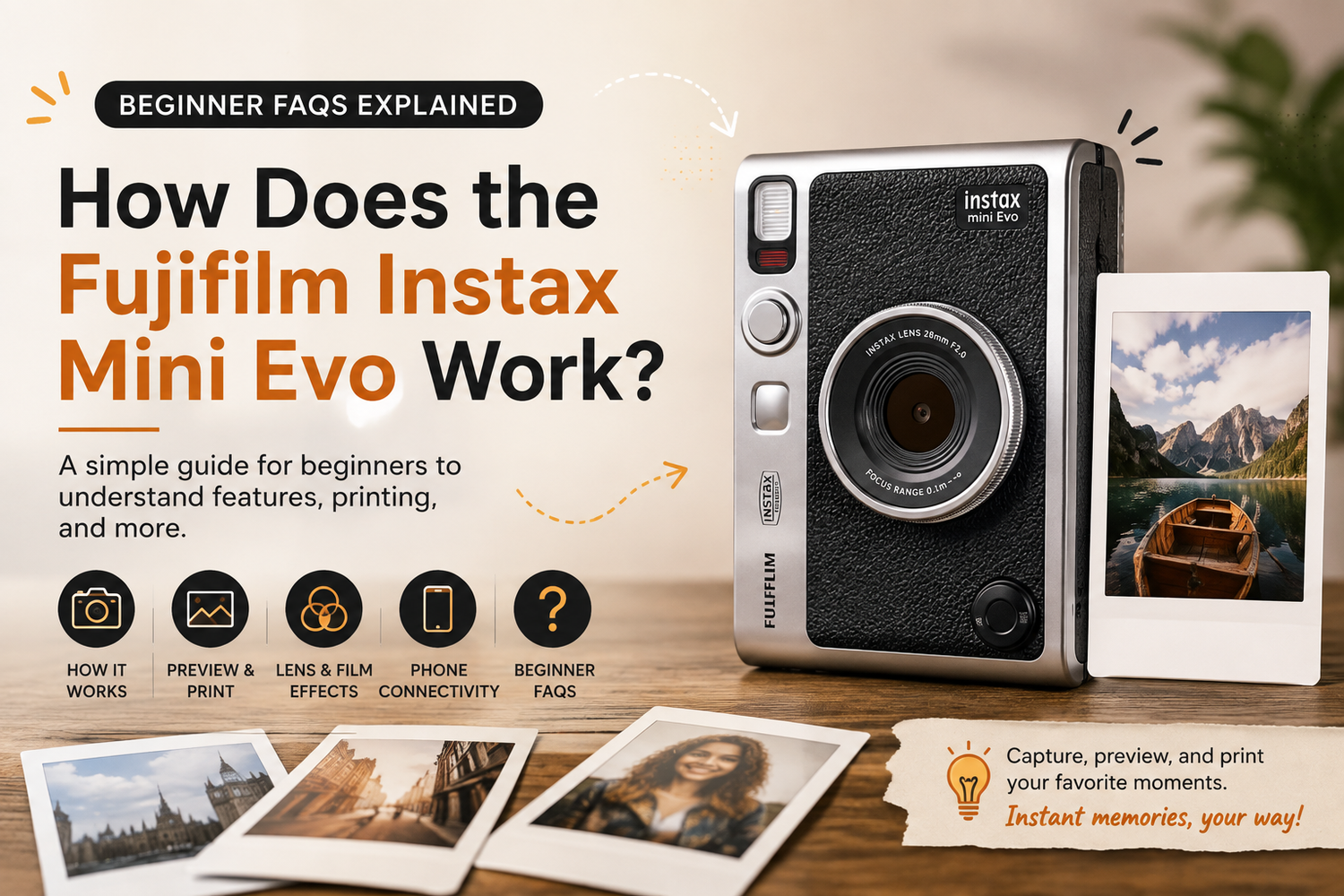
Instant photography has a special charm that smartphones and digital cameras cannot fully replicate. Taking a picture and holding a physical print moments later makes photography feel more personal and memorable. The Fujifilm Instax Mini Evo takes that classic instant-camera experience and combines it with modern digital photography, giving users more control over what they capture and print.Unlike traditional instant cameras that print every photo immediately, the Instax Mini Evo is a hybrid instant camera. You can capture an image digitally, preview it on the camera's screen, decide whether you like it, and then choose whether to print it.If you've recently bought an Instax Mini Evo or are considering one, here are the most important beginner questions answered.
What Is the Fujifilm Instax Mini Evo?
The Fujifilm Instax Mini Evo is a hybrid digital instant camera designed to combine digital convenience with physical instant prints.You take photographs using the camera, view them on its LCD screen and select the images you actually want to print. This approach can help reduce wasted film because blurry, poorly framed or unwanted photographs don't necessarily have to become prints.The camera uses Instax Mini instant film, producing the familiar credit-card-sized prints associated with Fujifilm's Mini range.
How Does the Instax Mini Evo Work?
Using the Instax Mini Evo is straightforward.First, load an Instax Mini film pack into the camera. Turn the camera on, frame your subject using the rear display and press the shutter button to capture your photograph.Instead of immediately ejecting a print, the camera stores the image digitally. You can then review the photograph on the display.If you're happy with it, use the camera's print control to create a physical Instax Mini photograph.This digital-first process is one of the biggest differences between the Mini Evo and conventional instant cameras.
Does Every Photo Automatically Print?
No and that's one of the Mini Evo's greatest advantages for beginners.Traditional instant cameras typically expose a sheet of film every time you press the shutter. With the Mini Evo, taking a digital photograph and printing it are separate actions.You can therefore take several shots, compare them and print only your favourites.This makes it easier to experiment with composition, lighting and creative effects without using an Instax film sheet every time you press the shutter.
What Film Does the Instax Mini Evo Use?
The camera uses Fujifilm Instax Mini instant film.Instax Mini prints are compact and easy to carry, display or share with friends. They're popular for travel albums, journals, scrapbooks, parties, weddings and creative projects.When purchasing replacement film, look specifically for Instax Mini film rather than Instax Square or Instax Wide, as those formats are different sizes.
Can You Preview Photos Before Printing?
Yes. This is one of the main reasons beginners find the Mini Evo so approachable.After capturing an image, you can review it on the camera's LCD screen before deciding whether it's worth printing.If someone's eyes are closed or your composition isn't quite right, you can simply take another photograph.The preview system combines the excitement of instant photography with the flexibility people have become accustomed to when using digital cameras and smartphones.
What Are the Lens and Film Effects?
Creativity is a major part of the Instax Mini Evo experience.The camera provides multiple Lens Effects and Film Effects that can be combined to produce numerous visual styles.Rather than editing every photograph afterward, you can experiment with the camera controls before taking your shot.Different combinations can create photographs that feel vintage, dramatic, colourful or artistic. This encourages beginners to experiment and helps the Mini Evo feel like more than a simple point-and-shoot instant camera.
Can Beginners Use the Mini Evo Easily?
Absolutely.You don't need extensive photography knowledge to start using the Instax Mini Evo. The controls are designed to be approachable, while the digital display helps you see what you're photographing.Beginners can start with straightforward compositions and gradually experiment with creative effects as they become more confident.The ability to preview before printing also removes some of the pressure associated with traditional instant photography, where every shutter press costs a piece of film.
Can the Instax Mini Evo Connect to a Smartphone?
Yes. Smartphone connectivity is another major advantage of the hybrid design.Using Fujifilm's compatible Mini Evo smartphone app, the camera can work alongside your phone for additional functionality.One of the most useful features is the ability to turn the Mini Evo into a smartphone printer. Instead of printing only photographs captured by the camera, you can select compatible images from your phone and create Instax Mini prints.That means your favourite holiday photos, portraits and everyday smartphone images can become physical keepsakes.
Can You Save Instax Mini Evo Photos to Your Phone?
The Mini Evo's connected features make it easier to combine the physical and digital photography experience.This is particularly useful for social media users. You might capture an image using the Mini Evo, enjoy the physical print and also keep a digital version for sharing.However, specific transfer options can depend on how the image was captured and the camera/app workflow, so beginners should check the current Mini Evo app instructions when setting up their device.
Does It Need a Memory Card?
The Instax Mini Evo includes internal storage for a limited number of images and also supports expandable storage through a compatible memory card.Adding storage is useful if you plan to capture lots of photographs while travelling or at events.Remember that storage and instant film serve different purposes: digital storage keeps image files, while Instax Mini film is required whenever you want a physical print.
How Do You Get Better Photos?
You don't need to be a professional photographer to improve your Instax Mini Evo results.Start by paying attention to lighting. Subjects generally look better when they're well illuminated, particularly indoors.Keep the camera steady while pressing the shutter and avoid covering important parts of the camera with your fingers.Think about the background as well. A simple background often makes portraits look cleaner and more professional.Most importantly, experiment. Because you don't have to print every image, you can try different angles and effects before choosing your favourite shot.
Is the Mini Evo Good for Travel?
The Instax Mini Evo is particularly appealing for travel photography.Its compact design makes it easy to carry while exploring, and the hybrid system allows you to capture plenty of photographs without immediately consuming film.You can print your favourite travel memories during the trip and share physical photographs with friends or people you meet along the way.It creates a much more tangible travel experience than simply storing thousands of images on a smartphone.
Is Instax Mini Evo Worth It for Beginners?
For someone who likes the idea of instant photography but worries about wasting film, the Mini Evo offers an excellent compromise.You get the physical experience of Instax prints while retaining the ability to review images first. Creative effects encourage experimentation, and smartphone connectivity adds another level of versatility.It is especially suitable for beginners, travellers, students, families and anyone interested in scrapbooking or creative photography.