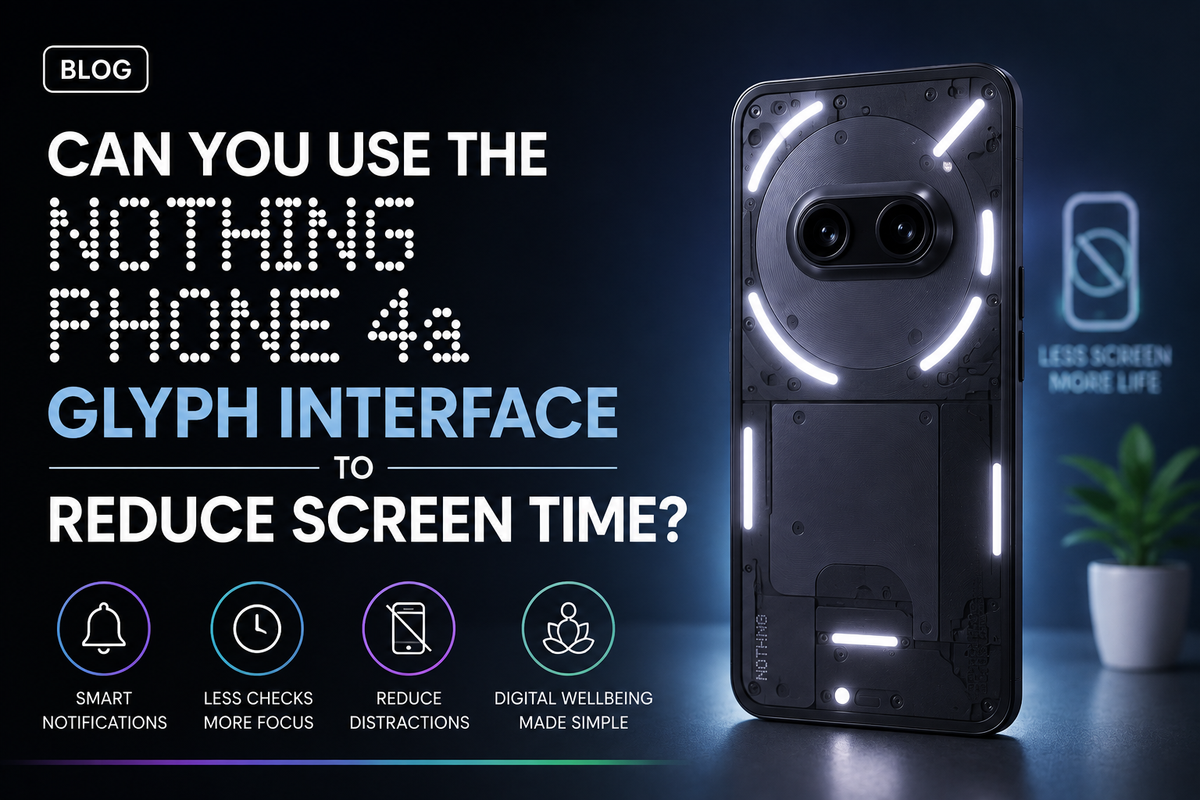
Smartphones are incredibly useful, but they are also very good at demanding our attention. A notification arrives, you unlock your phone to check it, and five minutes later you may find yourself scrolling through social media without remembering why you picked up the phone in the first place.The Nothing Phone 4a approaches smartphone interaction differently. Nothing has built its identity around distinctive hardware and a software experience designed to make everyday smartphone interactions feel more intentional. One of the most recognisable parts of that approach is the Glyph Interface.But can the Nothing Phone 4a Glyph Interface actually help you reduce screen time? It will not magically stop you from using your phone, but when configured carefully, it could help reduce unnecessary unlocking and make notifications less distracting.
What Is the Glyph Interface?
The Glyph Interface uses lights on the rear of the phone to communicate information without requiring you to constantly look at the main display.Instead of hearing a notification sound, picking up the phone, unlocking it and opening an app, a Glyph notification can give you a visual indication that something has happened.The important idea is not simply replacing notification sounds with lights. It is creating another way for your phone to communicate without immediately putting an app-filled display in front of you.That small difference can potentially change your habits.
Why Checking One Notification Can Become 20 Minutes of Screen Time
Think about how often you unlock your phone simply because it vibrated.You may originally intend to check a message. Once the display is unlocked, however, you see several other notifications. Then you check Instagram, open an email, look at the weather and perhaps watch a short video.The original ten-second task has turned into an extended smartphone session.This is one reason reducing unnecessary unlocks can be useful when trying to control screen time. The Glyph Interface can potentially act as a filter between receiving a notification and opening your phone.
You Can Decide Which Notifications Deserve Your Attention
Not every notification has the same importance.A message from your family might require immediate attention. A promotional email from an online store probably does not. A work-related message could be important during office hours, while another social media notification can usually wait.The usefulness of the Glyph Interface comes from learning to distinguish between these types of interruptions.Rather than treating every vibration as a reason to check the display, you can use visual cues to understand whether something deserves your attention.Over time, this could reduce the habit of checking your phone every few minutes.
Putting Your Phone Face Down Can Become More Useful
One of the simplest ways to become less distracted by a smartphone is to stop looking at the display.That sounds obvious, but smartphones are designed to keep information visible. An always-on display, notification icons and incoming messages can constantly encourage interaction.Placing the Nothing Phone 4a face down changes that relationship.Instead of having the screen constantly within view, you can allow the Glyph system to communicate selected information from the rear of the device.This can be particularly useful while working, studying, eating or spending time with other people.You remain reachable without having the entire smartphone interface competing for your attention.
The Glyph Interface Can Help During Work and Study
Imagine you are trying to complete an assignment or concentrate on a project.Your phone is sitting beside your laptop. Every time the display lights up, your eyes naturally move towards it. Even if you do not unlock the phone, that interruption can affect your concentration.Turning the phone face down and relying on selected Glyph notifications can create a quieter environment.You can still identify important alerts while ignoring less important ones until your break.The goal is not to eliminate smartphone use. It is to make the decision to check your phone more intentional.
It Could Reduce Notification Anxiety
Some people check their phones repeatedly even when there has been no notification.This habit can develop because we become accustomed to constantly checking whether something new has happened.A visual notification system can provide reassurance that you do not need to unlock the device simply to check.If you know that an important notification will produce a recognisable visual signal, there is less reason to repeatedly wake the screen.This may not work for everyone, but it demonstrates how hardware design can influence digital habits.
The Minimal Nothing OS Experience Can Help Too
The Glyph Interface becomes more interesting when combined with Nothing OS.Nothing's software design generally focuses on a distinctive minimalist visual language. A cleaner home screen can reduce some of the visual temptation created by colourful application icons and constantly changing widgets.You can take this further by keeping distracting apps away from your main home screen, disabling unnecessary notifications and using Android's Digital Wellbeing features.The Glyph Interface therefore works best as one part of a larger screen-time strategy rather than as a standalone solution.
You Still Need to Control Your Notifications
There is an important limitation.If you allow every application to demand your attention, changing the notification from a sound to a light does not solve the underlying problem.Too many Glyph alerts could simply create another form of distraction.The better approach is to decide which applications genuinely need immediate access to your attention.Messages from important contacts might deserve an instant notification. Shopping promotions, game alerts and social media recommendations usually do not.The fewer interruptions you allow, the more useful the Glyph system can become.
Can It Help You Use Social Media Less?
Indirectly, yes.The Glyph Interface cannot prevent you from opening TikTok, Instagram, YouTube or another social platform. What it can potentially do is reduce the number of times notifications encourage you to open those apps.Many social media sessions begin because of an external trigger.A notification tells you someone liked something, uploaded something or replied to something. You open the app and then remain there far longer than originally intended.Reducing those triggers can make social media use more deliberate.Instead of opening an app whenever it calls for attention, you decide when you want to check it.
Try Creating Phone-Free Periods
The Glyph Interface can also support periods where you deliberately avoid the main display.For example, place the Nothing Phone 4a face down for 30 minutes while working. Allow only important notifications to reach you through the Glyph system.You could do something similar during dinner, while reading or before going to sleep.Eventually, you may become more comfortable with the idea that every notification does not need an immediate response.That behavioural change is far more important than the lighting technology itself.
Does the Glyph Interface Really Reduce Screen Time?
The answer ultimately depends on how you use it.If you continue unlocking your Nothing Phone 4a every few minutes regardless of what the Glyph Interface shows, your screen time probably will not change significantly.But if you use Glyph notifications to identify important alerts, keep the phone face down and disable unnecessary interruptions, the feature could help reduce casual phone checking.The real benefit is not the number of lights on the back of the phone. It is the ability to receive information without automatically entering the main smartphone interface.