


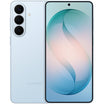


FUJIFILM instax mini 12 (Instant Camera)
- International stock, 1-2 days fast dispatch.
- Estimated Delivery Time Frame: 5-7 Business days
- One Year Australian Seller Warranty.
Product Overview
- International stock, 1-2 days fast dispatch.
- Estimated Delivery Time Frame: 5-7 Business days
- One Year Australian Seller Warranty.
The FUJIFILM instax mini 12 Camera makes it simple to capture and share real prints in seconds, turning everyday moments into fun, tangible memories. Designed for instant photography, it uses FUJIFILM instax mini Instant Film (sold separately) to produce classic credit card sized photos with a 62 x 46 mm image area, perfect for albums, walls, and gifting. A 60 mm f/12.7 lens with a programmed electronic shutter from 1/2 to 1/250 sec and automatic exposure (Lv 5.0 to 14.5 at ISO 800) lets the camera adjust to a wide range of lighting conditions, from bright outdoors to indoor scenes with slow synchro for low light.
Framing is easy with the real image viewfinder (0.37x) and target spot, and Close-Up Mode with parallax correction helps you get sharper, better composed shots from 0.3 to 0.5 m. Film ejection is fully automatic, and prints develop in about 90 seconds depending on temperature. A constant firing flash with auto light adjustment and up to 2.2 m effective range ensures subjects are well lit, while two AA alkaline batteries power roughly 10 packs of film (usage dependent). Practical touches like a film counter, film pack confirmation window, and 5 minute auto power off round out the experience, strap, or film, the instax mini 12 is an ideal grab and go instant camera for travel, parties, and creative projects.
Product Specification
| Film Used | FUJIFILM instax mini Instant Film (sold separately) |
| Photo Picture Size | 62 mm x 46 mm |
| Lens | 2 components, 2 elements, f = 60 mm, 1:12.7 |
| Viewfinder | Real image finder, 0.37x, with target spot; parallax correction function for Close-Up Mode |
| Shooting Range | 0.3 m and beyond (use Close-Up Mode for 0.3 m to 0.5 m) |
| Shutter | Programmed electronic shutter 1/2 to 1/250 sec; slow synchro for low light |
| Exposure Control | Automatic, Lv 5.0 to 14.5 (ISO 800) |
| Film Ejection | Automatic |
| Film Developing Time | Approx. 90 seconds (varies depending on ambient temperature) |
| Flash | Constant firing flash (automatic light adjustment); recycle time 7 seconds or less (with new batteries); effective flash range 0.3 to 2.2 m |
| Power Supply | Two AA-size alkaline batteries (LR6); capacity approx. 10 instax mini film packs of 10 exposures each (depends on usage conditions) |
| Battery Notes | Supplied batteries are for trial use; replace with new alkaline batteries when depleted. Manganese batteries cannot be used. |
| Auto Power Off Time | After 5 minutes |
| Other Features | Film counter and film pack confirmation window |
| Dimensions | 104 mm x 66.6 mm x 122 mm |
| Weight | 306 g (without batteries, strap, and film) |
- Uses FUJIFILM instax mini Instant Film
- Automatic exposure and 1/2–1/250 sec electronic shutter for easy shooting
- Close-Up Mode with parallax correction for 0.3–0.5 m subjects
- Built-in flash with up to 2.2 m range and approx. 90 second developing time
Related Products


Frequently Asked Questions
How do I place my order?
Once you have finished adding items to your shopping cart, point your cursor to the red button saying "ADD TO CART." You will then be transferred to our secure CHECKOUT page to either login to your account if you have or place an order without one.
After providing this information: name and shipping details, you need to choose the shipping method (Standard, Express or P.O. box which takes an extra 5 days). Once done, Kindly proceed to payment terms.
You will now need to enter your payment details. After completing payment, you are asked to choose if you're billing address is same as shipping address or use a different one. Once you are ready to complete your order, click "Complete order." You will receive an on-screen order confirmation, as well as a second confirmation via e-mail.
If you have difficulties in the checkout process, please feel free to contact our customer service support via chat or email.
How do I remove items from my shopping cart?
First, click on the "Cart" icon on the upper right corner of the webpage. This will allow you to check all items that are currently in your shopping cart. Once you have identified the item tha you want to remove, click the X icon on the right side next to the price of the item. Once done, choose update cart and you can now continue shopping or complete your order.
What if I need to change my address?
Please email us or have a chat with our Customer Service support team with your changes. Address changes may need additional approval through our verification process. Please note: If an order is already in transit (package has already left our warehouse), we can no longer change the shipping address for you. You need to contact the courier directly for this request.
Do you offer a wholesale service?
At BuyMobile we provide the best small quantity unit pricing available on every item. Our algorithms run daily to determine the lowest cost in stock supplier.
However if you are looking to purchase multiple items there is an efficiency of scale around sourcing and fulfilment that means we may be able to offer better pricing on a larger order.
If you are a business or looking for a bulk purchase and would like a quote, please fill in our wholesale application form with your details. If you are looking to make regular purchases, we offer credit accounts to vetted customers, so please complete this application.
Once received, our wholesale team will come back to you with price, availability, payment and ETA information.

Do you have more questions?
End-to-end payments and financial management in a single solution. Meet the right platform to help realize.