The Nothing Phone 4a stands out in the crowded smartphone market not only because of its distinctive hardware design but also because of its unique software experience. Powered by Nothing OS, the device offers a clean, minimalist, and highly optimized version of Android that focuses on simplicity and usability. Unlike many smartphone interfaces that are packed with unnecessary apps and visual clutter, Nothing OS delivers a refreshing experience designed to help users stay focused while enjoying powerful customization options.If you're considering the Nothing Phone 4a, this FAQ-style guide explores the top Nothing OS features that make the device unique.
What Is Nothing OS?
Nothing OS is the custom Android-based operating system developed by Nothing. It combines the flexibility of Android with a clean design philosophy that removes unnecessary distractions and prioritizes speed, simplicity, and ease of use.The software maintains a near-stock Android feel while introducing unique visual elements, useful widgets, and smart features that help distinguish the Nothing Phone 4a from competing devices.
Why Does Nothing OS Feel Different From Other Android Skins?
Many Android manufacturers heavily customize their software with additional apps, complex menus, and numerous duplicate features. Nothing OS takes the opposite approach by focusing on minimalism.The interface is clean, intuitive, and easy to navigate. Animations feel smooth, menus are uncluttered, and the overall design promotes a distraction-free experience. This simplicity helps users focus on what matters most without being overwhelmed by unnecessary software additions.
What Is the Dot Matrix Design Language?
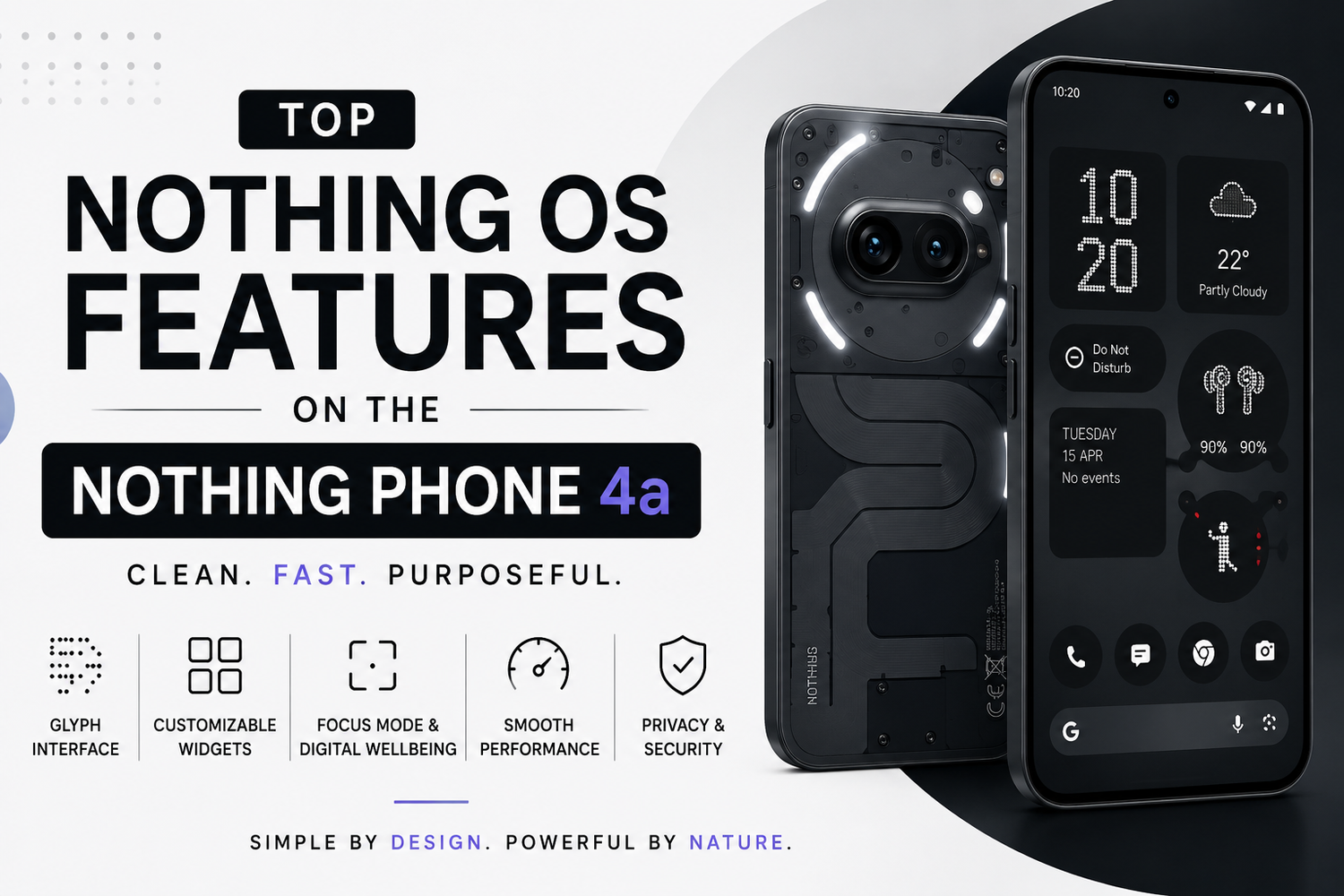
One of the most recognizable aspects of Nothing OS is its dot matrix-inspired visual style.This design appears throughout the operating system in clocks, widgets, animations, and various user interface elements. The monochrome-inspired aesthetic creates a futuristic appearance that feels unique compared to traditional Android interfaces.The dot matrix design gives the software a distinctive personality while maintaining excellent readability and usability.
How Do Nothing Widgets Improve the User Experience?
Nothing OS includes a collection of specially designed widgets that blend seamlessly with the overall software aesthetic.These widgets provide quick access to useful information such as weather updates, battery status, calendars, clocks, and productivity tools. Because they are designed specifically for Nothing OS, they create a more consistent and visually appealing home screen experience.The widgets help users access important information quickly without constantly opening individual applications.
What Is the Glyph Interface?
The Glyph Interface is one of Nothing's signature features.Located on the back of the Nothing Phone 4a, the LED light system works alongside Nothing OS to provide visual notifications. Different lighting patterns can be assigned to calls, messages, app notifications, alarms, and other alerts.This feature allows users to identify incoming notifications without turning on the display, helping reduce screen time while adding a unique level of personalization.The Glyph Interface remains one of the most innovative features available on modern smartphones.
Does Nothing OS Support Customization?
Yes, Nothing OS offers extensive customization options while maintaining its minimalist approach.Users can personalize home screens, customize widgets, adjust icon styles, modify wallpapers, and organize layouts according to their preferences. Unlike some Android skins that can become visually overwhelming, Nothing OS ensures that customization remains clean and elegant.This balance allows users to create a personalized experience without sacrificing simplicity.
How Good Is the Performance of Nothing OS?
Performance is one of the strongest aspects of Nothing OS.Because the software avoids excessive bloatware and unnecessary background processes, the system feels fast and responsive. Applications launch quickly, multitasking remains smooth, and overall navigation feels fluid.The optimization provided by Nothing OS helps the Nothing Phone 4a deliver excellent real-world performance, even during demanding daily usage.
Does Nothing OS Include Digital Wellbeing Features?
Yes, digital wellbeing plays an important role in the Nothing OS experience.The software includes tools that help users monitor screen time, manage app usage, and reduce distractions. Focus-oriented features encourage healthier smartphone habits by limiting interruptions during work, study sessions, or personal activities.These tools are particularly useful for users who want greater control over their digital lifestyle.
How Does Focus Mode Work?
Focus Mode allows users to temporarily pause distracting applications and notifications.When activated, selected apps become unavailable until the focus session ends. This feature helps users stay productive by minimizing interruptions from social media, messaging platforms, and other potentially distracting apps.For students and professionals, Focus Mode can significantly improve concentration and productivity.
Does Nothing OS Handle Notifications Better?
Nothing OS introduces a cleaner approach to notification management.Users can prioritize important notifications while reducing less relevant alerts. The combination of improved notification controls and Glyph Interface integration helps create a less stressful smartphone experience.Instead of constantly being interrupted by alerts, users can manage notifications more effectively and focus on important tasks.
What Makes Nothing OS Feel Faster Than Other Android Interfaces?
The speed of Nothing OS comes from its lightweight design and efficient optimization.By avoiding unnecessary software additions and reducing background activity, the operating system can dedicate more resources to active applications and user interactions.This results in faster app launches, smoother animations, better multitasking performance, and improved battery efficiency.
Does Nothing OS Include AI Features?
Yes, Nothing OS incorporates AI-powered enhancements designed to improve the user experience.Artificial intelligence helps optimize battery usage, improve system performance, manage resources efficiently, and provide intelligent recommendations based on usage patterns.Unlike some software platforms that heavily emphasize AI in every interaction, Nothing OS integrates these features in a subtle and practical way.
How Good Is the Software Update Policy?
Nothing has shown a strong commitment to software support.The company regularly delivers security updates, performance improvements, and feature enhancements through Nothing OS updates. This commitment helps keep devices secure while ensuring users continue receiving new features long after purchase.Reliable software support adds significant long-term value to the Nothing Phone 4a.
Does Nothing OS Work Well With Other Nothing Devices?
Yes, Nothing OS is designed to integrate seamlessly with the broader Nothing ecosystem.Users can easily connect and manage compatible Nothing earbuds, wearables, and accessories. Features such as battery monitoring, device management, and quick connectivity create a more unified experience across multiple Nothing products.This ecosystem approach makes the Nothing Phone 4a particularly attractive for users who already own other Nothing devices.
Why Is Nothing OS So Popular?
Nothing OS has gained popularity because it offers something different in today's smartphone market.Instead of overwhelming users with excessive features and complicated interfaces, it focuses on simplicity, speed, and thoughtful design. The combination of minimalist aesthetics, practical functionality, and smooth performance creates a user experience that feels refreshing and modern.Many users appreciate the fact that Nothing OS helps them spend less time managing their phone and more time actually using it.
Should You Choose the Nothing Phone 4a for Nothing OS?
If software experience is important to you, the Nothing Phone 4a is an excellent choice.Nothing OS delivers a clean, fast, and highly polished Android experience that stands apart from many competing smartphone interfaces. Features such as the Glyph Interface, customizable widgets, digital wellbeing tools, smooth performance, and minimalist design make the software one of the phone's biggest strengths.