


































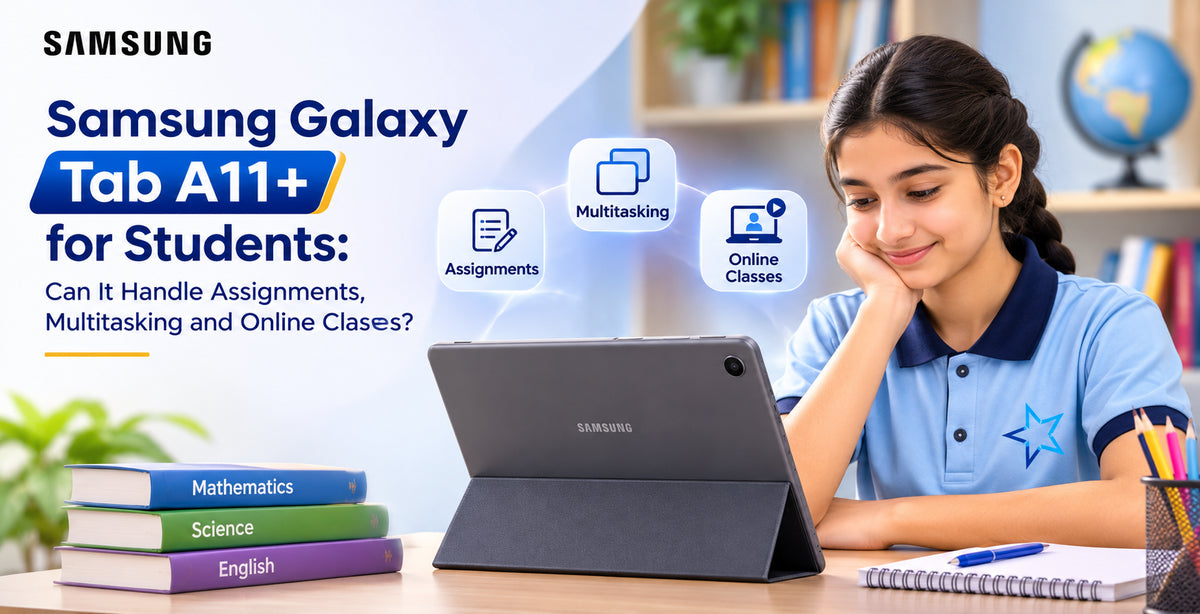
Choosing the right tablet for studying can make a significant difference in everyday learning. Students need a device that handles assignments, online classes, research, presentations and entertainment without becoming unnecessarily expensive. The Samsung Galaxy Tab A11+ aims to provide these essentials in an affordable Android tablet. With an 11-inch display, capable processor, generous battery and useful multitasking features, the Galaxy Tab A11+ looks promising for school and university students. But can it genuinely support daily academic activities, or is it better suited to casual entertainment? Let's explore its performance, productivity features and limitations to understand whether it is a practical choice for students in Australia.
Is the Samsung Galaxy Tab A11+ Display Good for Studying?
The Samsung Galaxy Tab A11+ features an 11-inch TFT LCD with a resolution of 1920 × 1200 pixels and a 90Hz refresh rate. For students, this screen provides comfortable space for reading textbooks, viewing educational videos and reviewing PDF documents. Compared with a smartphone, the larger display makes studying considerably more convenient. The 90Hz refresh rate also makes scrolling through websites, lecture notes and digital textbooks feel smoother. However, the display is not AMOLED, so contrast and black levels are less impressive than on premium Samsung tablets. Nevertheless, for everyday educational activities, the screen delivers a practical viewing experience.
Can the Galaxy Tab A11+ Handle School Assignments?
Completing assignments is one of the most important requirements for a student tablet. The Galaxy Tab A11+ supports commonly used productivity applications, including Google Docs, Microsoft Word, Google Drive and compatible educational platforms. Students can prepare written assignments, create presentations, access learning materials and submit coursework through their school's online portal. The tablet's octa-core processor provides sufficient performance for routine academic applications. Typing documents, researching topics and reading study materials should feel responsive under normal conditions. An external Bluetooth keyboard can improve productivity significantly, particularly when working on longer essays. The rear 8MP camera can also be useful for photographing worksheets, capturing classroom material and scanning documents. However, students regularly working with complex spreadsheets or specialised desktop applications may still need a laptop.
How Well Does Multitasking Work?
Modern students rarely use just one application at a time. They often switch between research websites, assignments, lecture recordings and messaging applications. The Galaxy Tab A11+ offers configurations with 6GB or 8GB of RAM, depending on the model. For everyday activities, the 6GB version should handle browsing, document editing and switching between applications reasonably well. The 8GB model provides additional flexibility for students who frequently keep multiple applications open. Samsung's multitasking tools allow compatible applications to run in split-screen arrangements. For example, students can read research material while preparing notes in another application. Samsung DeX also offers a desktop-style working environment that can make productivity tasks more convenient. However, intensive multitasking involving several demanding applications may expose the tablet's performance limitations.
Is the Galaxy Tab A11+ Suitable for Online Classes?
Online learning has become an important part of education, making reliable video calling essential. The Galaxy Tab A11+ includes a 5MP front camera that can support virtual lessons, group discussions and video meetings. Students can access compatible applications such as Zoom, Google Meet and Microsoft Teams to participate in online classes. Its quad speakers with Dolby Atmos provide clear audio for lectures, educational videos and recorded presentations. A 3.5mm headphone jack is another practical advantage, allowing students to use wired earphones during classes without requiring additional adapters. The 11-inch display also makes it easier to follow presentations and read shared documents. For the best experience, students should use a stable internet connection and position the tablet securely during video calls. Overall, it offers the essential features required for everyday online learning.
Battery Life for Long Study Sessions
Battery performance is particularly important for students attending several classes throughout the day. The Samsung Galaxy Tab A11+ features a 7,040mAh battery designed to support extended everyday usage. Samsung advertises up to 15 hours of video playback under specified conditions, although actual battery life depends on brightness, applications, connectivity and usage patterns. For activities such as reading, browsing and document editing, the tablet should provide useful endurance between charges. The device also supports 25W fast charging with a compatible charger, helping students recharge between study sessions. Its relatively slim design makes it convenient to carry between home, school and university.
Storage and Useful Study Features
The Galaxy Tab A11+ is available with 128GB or 256GB of internal storage, depending on the configuration. Students can save assignments, downloaded textbooks, educational applications and recorded learning materials without constantly managing available space. MicroSD expansion supports additional storage, which is useful for keeping large collections of academic files. Samsung also provides features such as Google Gemini and Circle to Search, offering convenient ways to explore unfamiliar information. These tools may assist research, although students should always verify generated answers and follow academic integrity requirements.
What Are the Limitations for Students?
Despite its strengths, the Galaxy Tab A11+ is not designed to replace every laptop. Students studying graphic design, engineering or advanced video production may find its processing capabilities restrictive. Another consideration is the absence of native S Pen support, making it less suitable for students who depend on precise handwritten annotations or digital drawing. Extended typing is also less comfortable without a separate keyboard. These limitations matter when choosing between an affordable tablet and a more productivity-focused device.