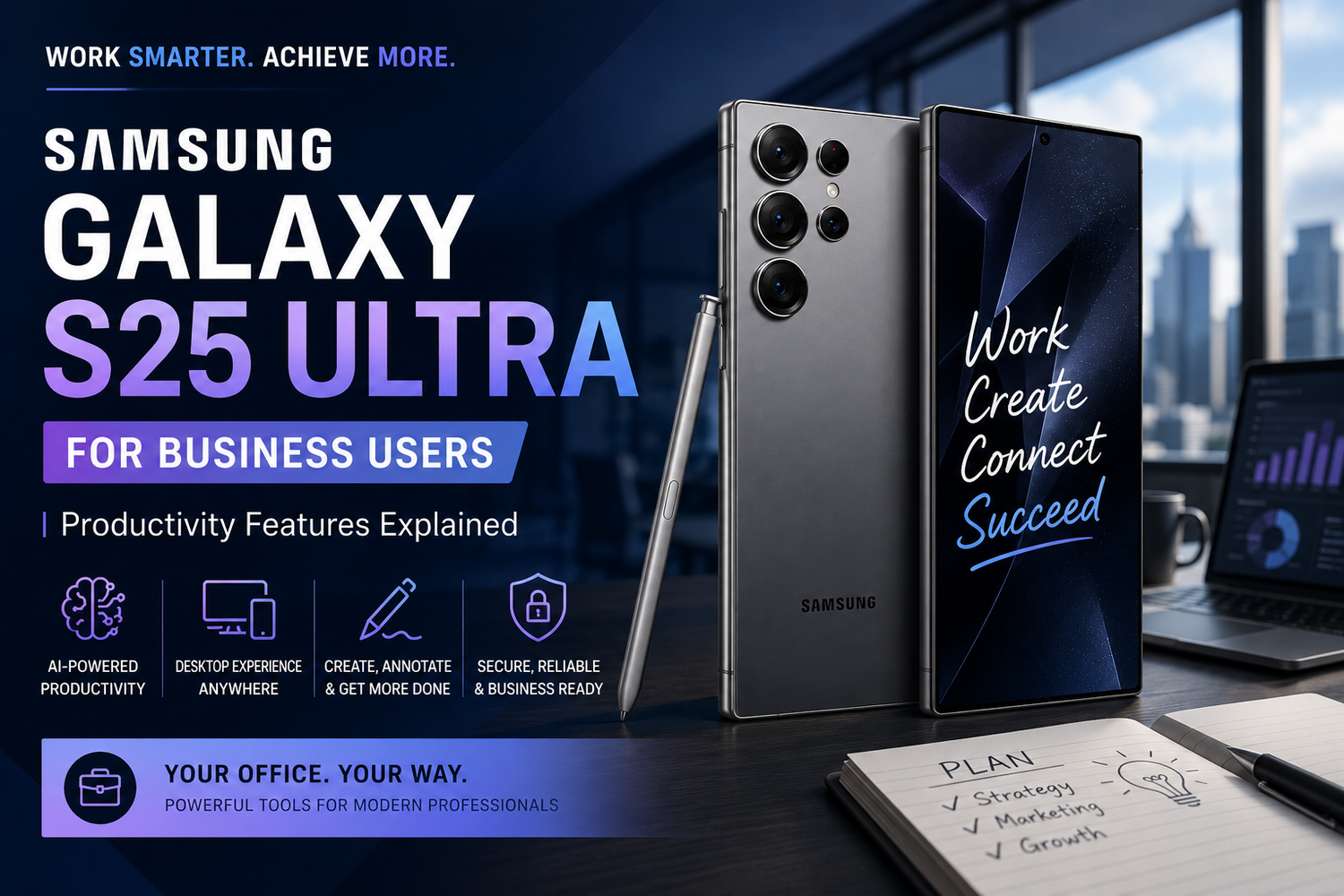
The modern workplace has changed dramatically over the last few years. Professionals are no longer tied to office desks or bulky laptops. Today, smartphones have evolved into powerful productivity machines capable of handling communication, multitasking, presentations, note-taking, and even desktop-style work environments. Among all flagship smartphones currently available, the Samsung Galaxy S25 Ultra stands out as one of the most business-focused devices ever created.Samsung has designed the Galaxy S25 Ultra not only for photography enthusiasts and gamers but also for entrepreneurs, executives, remote workers, freelancers, and corporate professionals who demand performance and efficiency throughout the day. With advanced AI tools, powerful multitasking features, enterprise-level security, and the iconic S Pen, the Galaxy S25 Ultra delivers a professional experience that few smartphones can match.
Why Is the Samsung Galaxy S25 Ultra Good for Business Users?
The Samsung Galaxy S25 Ultra is ideal for business users because it combines flagship performance with productivity-focused software features. The phone offers a large AMOLED display, AI-powered workflow tools, Samsung DeX desktop functionality, advanced multitasking, and long battery life, making it suitable for professional environments.Business users often need a smartphone that can manage emails, video calls, presentations, scheduling, and cloud-based work applications without slowing down. The Galaxy S25 Ultra handles these tasks effortlessly thanks to its powerful Snapdragon processor and optimized One UI software experience.The premium titanium design also gives the device a professional appearance that feels appropriate in meetings, conferences, and executive settings.
How Does Galaxy AI Improve Productivity?
One of the biggest highlights of the Samsung Galaxy S25 Ultra is its Galaxy AI integration. Samsung has focused heavily on making artificial intelligence useful for everyday business tasks rather than treating it as a simple marketing feature.Galaxy AI helps users summarize meeting notes, rewrite emails professionally, organize information, and translate conversations in real time. Professionals who spend hours replying to emails or attending meetings can save significant time using these tools.For example, Samsung Notes can automatically generate summaries from long meeting discussions. Instead of manually reviewing pages of notes, users receive concise action points and organized highlights instantly.The AI writing assistant also improves email communication by suggesting clearer and more professional responses. This is especially useful for people managing client communication or working in fast-paced corporate environments.
Can the Galaxy S25 Ultra Replace a Laptop?
For many professionals, the answer is surprisingly yes.Samsung DeX is one of the most underrated productivity features available on any smartphone today. DeX allows the Galaxy S25 Ultra to connect to monitors, TVs, and external displays while providing a desktop-like interface.Once connected, users can open multiple windows, drag and drop files, use keyboard and mouse accessories, and work similarly to a traditional PC setup. Professionals can edit documents, create presentations, attend Zoom meetings, and manage spreadsheets directly from the phone.For business travelers and remote workers, this means fewer devices to carry. Many light office tasks can now be completed entirely using the Galaxy S25 Ultra.While heavy professional software may still require a full computer, the S25 Ultra is more than capable of handling daily business operations for many users.
Why Is the S Pen Useful for Professionals?
The built-in S Pen continues to be one of Samsung’s strongest advantages in the productivity space.Professionals can use the S Pen to sign documents, annotate PDFs, take handwritten notes, and sketch ideas during meetings. The writing experience feels natural and responsive, making the device function almost like a digital notebook.Many business users appreciate how quickly they can jot down ideas without opening separate apps or carrying additional accessories. The ability to instantly create notes directly from the lock screen is especially useful during calls or meetings.The S Pen is also valuable for presentations, allowing users to remotely control slides or navigate content more efficiently.
Is the Samsung Galaxy S25 Ultra Good for Multitasking?
The Galaxy S25 Ultra is one of the best multitasking smartphones currently available.Samsung’s One UI software supports split-screen apps, floating windows, app pairing, and advanced multi-window functionality. Users can comfortably run several applications simultaneously without performance issues.This means professionals can join video meetings while reviewing documents, reply to emails while browsing spreadsheets, or manage messaging apps during presentations.The large high-resolution display makes multitasking feel smooth and practical rather than cramped or uncomfortable.Combined with the Snapdragon chipset and generous RAM, the phone maintains fast performance even during heavy workloads.
How Good Is the Battery Life for Business Use?
Battery life is one of the most important factors for professionals, and the Galaxy S25 Ultra performs exceptionally well in this area.The device is designed to handle long working hours that include video conferencing, mobile hotspot usage, GPS navigation, cloud syncing, and frequent communication.Samsung’s battery optimization software uses AI to learn usage habits and improve power efficiency over time. Even heavy users can comfortably get through a full workday without constantly searching for a charger.Fast charging support also helps users quickly recharge the phone between meetings or while traveling.
For professionals who spend significant time away from desks or power outlets, the S25 Ultra offers excellent reliability.
Is the Galaxy S25 Ultra Secure for Business Users?
Security is a major concern for professionals and businesses, especially when handling sensitive information or corporate data.Samsung Knox provides enterprise-grade security protection on the Galaxy S25 Ultra. The platform includes hardware-level encryption, secure authentication systems, app isolation, and data protection tools.Business users can create separate work environments using Secure Folder, protecting confidential files and applications from unauthorized access.Samsung devices are also widely used in enterprise environments because of their compatibility with corporate IT management systems and security policies.For professionals handling financial data, legal documents, or confidential communications, Samsung Knox adds an important layer of trust and reliability.
Is the Galaxy S25 Ultra Worth Buying for Business Professionals?
The Samsung Galaxy S25 Ultra is easily one of the best smartphones for professionals in 2026.The combination of Galaxy AI, Samsung DeX, S Pen functionality, premium hardware, strong security, and excellent multitasking makes the device far more than a standard flagship phone.Instead of simply focusing on entertainment and photography, Samsung has created a smartphone that genuinely improves productivity and workflow efficiency.For entrepreneurs, executives, remote workers, creators, and corporate users who want a device capable of acting as both a smartphone and a portable workstation, the Galaxy S25 Ultra is an outstanding investment.It is no longer just a communication device. It is a complete productivity ecosystem designed for modern business users who need flexibility, power, and efficiency wherever they go.