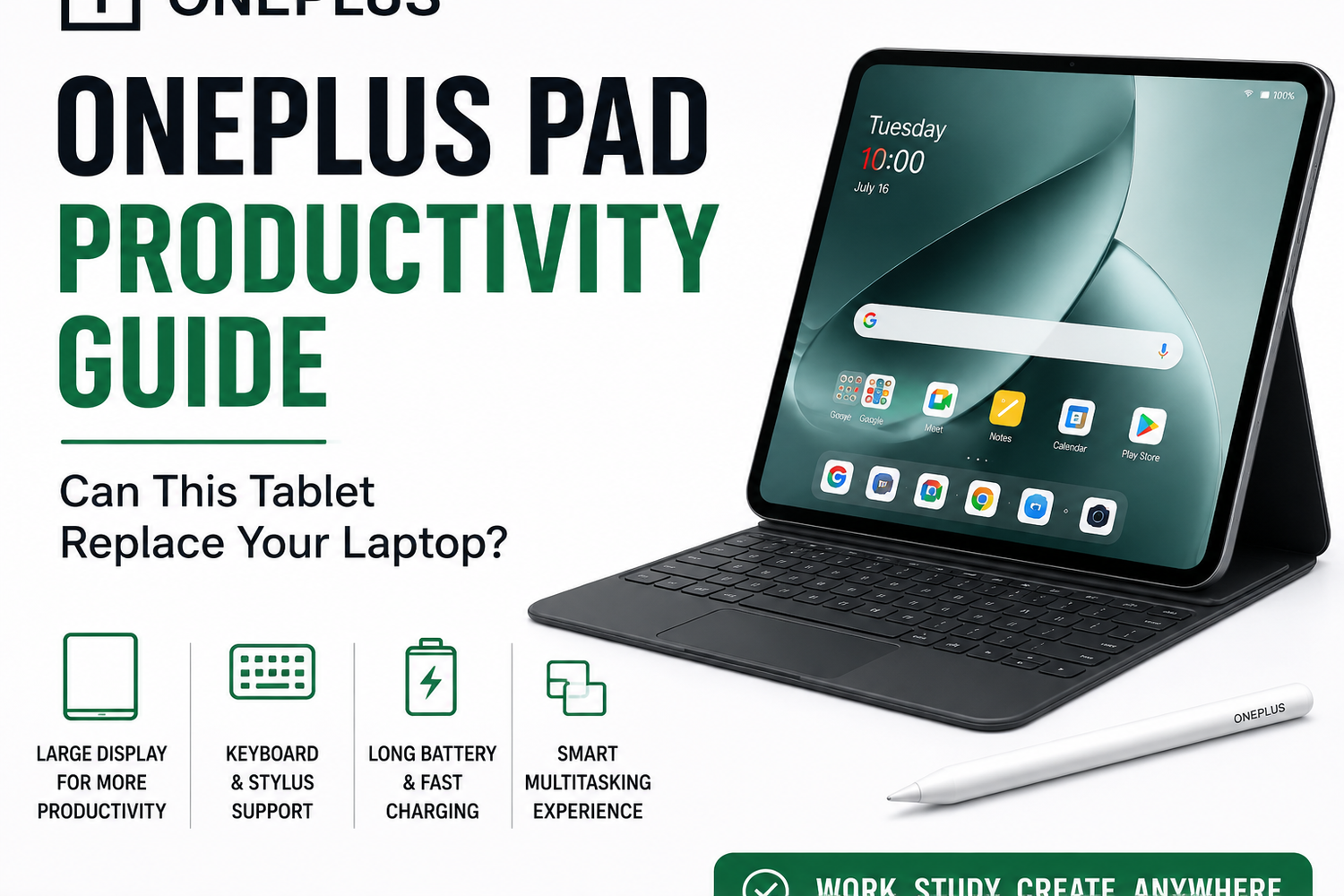
Tablets have changed dramatically over the last few years. What was once considered a simple entertainment device is now becoming a serious productivity tool for students, professionals, remote workers, and creators. The OnePlus Pad is OnePlus’ attempt to compete in this growing category by offering premium hardware, smooth software, multitasking features, and long battery life in a lightweight design.The biggest question many buyers are asking is whether the OnePlus Pad can actually replace a traditional laptop for everyday work and productivity. After spending time using the tablet for writing, multitasking, online meetings, browsing, and content consumption, here’s a complete FAQ-style productivity guide covering everything you need to know.
What Makes the OnePlus Pad Different From Other Android Tablets?
The OnePlus Pad focuses heavily on balance rather than trying to become an ultra-premium professional tablet or a simple media device.The tablet combines a large high-refresh-rate display, smooth software optimization, multitasking tools, fast charging, and a premium design into a lightweight form factor.Unlike many Android tablets that feel like oversized smartphones, the OnePlus Pad feels more optimized for productivity and everyday work.The clean software experience also helps the device feel more polished compared to some competing Android tablets that suffer from unnecessary bloatware or poor app optimization.
Is the OnePlus Pad Good for Productivity?
Yes, the OnePlus Pad performs very well for productivity tasks.The large display provides enough space for multitasking, document editing, web browsing, online meetings, note-taking, and app management. The tablet handles productivity apps smoothly and allows users to switch between tasks quickly.For users who mainly work with emails, office documents, cloud apps, video calls, and web-based tools, the OnePlus Pad can comfortably handle daily workloads without major issues.The experience feels especially smooth for students and remote workers who rely heavily on online productivity platforms.
How Good Is the Display on the OnePlus Pad?
The display is one of the strongest features of the OnePlus Pad.The tablet features a large high-resolution screen with a smooth refresh rate that makes scrolling, multitasking, reading, and writing feel fluid and responsive.Colors look vibrant, brightness levels are strong, and text appears sharp during document editing and web browsing.The unique aspect ratio also helps productivity because it provides more vertical screen space for reading articles, editing documents, viewing spreadsheets, and multitasking.Watching videos and streaming content also feels immersive because of the excellent color contrast and sharp image quality.
Can the OnePlus Pad Handle Multitasking Smoothly?
Yes, multitasking performance is excellent.The OnePlus Pad supports split-screen mode, floating windows, drag-and-drop functionality, and fast app switching. Running multiple apps simultaneously feels smooth and responsive.Users can easily browse the web while attending meetings, write notes during lectures, reply to emails while editing documents, or use messaging apps alongside productivity tools.The large display makes multitasking practical instead of feeling cramped like smaller tablets or smartphones.The software optimization also helps transitions between apps remain smooth without noticeable lag.
Is the OnePlus Pad Powerful Enough to Replace a Laptop?
For many casual and moderate users, yes.The OnePlus Pad handles productivity tasks such as document editing, presentations, online meetings, web browsing, note-taking, and media consumption very comfortably.The processor delivers strong performance while keeping the interface smooth and responsive during daily use.However, users who rely heavily on advanced desktop applications such as professional video editing software, programming environments, advanced graphic design tools, or large-scale multitasking workflows may still prefer a traditional laptop.The OnePlus Pad works best as a lightweight productivity machine rather than a complete replacement for high-performance desktop workstations.
How Good Is the Keyboard Experience?
The keyboard accessory significantly improves the overall productivity experience.Typing feels comfortable and responsive for emails, assignments, office work, and long writing sessions. The magnetic attachment system also makes setup quick and convenient.The keyboard transforms the tablet into a more laptop-like device, especially during productivity tasks.While the typing experience may not fully match premium laptop keyboards, it still feels highly usable for everyday work.For students and remote workers, the keyboard is almost essential if productivity is the main reason for buying the tablet.
Does the OnePlus Pad Support a Stylus?
Yes, stylus support is included.The stylus performs well for handwritten notes, annotations, sketching, document marking, and casual creative work.The low latency and smooth writing experience make the tablet especially useful for students who take digital notes during classes or meetings.Professionals can also use the stylus for signing documents, brainstorming ideas, or organizing workflows more efficiently.The stylus adds flexibility to the productivity experience and helps the tablet feel more versatile.
How Good Is the Battery Life?
Battery life is one of the biggest strengths of the OnePlus Pad.The large battery comfortably lasts through a full day of mixed productivity usage that includes multitasking, browsing, video calls, note-taking, streaming, and office work.Battery optimization also appears well-managed during standby mode, helping the device conserve power effectively when not in use.For moderate users, the tablet can even outperform some lightweight laptops in terms of battery endurance.This makes the OnePlus Pad highly convenient for travel, remote work, and long study sessions.
Does the OnePlus Pad Support Fast Charging?
Yes, fast charging support is included.The tablet charges significantly faster than many competing tablets in its category. Even short charging sessions provide several additional hours of usage.This improves portability and convenience, especially for users who frequently travel or work on the move.Compared to many traditional laptops that still require long charging times, the OnePlus Pad feels much more flexible for mobile productivity.
How Good Is the Software Experience?
The software experience feels clean, smooth, and well-optimized.OnePlus has kept the interface lightweight and responsive without excessive clutter or unnecessary apps slowing down the system.Animations remain fluid, app transitions are fast, and multitasking gestures feel intuitive during everyday usage.The software also integrates well with other OnePlus devices, allowing easier file sharing and cross-device connectivity.Compared to some Android tablets that struggle with poor software optimization, the OnePlus Pad feels much more polished overall.
Is the OnePlus Pad Good for Students?
Yes, the OnePlus Pad is an excellent choice for students.The combination of a large display, stylus support, lightweight design, long battery life, multitasking features, and keyboard compatibility makes it highly practical for education and study-related work.Students can comfortably attend online classes, take notes, complete assignments, watch lectures, and organize study materials directly from the tablet.Its portability also makes it easier to carry compared to many traditional laptops.
Can the OnePlus Pad Replace a Laptop for Office Work?
For many office users, yes.Tasks such as emails, meetings, presentations, spreadsheets, document editing, scheduling, and web browsing are handled smoothly by the OnePlus Pad.Cloud-based productivity platforms like Google Workspace and Microsoft Office run well on the device, making it suitable for many remote work environments.However, users who depend heavily on desktop-only applications or advanced multitasking workflows may still prefer a Windows or Mac laptop for more demanding workloads.The OnePlus Pad works best for lightweight to moderate office productivity.
Is the OnePlus Pad Better Than Other Android Tablets?
The OnePlus Pad competes strongly against Android tablets from Samsung, Lenovo, Xiaomi, and other brands.Where the OnePlus Pad stands out most is:
-
Smooth software optimization
-
Strong battery life
-
Premium design
-
Excellent display quality
-
Fast charging
-
Clean user experience
-
Reliable multitasking
Rather than focusing only on raw specifications, OnePlus has created a balanced productivity-focused tablet experience.
Is the OnePlus Pad Worth Buying?
For users looking for a lightweight productivity device with excellent battery life and clean software, the OnePlus Pad is definitely worth considering.It successfully combines:
-
Smooth performance
-
Good multitasking
-
Premium display quality
-
Long battery life
-
Stylus support
-
Keyboard compatibility
-
Fast charging
The tablet may not completely replace high-performance laptops for advanced professional users, but it comfortably handles everyday productivity tasks for most users.For students, remote workers, office users, and travelers, the OnePlus Pad offers excellent value and portability.