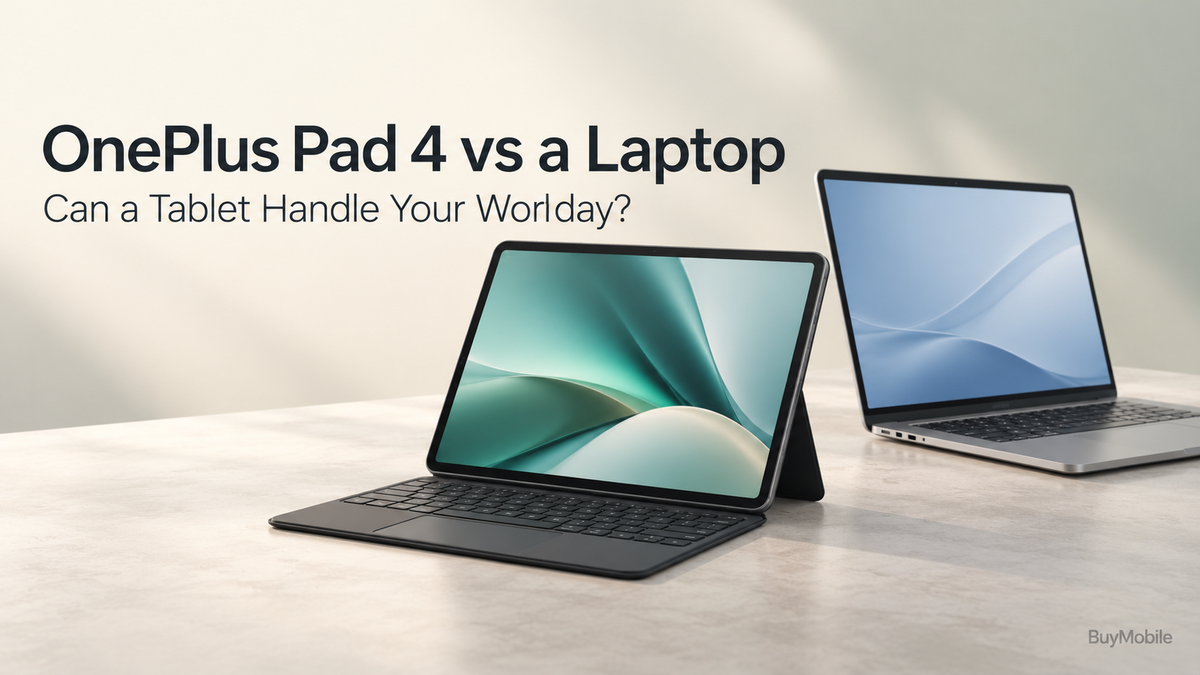
The OnePlus Pad 4 makes replacing a laptop feel increasingly realistic. A large screen, powerful mobile processor and keyboard support create an appealing setup for answering emails, drafting documents and joining meetings. For people who spend their day moving between desks, classrooms and cafés, a tablet also offers useful flexibility.But handling everyday tasks is different from replacing your entire computer. The real question is whether your essential software and working habits fit a tablet. Here is how the OnePlus Pad 4 compares with a laptop across a typical workday.
Does the OnePlus Pad 4 Have Enough Power?
OnePlus equips the Pad 4 with the Snapdragon 8 Elite Gen 5 processor and a 13.2-inch display. Its screen has a 7:5 aspect ratio, providing a useful shape for documents and reading rather than focusing exclusively on widescreen entertainment. For ordinary office work, hardware is only part of the decision. A fast tablet cannot automatically run software built for Windows or macOS.Start by listing your daily applications. If most work happens through Android apps and browser-based services, the Pad 4 becomes a credible option. If you depend on specialist desktop programs, a laptop remains the more straightforward choice.
Can It Handle Emails and Documents?
Email, document drafting and reviewing PDFs are sensible tablet workloads. With a keyboard attached, writing longer messages becomes more comfortable than using the touchscreen.However, check the features you actually need in your chosen document app. Writing an article is different from editing a heavily formatted report with complex references, unusual fonts or strict layout requirements.For content creators, the Pad 4 could suit research, first drafts and proofreading. Final publication should depend on whether your publishing platform behaves reliably in the tablet browser. Test image uploads, formatting controls and previews before moving your whole workflow.
Is Multitasking Comparable to a Laptop?
OnePlus promotes adjustable app windows and productivity features designed to make better use of the large display.That creates practical opportunities: keep research visible beside a draft, consult a PDF while writing notes, or reference messages during a task.Still, app behaviour matters more than the number of windows available. Some workflows involve constant movement between files, tabs and tools, which can feel easier on a desktop.Try recreating one demanding task rather than judging multitasking from a demonstration. If you repeatedly lose your place or struggle with selection and copying, those small interruptions can outweigh the tablet’s convenience.
What About Spreadsheets and Accounting?
Simple spreadsheets can fit a tablet workflow, particularly when you are reviewing figures, updating a small tracker or checking information away from your desk.Detailed financial work deserves closer attention. Large workbooks, advanced formulas, automation and desktop add-ins may require capabilities unavailable in your chosen tablet application.For accounting, establish whether your software offers a complete browser workflow or requires a desktop installation. Also test exporting reports, downloading statements and handling attachments.If your job depends on those functions every day, keep the laptop until you have confirmed the tablet handles them correctly. Processing power alone cannot resolve missing software features.
Can You Join Meetings and Take Notes?
A tablet can be a convenient meeting device when your conferencing service supports the required features. The important checks include screen sharing, microphone selection and accessing documents during a call.For handwritten notes, OnePlus offers the Stylo Pro as a companion accessory. That may appeal to students, planners and people who prefer sketching ideas. However, consider how those notes reach colleagues later. Searchability, export formats and synchronisation are more useful than handwriting alone.Practise joining a meeting and sharing the exact material you normally present. A successful video call does not necessarily prove that every presentation function works.
Will a Keyboard Make It a Laptop Replacement?
OnePlus lists a Pad 4 Smart Keyboard, sold separately. Include that expense when comparing the tablet with a laptop.A keyboard improves typing, but comfort also depends on the complete setup. Check shortcut support, pointer navigation and how stable the tablet feels in your preferred position.Working at a table can differ considerably from working on your lap. If you write for hours, try the keyboard rather than choosing solely from photographs.Accessories should solve your actual problems. Someone reviewing documents may need only a stand, while a frequent writer benefits from a reliable keyboard and pointing device.
How Practical Is It Away from Your Desk?
OnePlus lists a 13,380mAh battery, although capacity alone does not establish how long your particular workday will last.Video meetings, brightness and demanding apps affect battery use. Plan connectivity too: confirm the exact model’s connection options and whether you will need Wi-Fi or a phone hotspot.Compare the weight of the complete tablet setup, including keyboard, case and charger, with the laptop you would otherwise carry. Portability gains are most valuable when the accessories remain manageable.
Could It Complement Your Laptop Instead?
OnePlus advertises second-screen functionality connecting the Pad 4 with a compatible PC. For many professionals, that supporting role offers the strongest value: use the tablet for reading, notes and travel, while retaining desktop software for demanding work.Choose the Pad 4 as your main device when your essential tasks work comfortably on it. Choose a laptop when software requirements dictate the decision. A productive workday depends on completing tasks smoothly, not making either device fit every situation.