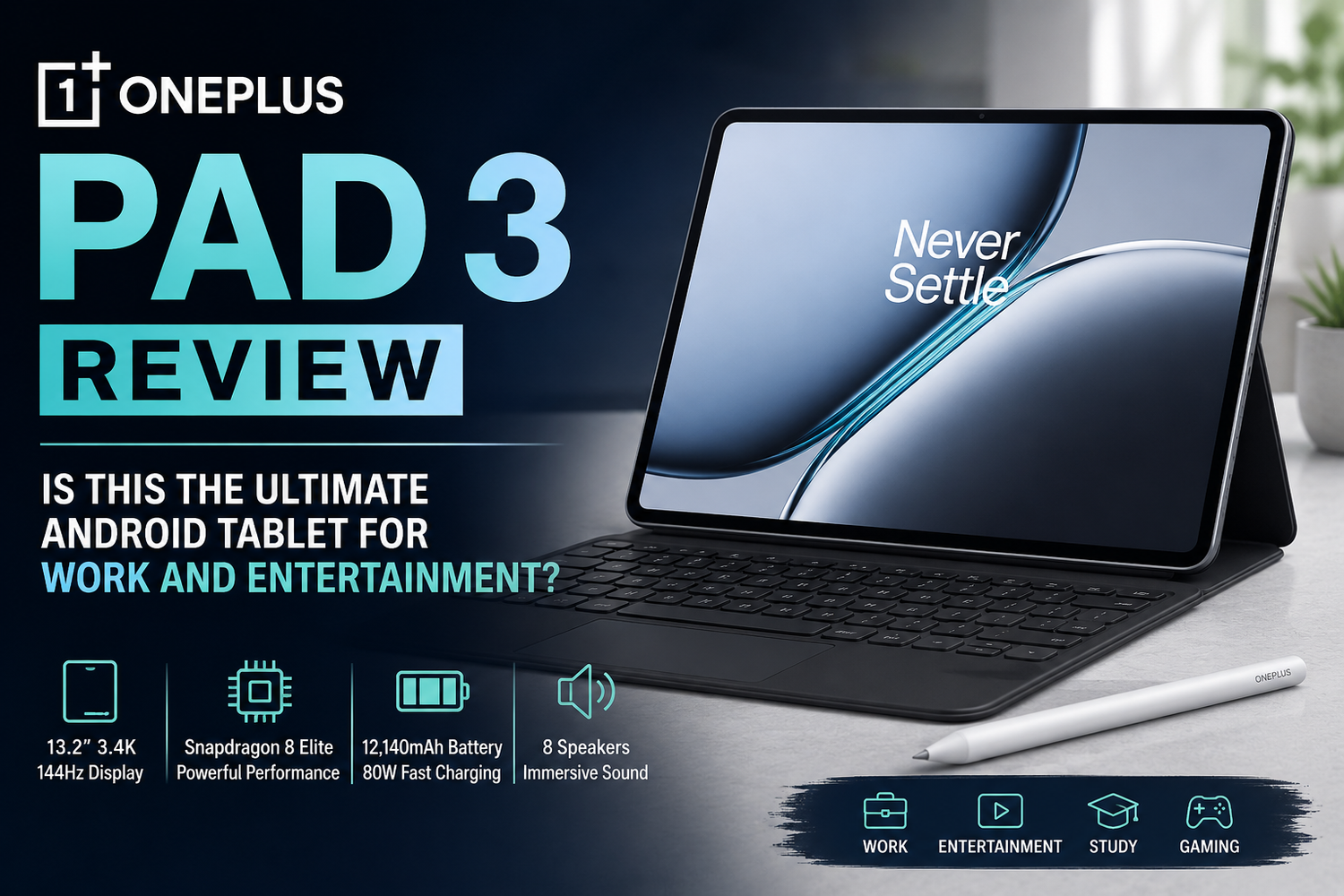
The Android tablet market has become more competitive than ever, and OnePlus is clearly aiming for the top with the new OnePlus Pad 3. Packed with flagship-level hardware, a massive high-resolution display, and productivity-focused software features, the OnePlus Pad 3 positions itself as a serious alternative to premium tablets from Samsung and Apple. But does it truly deliver the perfect balance between work and entertainment?After spending time exploring its performance, design, battery life, and multitasking features, it’s safe to say the OnePlus Pad 3 is one of the most exciting Android tablets available in 2026.
Premium Design That Feels Truly Flagship
The first thing you notice about the OnePlus Pad 3 is its premium design. The tablet features an ultra-slim metal body measuring just 5.97mm thick while weighing around 675 grams. Despite its large size, it feels surprisingly sleek and modern in hand. OnePlus has gone with a minimalist design approach that gives the tablet a premium and professional appearance. Whether you’re using it during office meetings, online classes, or while streaming Netflix at home, the Pad 3 looks and feels expensive.The build quality is excellent, and the tablet’s large form factor makes it ideal for productivity tasks like split-screen multitasking, document editing, and note-taking.
Stunning 13.2-inch 144Hz Display
One of the standout features of the OnePlus Pad 3 is its gorgeous 13.2-inch 3.4K display. The tablet offers a resolution of 2400 x 3392 pixels with a super-smooth 144Hz refresh rate.The display is bright, sharp, and vibrant, making it perfect for both work and entertainment. Whether you’re editing presentations, browsing websites, watching YouTube videos, or gaming, everything looks incredibly smooth and detailed.The 144Hz refresh rate especially enhances scrolling, animations, and gaming responsiveness. Compared to many mid-range Android tablets still using 60Hz or 90Hz panels, the difference is instantly noticeable.The larger 7:5 aspect ratio also works extremely well for productivity. It provides more vertical screen space, making reading documents, browsing spreadsheets, and multitasking far more comfortable.According to TechRadar, the OnePlus Pad 3 features one of the best displays in its price segment and competes strongly against tablets like the Galaxy Tab S10 FE Plus and Apple iPad Air.
Flagship-Level Performance
Performance is where the OnePlus Pad 3 truly shines. The tablet is powered by Qualcomm’s Snapdragon 8 Elite processor paired with up to 16GB RAM and 512GB UFS 4.0 storage.In real-world use, the tablet feels incredibly fast. Apps open instantly, multitasking is smooth, and even demanding games run effortlessly. Whether you’re switching between productivity apps, attending video calls, editing photos, or gaming, the Pad 3 handles everything without lag.Benchmark scores also place it among the fastest Android tablets currently available. Gaming performance is especially impressive. Games like PUBG Mobile, Genshin Impact, and Call of Duty Mobile run at high settings with stable frame rates. Combined with the 144Hz display and powerful speakers, gaming feels immersive and fluid.For professionals and students, the extra RAM also helps during heavy multitasking sessions. Running multiple browser tabs, office apps, note-taking software, and video calls simultaneously is no problem.
Excellent Productivity Features
The OnePlus Pad 3 isn’t just built for entertainment it’s also designed for productivity.The large display works beautifully with multitasking tools like split-screen mode and floating windows. You can easily keep a document open on one side while attending a video meeting or browsing research material on the other.OnePlus has also improved OxygenOS 15 for tablet users, offering smoother app scaling and better multitasking optimization. When paired with optional accessories like a keyboard and stylus, the tablet becomes even more useful for work-related tasks. Writing notes, replying to emails, editing presentations, and handling daily office tasks feel comfortable and efficient.Cross-device connectivity with OnePlus smartphones is another useful addition. Users can quickly share files, mirror screens, and continue workflows across devices more seamlessly.While it may not completely replace a laptop for heavy professional workloads, it can absolutely serve as a capable portable productivity machine for most users.
Powerful Battery Life
Battery life is another area where the OnePlus Pad 3 performs exceptionally well.The tablet packs a massive 12,140mAh battery with support for 80W SUPERVOOC fast charging. In everyday use, the battery easily lasts an entire day even with mixed tasks like streaming, gaming, browsing, and productivity work. According to benchmark testing, the tablet delivers strong endurance across video playback and general usage scenarios. The fast charging support is also a major advantage. Even when the battery gets low, you can quickly recharge and continue working or watching content without long waiting times.For travelers, students, and professionals constantly on the move, this long-lasting battery becomes extremely valuable.
Immersive Audio Experience
The OnePlus Pad 3 features an impressive 8-speaker setup with four woofers and four tweeters. The audio quality is loud, rich, and surprisingly immersive for a tablet. Watching movies, listening to music, or gaming without headphones feels enjoyable thanks to the balanced stereo sound.Combined with the large 144Hz display, the tablet becomes an excellent entertainment device for streaming platforms like Netflix, Disney+, and YouTube.
Cameras Are Decent, But Not the Main Focus
The tablet includes a 13MP rear camera and an 8MP front camera. While the cameras are perfectly fine for video calls, online meetings, and occasional document scanning, they aren’t the primary reason to buy this device. Most users will likely use the front camera mainly for Zoom, Google Meet, or online classes.Thankfully, video call quality remains clear and reliable.