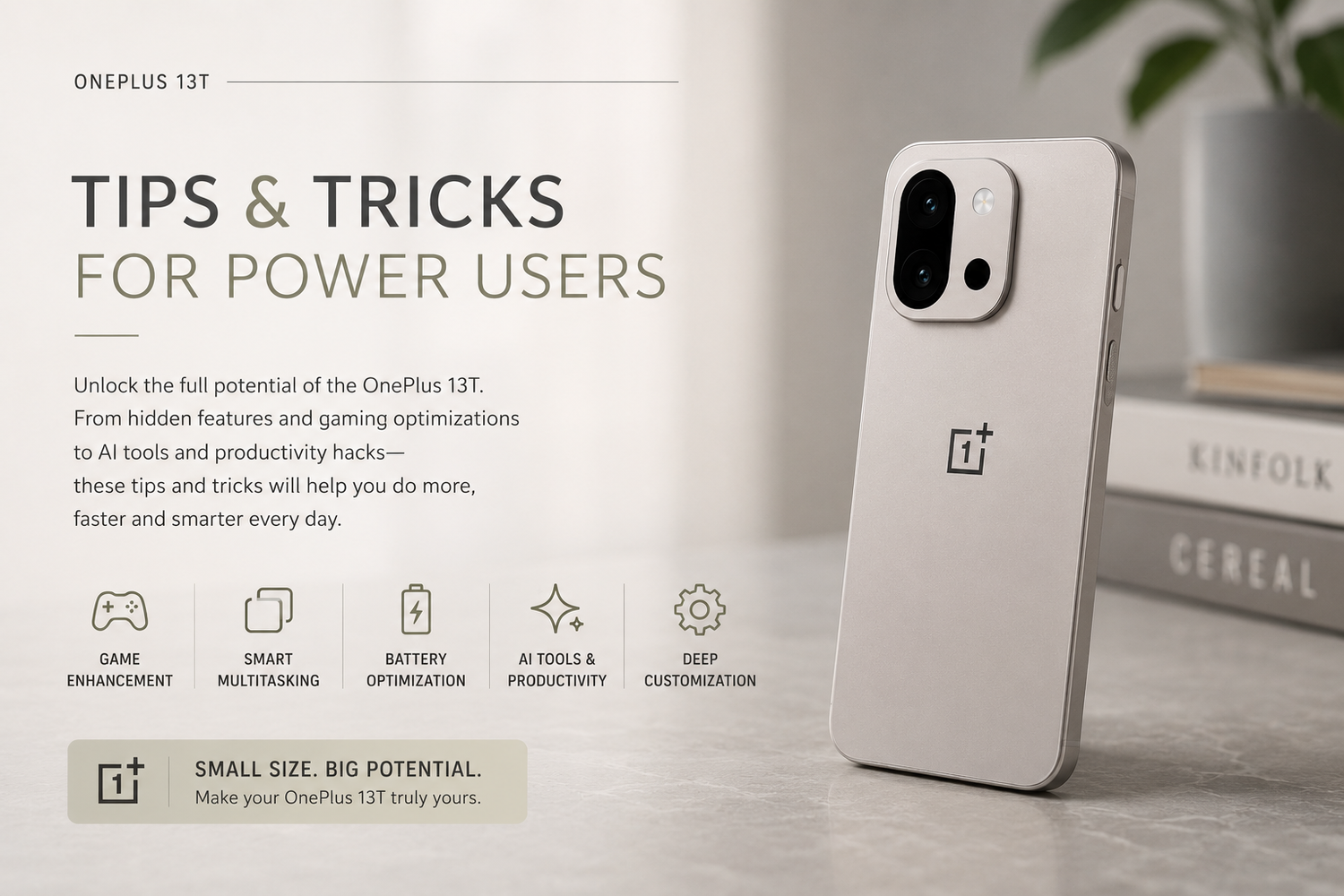
The OnePlus 13T is one of the most exciting compact flagship smartphones available right now. It combines powerful hardware, smooth OxygenOS software, advanced AI features, and deep customization options into a device designed for users who want more than a basic smartphone experience.While most users only explore the surface-level features, power users know the real strength of OnePlus devices lies in the hidden tools, multitasking options, gaming optimizations, and productivity enhancements built inside OxygenOS.If you want to unlock the full potential of the OnePlus 13T, these frequently asked questions will help you discover some of the best tips and tricks available on the device.
What Makes the OnePlus 13T Great for Power Users?
The OnePlus 13T is designed for speed, multitasking, customization, and high performance. OxygenOS offers a clean Android experience while still including advanced tools that allow users to personalize the phone heavily.Power users benefit from features like floating windows, AI-powered productivity tools, RAM expansion, gaming optimizations, gesture navigation, and advanced battery controls. The combination of flagship performance and lightweight software makes the phone feel extremely fast during daily use.Unlike many smartphones that hide useful tools deep inside menus, the OnePlus 13T makes advanced features easy to access and customize.
How Can You Customize the New Shortcut Button?
One of the biggest changes on the OnePlus 13T is the replacement of the classic alert slider with a customizable shortcut key.Instead of only controlling sound profiles, the shortcut button can now perform multiple actions instantly. Users can configure it to launch the camera, activate the flashlight, start screen recording, open apps, enable voice recording, or trigger productivity functions.This feature becomes extremely useful for people who constantly multitask or need fast access to tools throughout the day. Once customized properly, the shortcut button feels much more versatile than the traditional alert slider.
How Do You Improve Gaming Performance on the OnePlus 13T?
The OnePlus 13T already offers flagship-level gaming performance, but enabling Game Mode unlocks additional optimizations that make gameplay smoother and more responsive.Game Mode reduces distractions by blocking notifications and limiting background activity while improving touch responsiveness and frame stability. HyperBoost optimization further enhances gaming performance by managing CPU and GPU resources more efficiently.For competitive gamers, these settings can improve responsiveness during fast-paced games like BGMI, PUBG Mobile, Call of Duty Mobile, and Genshin Impact.The phone’s cooling system also helps maintain stable performance during long gaming sessions without severe overheating.
What Are Floating Windows and Why Are They Useful?
Floating windows are one of the best multitasking features available on the OnePlus 13T.This feature allows apps to open in smaller resizable windows while other apps continue running in the background. Instead of switching constantly between apps, users can perform multiple tasks simultaneously.For example, users can watch YouTube videos while replying to messages, keep notes open during meetings, or browse Chrome while attending video calls.Once you start using floating windows regularly, multitasking on traditional smartphones feels much more limited.
Does RAM Expansion Actually Improve Performance?
The OnePlus 13T includes virtual RAM expansion technology that uses a portion of storage space as additional memory.This feature helps improve multitasking performance during heavy usage by reducing app reloads and improving stability when running multiple apps simultaneously.For users who edit videos, stream content, play demanding games, or use several apps at once, RAM expansion can noticeably improve the overall experience.While virtual RAM is not identical to physical RAM, it still helps maintain smoother performance during intensive workloads.
How Can You Improve Battery Life on the OnePlus 13T?
Battery life on the OnePlus 13T is already excellent, but several settings can improve efficiency even further.OxygenOS includes intelligent battery optimization that learns usage habits and reduces unnecessary power consumption automatically. Users can also manually switch between performance modes depending on their needs.Smart Mode balances battery life and performance for everyday use, while Low Power Mode significantly extends battery life during travel or emergencies.Managing background app activity and enabling adaptive battery settings can also reduce unnecessary battery drain without affecting overall performance.
Why Should Power Users Use Gesture Navigation?
Gesture navigation makes the OnePlus 13T feel faster and smoother compared to traditional navigation buttons.Users can swipe naturally between apps, return to the home screen instantly, and switch tasks more efficiently. OxygenOS also allows customization of gesture sensitivity and navigation behavior for a more personalized experience.While users transitioning from button navigation may need some time to adjust, gesture navigation eventually becomes much faster and more intuitive.For power users who multitask frequently, this feature dramatically improves workflow speed.
Are the AI Features on the OnePlus 13T Actually Useful?
Many smartphones now include AI features, but the OnePlus 13T offers several tools that genuinely improve daily usability.The AI writing assistant helps users rewrite messages, improve communication tone, and summarize content quickly. AI photo editing tools can remove unwanted objects, improve image quality, and optimize photos automatically.The device also includes AI-powered call enhancement tools that improve voice clarity during conversations in noisy environments.Unlike gimmicky AI features that users ignore after a few days, many of the OnePlus 13T’s AI tools quietly improve productivity and convenience during everyday usage.
What Is Zen Space and Why Should You Use It?
Zen Space is one of the most underrated features on the OnePlus 13T.The feature helps users reduce distractions by temporarily limiting notifications and blocking access to distracting apps. This creates focused work or study sessions without constant interruptions from social media or messaging apps.For professionals, students, creators, and remote workers, Zen Space can significantly improve concentration and reduce screen addiction.Ironically, one of the smartest smartphone features is the one designed to help users spend less time on their phones.
How Can You Customize the Always-On Display?
The Always-On Display on the OnePlus 13T offers far more customization than most users realize.Users can personalize clock styles, animations, wallpapers, battery information, music controls, and notification layouts. OxygenOS also includes contextual lock-screen information that helps users access important updates without fully waking the device.This creates a cleaner and more efficient lock-screen experience while reducing unnecessary interactions.
Is the OnePlus 13T Good for Photography Enthusiasts?
The OnePlus 13T camera system becomes much more powerful once users explore Pro Mode.Instead of relying entirely on automatic photography settings, users can manually adjust ISO, shutter speed, white balance, focus, and exposure settings for greater creative control.The phone also supports RAW image capture for advanced editing workflows. For users interested in mobile photography, learning how to use Pro Mode unlocks significantly better photo quality and creative flexibility.