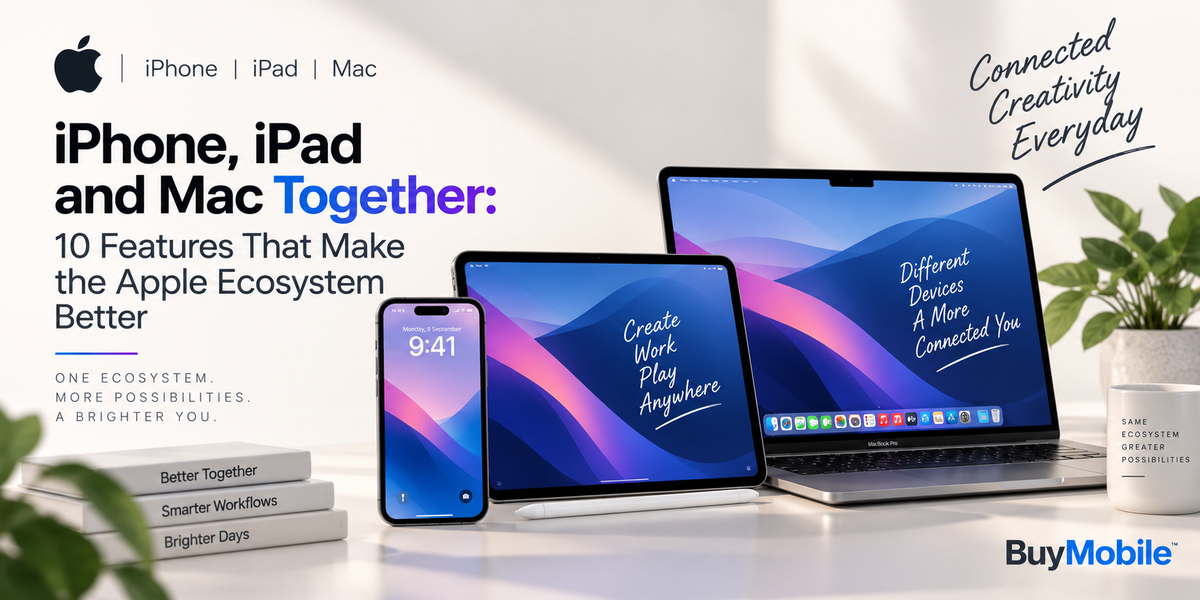
Buying an iPhone, iPad or Mac individually gives you access to a capable device, but Apple's ecosystem becomes much more interesting when you use these products together. Instead of behaving like three completely separate devices, they can share files, calls, messages, passwords and even ongoing tasks.This integration is one of the biggest reasons people become comfortable using multiple Apple products. You might start writing something on your iPhone during the morning commute, continue it on your Mac at work and review the finished document on your iPad later.Here are 10 features that demonstrate how an iPhone, iPad and Mac can work together to create a smoother everyday experience.
AirDrop Makes File Sharing Almost Effortless
AirDrop is one of the simplest examples of Apple's ecosystem working well.You can wirelessly send photos, videos, documents, links and other compatible content between nearby Apple devices. There is no need to email yourself a photograph or connect your iPhone to your Mac using a cable just to transfer a few files.For content creators, students and professionals, this can be particularly convenient. Take photos on your iPhone, AirDrop them to your Mac for editing and then send the finished content to your iPad for presentation or review.
Handoff Lets You Continue Where You Stopped
Handoff is designed for situations where you begin something on one Apple device but want to finish it on another.You might start composing an email on your iPhone and continue writing it from your Mac once you reach your desk. Similarly, you could open a webpage on your iPad and continue browsing it from another supported Apple device.The advantage is that switching devices does not necessarily mean restarting your task.Handoff can be especially useful for people who regularly move between mobile and desktop environments throughout their day.
Universal Clipboard Makes Copy and Paste Smarter
Copying something on your iPhone and pasting it onto your Mac can feel surprisingly natural once you become accustomed to Universal Clipboard.The feature allows compatible nearby Apple devices signed into the same Apple Account to share copied content. You could copy text from an iPhone app and paste it into a document on your Mac, for example.It is a relatively small feature, but it can save a surprising amount of time when researching, writing or sharing information between devices.
iPhone Mirroring Brings Your Phone to Your Mac
iPhone Mirroring makes the connection between iPhone and Mac even more useful.On supported devices and software versions, you can interact with your iPhone from your Mac without needing to constantly pick up the phone. The iPhone's interface appears on the Mac, allowing you to navigate compatible apps using your computer's keyboard and trackpad or mouse.For someone working at a desk, this can reduce interruptions. Instead of switching attention between two physical screens every few minutes, more of your activity can remain centred on the Mac.
Your iPhone Can Become a Mac Webcam
The cameras on modern iPhones are powerful enough that Apple lets compatible Macs use an iPhone as a webcam through Continuity Camera.This can noticeably improve video calls compared with relying exclusively on a computer's built-in camera.It is useful for remote workers, students attending online classes and anyone regularly using video conferencing. Depending on the supported hardware and software, Continuity Camera can also provide features designed to improve framing and presentation.The best part is that you do not necessarily need to purchase a separate premium webcam.
Sidecar Turns Your iPad Into Another Mac Display
Need more workspace without buying a permanent second monitor? This is where Sidecar becomes useful.Sidecar allows a compatible iPad to work as an additional display for a Mac. You can extend your desktop onto the iPad and move compatible windows between the two screens.Imagine writing an article on your Mac while keeping research material visible on the iPad. A photographer could keep editing tools on one display and additional content on another.For people who travel frequently, an iPad can therefore become a highly portable secondary workspace.
Universal Control Connects Mac and iPad Differently
Sidecar effectively makes the iPad another Mac display. Universal Control takes a different approach.With Universal Control, compatible Macs and iPads remain independent devices while allowing you to use a keyboard, mouse or trackpad across them.Move your pointer from your Mac towards your iPad and you can begin interacting with the iPad using the same input devices.This is particularly convenient when you want to use native iPad apps alongside your normal Mac workflow rather than turning the iPad into another macOS display.
Calls Can Follow You Across Devices
Your iPhone does not always have to be in your hand when a call arrives.Apple's Continuity features allow supported nearby devices to handle cellular calls from an iPhone when everything is configured correctly. That means you may be able to answer an incoming iPhone call from your Mac or iPad.It is particularly convenient while working. If your iPhone is charging across the room, you do not necessarily have to leave your computer just to answer a call.The same ecosystem philosophy extends to FaceTime, making communication more flexible across Apple devices.
iCloud Keeps Important Information in Sync
iCloud sits at the centre of much of the Apple ecosystem experience.Depending on your settings, information such as photos, files, contacts, calendars, notes, passwords and other supported data can remain available across your devices.Take a photo on your iPhone and it can become accessible from your other Apple devices through iCloud Photos. Create a note on your iPad and you can continue accessing it later from your Mac.This reduces the need to manually transfer information every time you change devices.
Instant Hotspot Makes Getting Online Easier
When Wi-Fi is unavailable, an iPhone can provide internet access to other compatible Apple devices using Personal Hotspot.Apple's ecosystem makes this particularly convenient through Instant Hotspot. Your Mac or iPad can connect to your iPhone's hotspot without requiring the same kind of repeated manual setup you might otherwise expect.The biggest advantage is not any single feature. It is how many small interactions work together.AirDrop simplifies file transfers. Handoff helps you continue tasks. Universal Clipboard connects copy and paste. Sidecar gives your Mac another display. Universal Control makes the iPad and Mac easier to operate side by side. Continuity Camera takes advantage of the iPhone's camera system, while iCloud keeps information accessible across devices.None of these features necessarily requires you to own every Apple product. However, their usefulness increases when several compatible devices are used together.For someone who already owns an iPhone, adding an iPad or Mac can therefore offer benefits beyond simply getting another screen.The Apple ecosystem is ultimately about reducing friction. Instead of asking which device you should use for everything, it allows you to choose whichever device makes the most sense at that moment and then move between them with less interruption.That convenience is what makes using an iPhone, iPad and Mac together feel different from simply owning three separate pieces of technology.