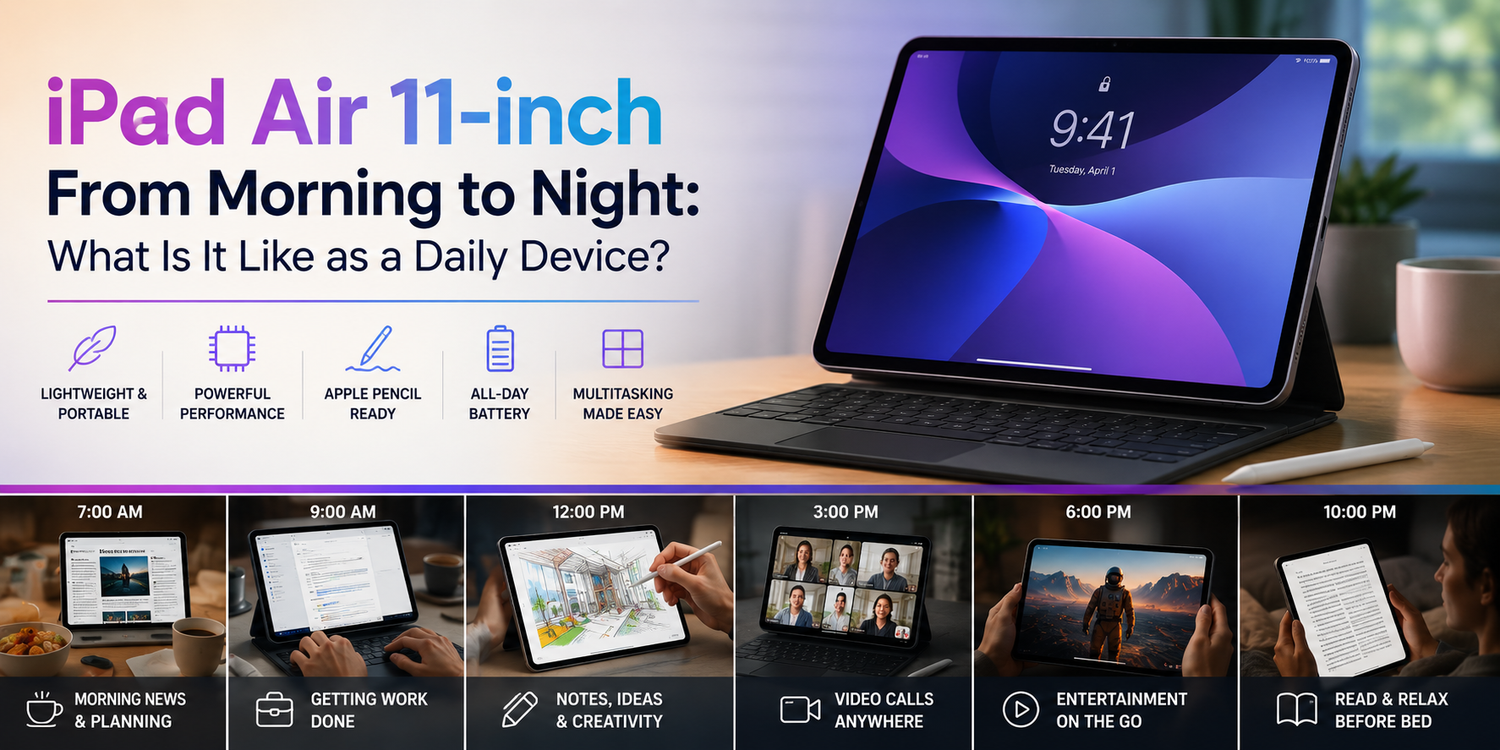
The Apple iPad Air 11-inch sits in an interesting position between a smartphone and a laptop. It provides significantly more screen space than an iPhone while remaining lighter and easier to carry than most notebooks. Add a keyboard and Apple Pencil, and it can move between entertainment, productivity and creativity throughout the day.But specifications only tell part of the story. What really matters is whether an 11-inch iPad is convenient enough to become a device you genuinely use from morning until night.From checking emails over breakfast to working during the day and watching a movie before bed, here is what living with an iPad Air 11-inch as a daily device can look like.
7:00 AM: Starting the Day
The iPad Air can become an excellent morning information centre.Instead of reaching immediately for a laptop, you can check emails, read the news, look through your calendar and review the day's tasks from the tablet.The 11-inch format works particularly well here. It provides enough space to display websites and documents comfortably without feeling like you are carrying a computer around the house.Touch controls also make casual morning browsing natural. You can pick up the iPad, check what you need and put it down without setting up a workstation.For many people, this is where the iPad's biggest advantage becomes obvious. It can provide more screen space than a smartphone without introducing the formality of opening a laptop.
8:00 AM: Reading Over Breakfast
Reading is one of the simplest things the iPad Air does well.Whether you are browsing websites, reading an ebook, checking a digital magazine or reviewing a document, the larger display gives text and images considerably more room than a phone.The 11-inch size also remains manageable enough to hold.A larger tablet can provide a more immersive experience, but additional size and weight can make casual handheld use less comfortable.The iPad Air 11-inch therefore occupies a useful middle ground.It is large enough to make content enjoyable but compact enough to move easily between rooms, bags and desks.
9:00 AM: Time to Start Working
Once the working day begins, the role of the iPad changes.Email, web browsing, messaging, cloud storage, video calls and document editing are all realistic everyday activities.This is where adding a keyboard can make a significant difference.Touchscreen keyboards are perfectly suitable for short messages, but writing long emails or documents becomes considerably more comfortable with physical keys.The iPad Air can therefore transform from a casual tablet into a lightweight productivity setup.For people whose work primarily happens inside web applications, email and office software, it can potentially handle a surprisingly large portion of the working day.
10:30 AM: Multitasking Becomes Important
Work rarely involves one application at a time.You may need information from a website while writing an email. Perhaps you are referencing a PDF while taking notes or participating in a video call while checking a document.iPadOS provides multitasking features designed to make these workflows easier.The 11-inch display is large enough for multiple applications to be useful, although screen space naturally remains more limited than on a laptop or desktop monitor.That distinction matters.The iPad Air can multitask, but it encourages a more focused style of working. Rather than keeping ten large windows visible simultaneously, you generally concentrate on a smaller number of tasks.Some people may find that limiting.Others may actually appreciate the reduced visual clutter.
12:00 PM: Apple Pencil Changes the Experience
At lunchtime, imagine needing to annotate a document, sketch an idea or write something quickly.This is where Apple Pencil support can make the iPad feel completely different from a conventional laptop.Handwriting directly onto a digital page can be extremely natural.Students can take notes.Professionals can annotate PDFs.Designers can sketch concepts.Someone planning a home renovation could draw directly over photographs or floor plans.You certainly don't need an Apple Pencil to enjoy an iPad Air, but it expands what the tablet can do.Instead of simply consuming information, the screen becomes a surface for writing and drawing.
1:00 PM: Is the iPad Air Good for Video Calls?
Video calls have become a routine part of work and education.An iPad is particularly convenient because you can move it around much more easily than a desktop computer.Place it on a desk for a work meeting, carry it into another room or use it while travelling.A keyboard case or stand can make video calls considerably more comfortable by positioning the screen at a useful angle.The large display also provides more room for seeing participants and shared content than a smartphone.If your day involves frequent FaceTime calls or online meetings, the iPad Air can become one of the easiest devices to grab.
2:30 PM: Creative Work
The iPad Air becomes particularly interesting when productivity turns creative.Photo editing feels natural because you interact directly with the image.You can zoom using gestures, make adjustments and use Apple Pencil for more precise edits in compatible applications.Video editing is also possible, depending on the complexity of your workflow and the software you prefer.The iPad's advantage is interaction.A laptop gives you a trackpad or mouse.An iPad gives you touch, gestures and optional Pencil input.Neither approach is automatically superior.They simply suit different styles of working.For photographers, illustrators and content creators, the ability to interact directly with creative work can be a major reason to choose an iPad.
4:00 PM: What Happens When You Leave the Desk?
Portability is where the 11-inch iPad Air earns its name.You can disconnect it from a keyboard and immediately have a lightweight tablet again.Take it to a meeting, sit on the sofa, carry it to a café or put it into a bag.A laptop is portable too, but you usually interact with it in roughly the same way wherever you go.An iPad can change its role depending on where you are.At a desk, it can work with a keyboard.In your hands, it becomes a reading device.With Apple Pencil, it becomes a digital notebook.Placed on a stand, it becomes a screen for entertainment or calls.That flexibility is one of its greatest strengths.
5:30 PM: The Commute Home
After work, the iPad can quickly shift from productivity to entertainment.Download a movie, read a book, play a game or catch up on YouTube during a train journey.The 11-inch screen offers a much more immersive viewing experience than most smartphones without requiring you to carry a large laptop.Headphones or AirPods can complete the setup for public transport.The biggest question is whether you actually want to carry a tablet alongside your phone.For short commutes, a smartphone may be enough.For longer journeys, the additional screen space can make the iPad Air much more enjoyable.
7:00 PM: Entertainment Takes Over
At home, the iPad Air can become a personal television.
Streaming movies and television shows feels natural on the larger display, particularly when the tablet is placed on a stand.It can also become a useful second screen.You might watch a cooking video while preparing dinner or keep a sports stream running while doing something else.Gaming is another possibility.Touchscreen titles work naturally, while compatible controllers can provide a more traditional gaming experience.The iPad may not replace a large television or dedicated console, but it is considerably easier to move around the house.
8:30 PM: Browsing and Online Shopping
Evening tablet use often becomes much more casual.You might browse social media, compare products, research your next holiday or shop online.These are tasks that can feel cramped on a smartphone but unnecessarily formal on a laptop.The iPad sits comfortably between them.Websites have more room to breathe, product photographs appear larger and comparing information becomes easier.You can use the device on a sofa without needing a desk.This relaxed browsing experience remains one of the strongest arguments for owning a tablet even if you already have both a smartphone and laptop.
10:00 PM: Reading Before Bed
At the end of the day, the iPad Air can return to being a reading device.Books, articles and magazines all benefit from the larger display.However, an 11-inch tablet is still considerably larger than a dedicated ebook readerIf you read novels for hours while holding the device with one hand, a smaller and lighter reader may be more comfortable.For mixed use, though, the iPad offers something dedicated readers cannot.Finish your book and the same device can immediately play a video, open your email or let you sketch an idea.
Can It Replace Your Laptop?
This is probably the biggest question surrounding the iPad Air.For some people, yes.If your day revolves around email, web applications, video calls, documents, note-taking and media consumption, an iPad Air with a keyboard can potentially handle most of your requirements.For others, the answer is no.Specialised desktop software, complex file management, advanced professional workflows and extensive window-based multitasking may still make a Mac or Windows laptop more practical.The important question is not whether an iPad can technically perform a task.It is whether the iPad version of that task fits comfortably into your workflow.
Is 11 Inches the Right Size?
The 11-inch format is arguably one of the iPad Air's biggest strengths.It provides enough room for productivity, drawing and entertainment while remaining highly portable.A larger tablet offers more workspace and can feel better when permanently attached to a keyboard.The 11-inch model makes more sense if you regularly use the device in your hands or carry it around.For a product called "Air," that portability is important.