



































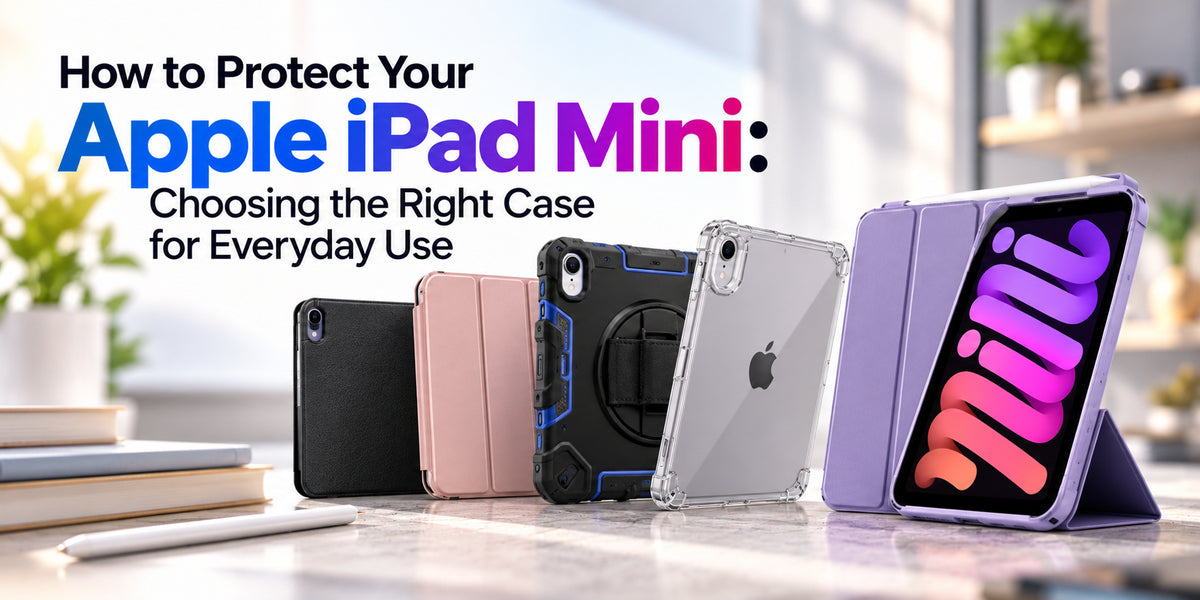
The Apple iPad mini is one of the most convenient tablets for people who want a compact device without sacrificing everyday functionality. Its lightweight design makes it ideal for reading, travelling, studying, watching videos and working on the go. However, its portability also means it is frequently carried in bags, placed on desks and used in different environments.Although the iPad mini features a durable aluminium enclosure and quality display materials, accidental drops, scratches and everyday wear can still cause damage.Choosing the right Apple iPad mini case is one of the simplest ways to protect your tablet while improving comfort and usability.But with so many protective covers available, which type should you choose?In this guide, we'll explore different iPad mini cases, essential protection features, materials and practical buying tips to help Australian users find the best option for everyday use.
Why Does Your Apple iPad Mini Need a Protective Case?
The iPad mini is designed for portability, making it easy to carry almost anywhere.However, frequent handling increases the chances of accidental damage.A tablet can slip from your hands while reading, fall from a desk or become scratched when stored alongside keys and other accessories.Even minor impacts may damage the screen, corners or aluminium body.A protective case helps reduce these risks by adding a barrier between the device and surrounding surfaces.Many cases also provide useful features such as built-in stands, magnetic covers and Apple Pencil storage.While no case can guarantee complete protection, choosing a well-designed cover can help extend the useful life of your iPad mini.
Types of Apple iPad Mini Cases Explained
Different case designs suit different lifestyles and protection requirements.
1. Slim Cases: Lightweight Everyday Protection
Slim iPad mini cases are designed for users who want basic protection without adding unnecessary bulk.They typically cover the rear panel and edges while preserving the tablet's compact appearance.Materials such as flexible TPU and hard polycarbonate are commonly used.These cases are suitable for reading, browsing, video calls and everyday home use.However, ultra-thin designs may provide less impact protection than reinforced cases.Best for: Users who prioritise portability, comfort and minimal weight.
2. Folio Cases: Protection With a Built-In Stand
Folio cases are among the most popular options for the Apple iPad mini.They feature a protective back shell and a front cover that folds over the screen when the tablet is not in use.Many folio covers also fold into a stand, allowing users to position the iPad mini for watching videos, reading recipes or attending video meetings.Some magnetic covers support automatic sleep and wake functionality when used with compatible iPad models.Folio cases offer a practical balance between everyday protection and convenience.
Best for: Students, professionals and users who regularly watch videos or read on their tablets.
3. Rugged Cases: Extra Protection Against Drops
Rugged iPad mini cases are designed for environments where accidental impacts are more likely.They commonly use multiple protective layers, reinforced corners and shock-absorbing materials.Some models also include raised screen edges, integrated stands and hand straps.These features can be particularly useful for children, outdoor activities and demanding workplaces.However, rugged cases generally add more weight and thickness than slim alternatives.Best for: Families, children, field workers and users who need additional drop protection.
4. Clear Cases: Show Off Your iPad Mini
Clear cases allow users to display the original colour and design of their iPad mini while adding protection.They are commonly made from transparent TPU, polycarbonate or a combination of both.Flexible clear cases can offer a comfortable grip, while reinforced designs may provide additional corner protection.One consideration is that some transparent materials can develop a yellow tint over time due to sunlight, heat and ageing.Best for: Users who want to preserve the tablet's original appearance.
Important Features to Look for in an iPad Mini Case
Choosing a protective case involves more than selecting a colour or design.Several practical features can influence long-term usability.Raised edges: Slightly raised borders around the screen and camera can reduce direct contact with flat surfaces.Corner protection: Reinforced corners help absorb some impact energy during accidental drops.Precise cutouts: A properly fitted case should provide convenient access to charging ports, speakers, cameras and buttons.Stand functionality: Adjustable viewing angles improve comfort when watching videos, typing or attending online meetings.Apple Pencil compatibility: Users who regularly draw or take notes should consider cases that accommodate their compatible Apple Pencil.Comfortable grip: Textured surfaces and ergonomic designs can make the compact tablet easier to hold securely.The best case combines protection with features that suit your everyday activities.
Check iPad Mini Model Compatibility Before Buying
One of the most important steps when purchasing an Apple iPad mini case is confirming model compatibility.Apple has released several iPad mini generations with different dimensions, button arrangements and camera placements.For example, the iPad mini (A17 Pro) and iPad mini (6th generation) share similar physical designs, making many cases compatible with both models.However, compatibility should always be confirmed with the case manufacturer.Older iPad mini generations may require different cases because of their Home buttons, screen dimensions and overall construction.Before purchasing, check your device model under Settings > General > About.Matching the exact model helps ensure the camera opening, buttons, speakers and charging port align correctly.
Should You Use a Screen Protector With Your Case?
A protective case helps shield the tablet's body, but the display remains vulnerable to scratches and impacts.A screen protector can provide an additional protective layer.Tempered glass protectors are popular because they offer a smooth surface and additional scratch resistance.Matte screen protectors may reduce reflections and provide a paper-like feel for writing or drawing.However, some matte protectors can slightly reduce display clarity.For everyday users, combining a well-fitted case with a compatible screen protector offers more comprehensive protection than either accessory alone.
How to Keep Your iPad Mini Case in Good Condition
Regular maintenance helps keep both the tablet and case looking their best.Remove the case occasionally to clean accumulated dust and debris, which may otherwise rub against the tablet's finish.Use a soft, slightly damp microfibre cloth for routine cleaning.Avoid harsh chemicals unless the case manufacturer specifically recommends them.Inspect the corners, edges and stand mechanism for signs of damage.If a case becomes cracked, loose or badly worn, replacing it may help maintain reliable protection.
Which iPad Mini Case Is Best for Your Lifestyle?
The ideal case depends on how and where you use your tablet.For students, a folio case with a stable stand and Apple Pencil storage may offer the best combination of convenience and protection.Professionals may prefer slim cases that fit easily into work bags.Parents buying an iPad mini for children should consider rugged designs with reinforced corners and comfortable handles.Frequent travellers may benefit from lightweight folio cases that protect the screen while providing convenient viewing angles.If appearance is your main priority, a transparent case can preserve the tablet's original design.