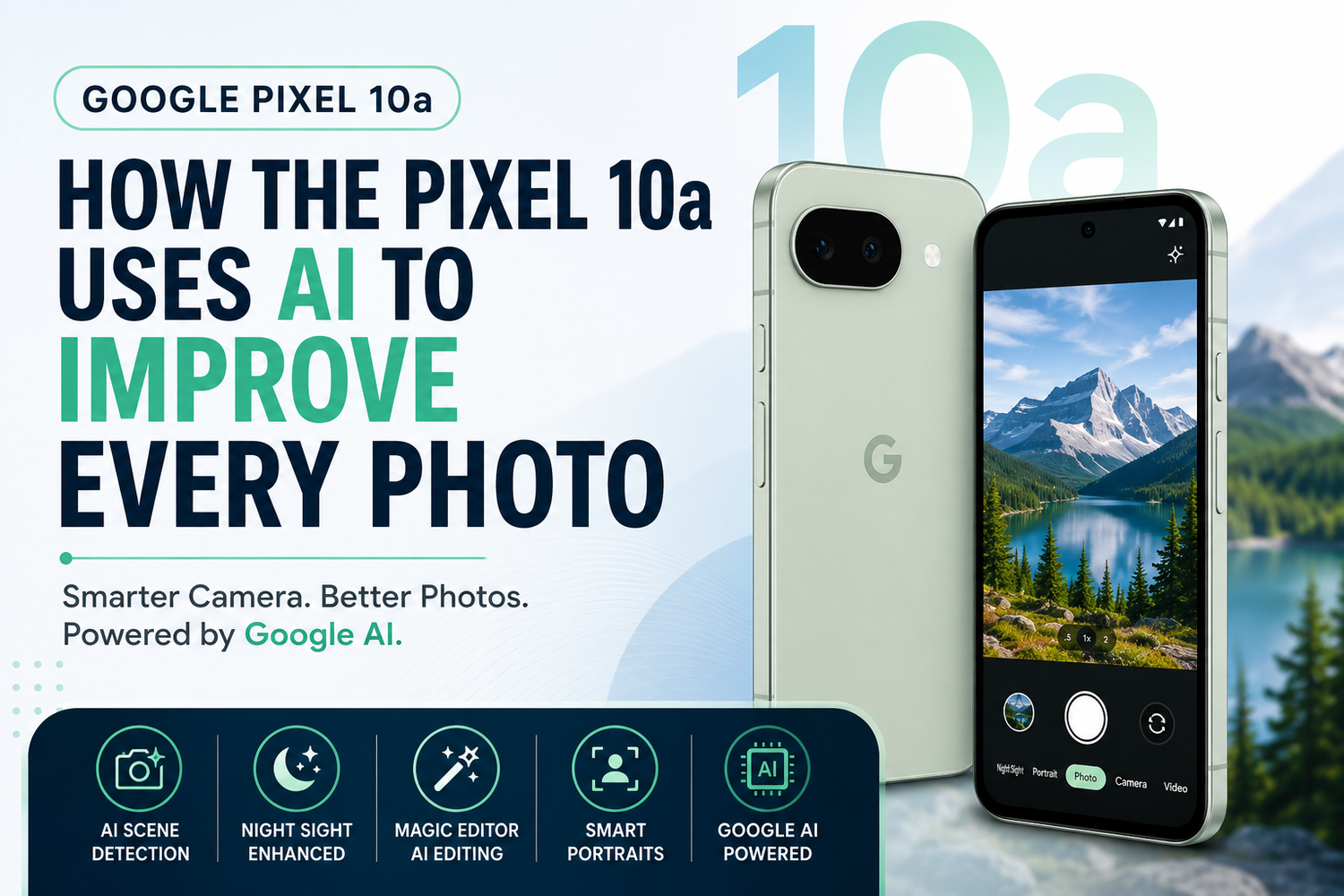
Smartphone photography has evolved far beyond simply adding more megapixels. Today, artificial intelligence plays a significant role in producing stunning images, and few brands have mastered computational photography as well as Google. The Google Pixel 10a continues this tradition by combining capable camera hardware with advanced AI features that automatically enhance every photo you take.Rather than requiring professional photography skills or extensive editing, the Pixel 10a uses Google's intelligent software to improve lighting, colours, sharpness, and overall image quality in real time. Whether you're capturing portraits, landscapes, food, pets, or low-light scenes, AI works behind the scenes to help you achieve better results.Let's explore how the Google Pixel 10a uses AI to improve every photo and why it remains one of the best camera phones in its class.
AI Starts Working Before You Press the Shutter
One of the most impressive aspects of the Pixel 10a is that AI begins analyzing the scene even before you capture the image.The camera recognizes different environments such as landscapes, sunsets, food, pets, flowers, and portraits. It automatically adjusts exposure, white balance, focus, and colour processing based on what it detects.Instead of forcing users to switch between different camera modes, the Pixel intelligently chooses the best settings for each scene.This makes photography simple while consistently delivering impressive results.
Better Dynamic Range in Every Shot
Bright skies and dark shadows often create difficult lighting conditions for smartphone cameras.The Pixel 10a uses AI-powered HDR processing to capture multiple exposures almost instantly and merge them into one balanced image.The result is photos with greater detail in both highlights and shadows.Clouds remain visible instead of becoming washed out, while darker areas retain texture without appearing overly bright.This intelligent processing produces images that look natural and realistic.
AI Improves Colour Accuracy
Many smartphones tend to oversaturate colours in an effort to make images appear more vibrant.Google takes a different approach.The Pixel 10a uses AI to preserve natural colours while still making photos visually appealing.Skin tones remain realistic, greenery looks authentic, and blue skies maintain a balanced appearance without becoming exaggerated.This colour accuracy is especially appreciated by photographers who prefer true-to-life images.
Smarter Portrait Photography
Portrait photography is another area where AI makes a noticeable difference.The Pixel 10a accurately separates subjects from the background, creating professional-looking depth effects without requiring a dedicated camera.AI also improves facial exposure, skin tone accuracy, and background blur while preserving fine details like hair and clothing.The result is portraits that appear polished while still looking natural.Whether you're photographing family members, friends, or pets, portrait mode consistently delivers excellent results.
Night Sight Makes Low-Light Photography Easier
Night photography has always been one of Google's biggest strengths.The Pixel 10a's AI-powered Night Sight captures multiple frames over a short period and intelligently combines them into one detailed image.Noise is significantly reduced while preserving fine textures and realistic colours.Instead of producing blurry or overly bright images, the camera delivers balanced nighttime photos with impressive clarity.Users can confidently capture city lights, restaurants, concerts, and evening landscapes without carrying additional equipment.
AI Removes Motion Blur
Capturing moving subjects can often result in blurry images.The Pixel 10a uses intelligent motion detection to reduce blur while keeping subjects sharp.Whether you're photographing children playing, pets running, or athletes in action, AI helps preserve important details that might otherwise be lost.This feature increases the chances of capturing the perfect moment without repeated attempts.
Magic Editor Simplifies Photo Editing
Photography doesn't end after taking the picture.Google's Magic Editor uses AI to simplify photo editing directly on the device.Users can remove unwanted objects, reposition subjects, improve lighting, adjust colours, and enhance composition with just a few taps.Previously, these edits required advanced editing software and significant experience.Now they can be completed within seconds.This makes the Pixel 10a especially attractive for content creators and social media users.
AI Enhances Every Selfie
Selfies benefit from Google's intelligent image processing as well.AI balances facial exposure, softens harsh lighting, and improves skin tone without making faces appear artificial.Background exposure is also adjusted to ensure both the subject and surroundings remain properly visible.The result is clean, flattering selfies suitable for social media, video calls, and everyday memories.
Intelligent Video Processing
Artificial intelligence isn't limited to photography.The Pixel 10a also applies AI during video recording.Exposure changes remain smooth when moving between different lighting conditions, autofocus tracks subjects more accurately, and image stabilization reduces unwanted camera shake.These improvements produce videos that appear more cinematic without requiring additional accessories.Creators recording content for YouTube, Instagram, or TikTok benefit from consistently stable footage.
AI Makes Editing Faster
The Google Photos application includes several AI-powered editing suggestions.Instead of manually adjusting every setting, the software recommends improvements based on each image.Brightness, contrast, sharpness, and colour enhancements can all be applied automatically.Users who prefer quick editing workflows can achieve professional-looking results in just a few taps.
Smart Object Removal
Unwanted people or distracting objects can ruin an otherwise perfect photograph.The Pixel 10a's AI editing tools allow users to remove these distractions while naturally reconstructing the background.Whether it's an unexpected tourist in your travel photo or a distracting object behind your subject, AI helps clean up images without obvious editing artifacts.This feature significantly improves photo quality for everyday users.
AI Helps Beginners Capture Better Photos
Not everyone understands photography settings.Fortunately, the Pixel 10a handles most technical decisions automatically.Focus, exposure, HDR processing, white balance, and colour optimization all happen behind the scenes.Users simply point the camera and capture the moment.This simplicity makes the Pixel 10a one of the easiest smartphones for beginners while still producing results that satisfy experienced photographers.
Great for Content Creators
Content creators often need fast, reliable results.The Pixel 10a allows creators to capture, edit, and publish content without spending hours processing photos.Its AI tools reduce editing time while maintaining high image quality across social media platforms.For creators managing multiple uploads every week, these intelligent features improve productivity considerably.