Samsung tablets have long been recognized for their productivity-focused features, and one of the most powerful tools available within the Galaxy ecosystem is Samsung DeX. Designed to transform a tablet into a desktop-like workstation, Samsung DeX has become a major selling point for users who want more than just a device for streaming videos and browsing the web.With the launch of the Samsung Galaxy Tab S10 FE, many potential buyers are asking an important question: How good is Samsung DeX on the Galaxy Tab S10 FE?The answer depends on what you expect from your tablet. While the Galaxy Tab S10 FE may not fully replace a high-end laptop for every user, Samsung DeX significantly expands its capabilities and makes it one of the most productive tablets in its price category.
What Is Samsung DeX?
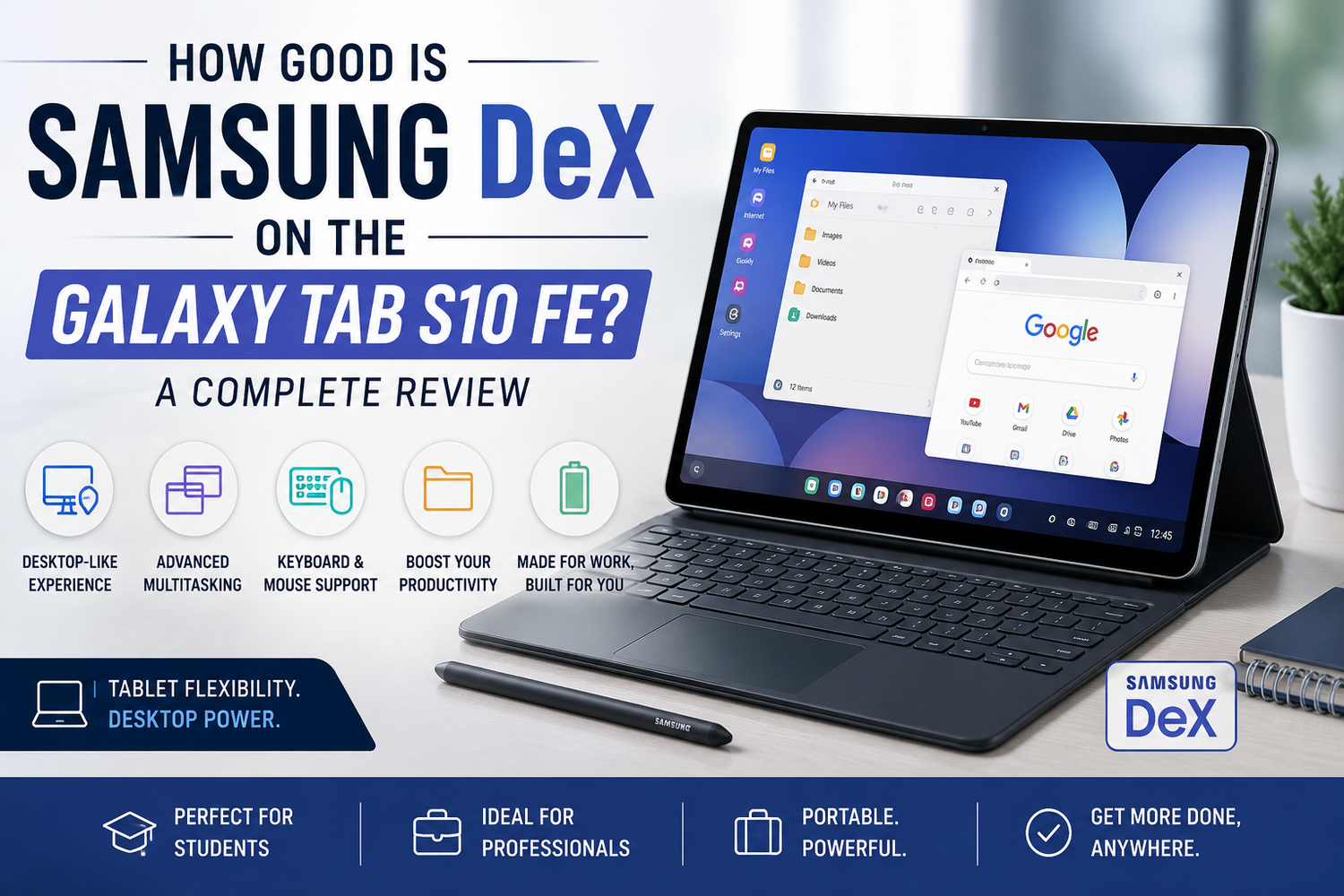
Samsung DeX is a desktop-style interface that allows Galaxy devices to function more like a traditional computer.Instead of the standard Android tablet layout, DeX introduces features such as resizable windows, a taskbar, desktop shortcuts, drag-and-drop functionality, and improved multitasking tools. The interface resembles a desktop operating system, making it easier to work with multiple applications simultaneously.For users accustomed to laptops and desktop computers, Samsung DeX creates a more familiar working environment while maintaining the flexibility of a tablet.
Easy to Activate and Use
One of the best aspects of Samsung DeX is how simple it is to access.On the Galaxy Tab S10 FE, users can switch between the standard tablet interface and DeX mode with just a few taps. There is no complicated setup process, and the transition feels smooth and intuitive.Once activated, the tablet instantly adopts a desktop-style workspace. Applications open in separate windows, allowing users to move, resize, and organize them according to their preferences.This simplicity makes DeX accessible even to users who have never used a desktop-style tablet interface before.
Excellent Multitasking Performance
Multitasking is where Samsung DeX truly shines.The Galaxy Tab S10 FE's large display becomes far more useful when combined with DeX mode. Instead of switching back and forth between apps, users can keep multiple applications open at the same time.For example, you can write a document while referencing research in a browser window. Students can take notes while attending online classes. Professionals can manage emails while participating in video meetings.This desktop-like multitasking capability significantly improves productivity and helps users complete tasks more efficiently.For anyone who regularly works with multiple apps, DeX feels like a major upgrade over the standard tablet experience.
A Better Experience with Keyboard and Mouse
While Samsung DeX works using touch controls, it becomes much more powerful when paired with a keyboard and mouse.The Galaxy Tab S10 FE supports Bluetooth accessories, allowing users to create a laptop-like setup with minimal effort.Typing documents, managing spreadsheets, editing presentations, and responding to emails becomes significantly easier with physical input devices. The mouse cursor behaves similarly to what users expect from a traditional computer, further enhancing productivity.For students and professionals who frequently create content, this setup can dramatically improve efficiency.
Ideal for Students
Students are among the biggest beneficiaries of Samsung DeX.The Galaxy Tab S10 FE combined with DeX creates a versatile study platform capable of handling research, note-taking, assignments, presentations, and online learning.A student can keep lecture notes open alongside a web browser, PDF document, or educational video. Multiple windows make it easier to organize information and stay productive during study sessions.Because the tablet remains lightweight and portable, students gain many laptop-like benefits without carrying a larger device.For academic use, Samsung DeX adds tremendous value to the Galaxy Tab S10 FE.
Strong Productivity Features for Professionals
Professionals looking for a portable productivity device will also appreciate Samsung DeX.Tasks such as email management, document editing, spreadsheet work, video conferencing, and project organization become far more comfortable in DeX mode.Applications such as Microsoft Office, Google Workspace, and Samsung's own productivity tools perform well within the desktop-style environment.For remote workers, business travelers, and freelancers, DeX provides a flexible workspace that can adapt to different situations.While it may not completely replace a workstation for highly specialized tasks, it handles everyday office work surprisingly well.
Great for Content Consumption Too
Although Samsung DeX focuses primarily on productivity, it also improves entertainment experiences.Users can watch videos in one window while browsing the internet in another. Streaming services, social media platforms, messaging applications, and productivity tools can all remain open simultaneously.This flexibility makes the Galaxy Tab S10 FE more enjoyable for users who frequently switch between entertainment and work-related tasks.The larger display combined with DeX's windowed interface creates a versatile multimedia environment.
Software Optimization Continues to Improve
One reason Samsung DeX has become so popular is the company's continued investment in software optimization.Most popular Android applications now work well within the DeX environment. Window resizing, keyboard shortcuts, drag-and-drop support, and desktop-style navigation continue to improve with each software update.The Galaxy Tab S10 FE benefits from these refinements, delivering a polished experience that feels more mature than earlier versions of DeX.For users concerned about software limitations, the current implementation is significantly more capable than many people expect.
Can It Replace a Laptop?
This is perhaps the most frequently asked question regarding Samsung DeX.For some users, the answer is yes.Students, writers, remote workers, sales professionals, and general productivity users may find that the Galaxy Tab S10 FE with DeX handles most of their daily tasks without requiring a traditional laptop.However, users who depend on specialized desktop software, advanced video editing tools, software development environments, or intensive creative applications may still need a conventional computer.Samsung DeX excels at everyday productivity but is not intended to replace every aspect of a full desktop operating system.
Any Limitations?
Despite its strengths, Samsung DeX is not perfect.Some Android applications are not fully optimized for desktop-style operation. Certain apps may not resize properly or may offer limited functionality compared to their desktop equivalents.Additionally, while multitasking performance is excellent, users expecting the exact experience of Windows or macOS should recognize that DeX remains an Android-based environment.Most users will rarely encounter major issues, but it's important to understand these limitations before relying on DeX as a complete laptop replacement.