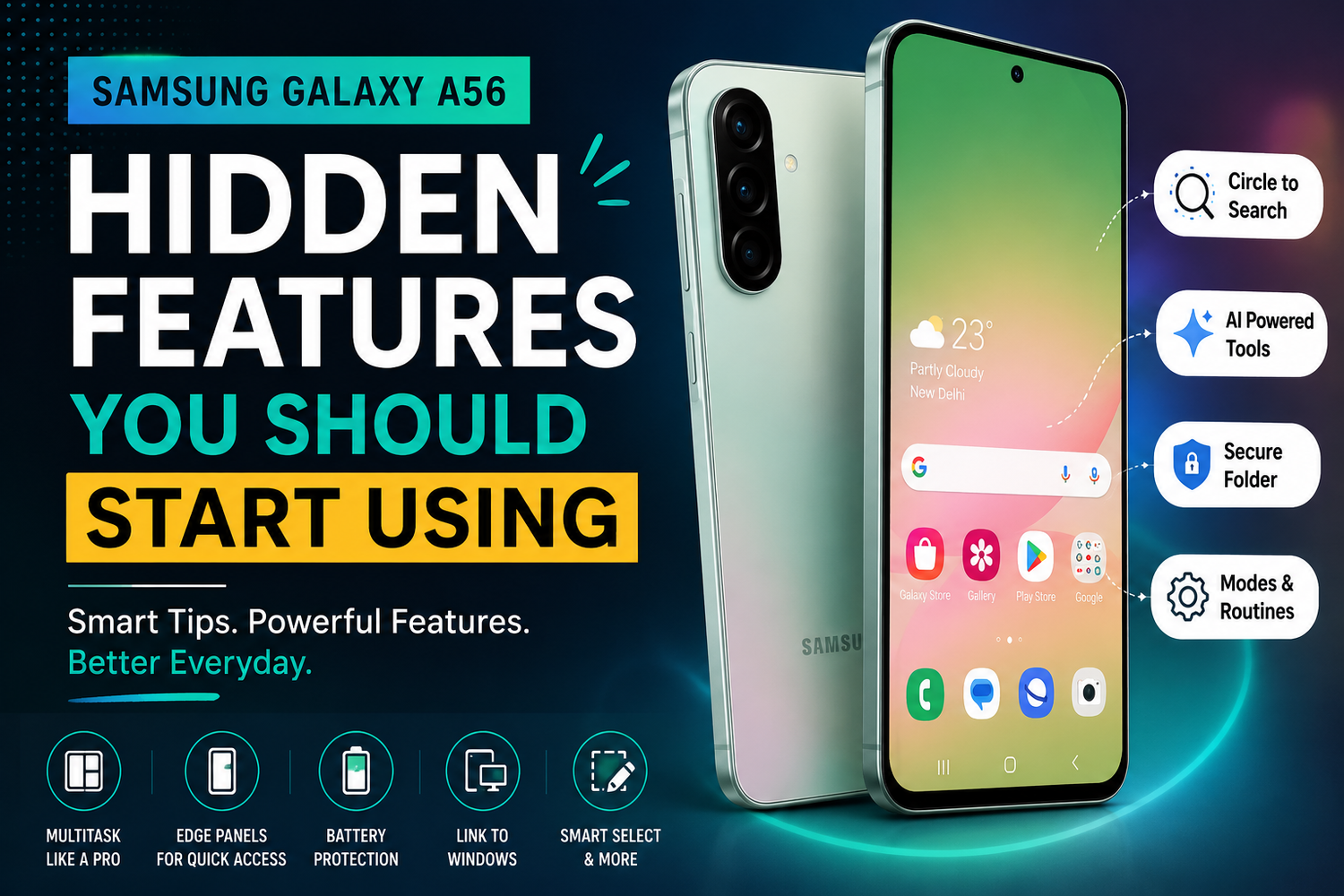
The Samsung Galaxy A56 offers much more than an attractive design, a capable camera, and dependable battery life. While most users quickly discover the basics, there are several hidden features tucked away in One UI that can completely change the way you use your smartphone. From smarter multitasking tools to AI powered productivity features and advanced customization options, the Galaxy A56 has plenty to offer beyond what you see on the surface.If you have recently purchased the Samsung Galaxy A56 or have been using it for a while, exploring these hidden features can help you get more value from your device. Here are some of the best Samsung Galaxy A56 features you should start using today.
Circle to Search for Instant Information
One of the most useful hidden features on the Galaxy A56 is Circle to Search. Instead of switching between apps or typing search queries manually, you can simply circle an object, text, or image displayed on your screen.Whether you are identifying a product, translating foreign text, looking up landmarks, or finding information about something you spotted on social media, this feature delivers results almost instantly. It saves time and makes searching much more natural.
Object Eraser for Better Photos
The Samsung Galaxy A56 includes an intelligent Object Eraser that many users overlook. After taking a photo, you can remove unwanted people, background distractions, or random objects with just a few taps.The AI automatically fills the empty space to create a cleaner image without requiring professional editing software. This is especially useful for travel photography, family pictures, and social media content.
Custom Lock Screen Personalization
The lock screen offers much more customization than simply changing the wallpaper. You can personalize the clock style, widgets, shortcuts, and notification appearance to match your preferences.Adding widgets such as weather, calendar appointments, music controls, or battery status allows you to access important information without unlocking your phone. These small adjustments make everyday interactions faster and more convenient.
Split Screen Multitasking
Many users never fully utilize the Galaxy A56's multitasking capabilities. Split Screen allows two applications to run side by side, making it easier to work and communicate simultaneously.You can attend an online meeting while taking notes, browse the internet while watching a video, or compare products across different shopping apps. The large display makes multitasking smooth and comfortable.
Floating Pop Up Windows
In addition to Split Screen, the Galaxy A56 supports Pop Up View, which transforms supported apps into floating windows.You can keep your messaging app open while browsing the web or reply to emails without leaving your current task. The floating windows can be resized and moved around the screen, making multitasking even more flexible.
Modes and Routines Automation
Modes and Routines is one of Samsung's most powerful but underused features. It allows your Galaxy A56 to automate daily tasks based on your habits.For example, your phone can automatically enable silent mode when you arrive at work, turn on battery saver during the evening, activate Do Not Disturb while sleeping, or launch your preferred music app when Bluetooth connects to your car.Once configured, these automations work quietly in the background and save you from repeatedly adjusting settings throughout the day.
AI Writing Assistance
The Galaxy A56 includes intelligent writing tools that help improve communication across supported apps.Whether you are drafting emails, writing messages, or posting on social media, AI can assist by correcting grammar, adjusting tone, summarizing text, or rewriting sentences for greater clarity. It helps users communicate more effectively without relying on third party applications.
Secure Folder for Extra Privacy
Protecting sensitive information has become increasingly important, and Samsung's Secure Folder provides an excellent solution.You can store private photos, confidential documents, banking apps, passwords, and personal files inside an encrypted space that requires authentication before access. Even if someone uses your phone, the contents remain protected.This feature is especially valuable for professionals who separate personal and work data.
Battery Protection Settings
Most people focus only on charging speed but overlook battery health. The Galaxy A56 includes Battery Protection settings designed to extend long term battery lifespan.You can limit maximum charging levels, optimize overnight charging, and reduce unnecessary battery stress. Over time, these features help maintain better battery performance and longevity.
Edge Panels for Faster Access
Edge Panels offer quick access to your favorite apps, contacts, tools, and shortcuts by simply swiping from the edge of the display.Instead of searching through multiple home screens, frequently used applications remain only one swipe away. You can even add utilities like screenshots, clipboard history, compass, calculator, and smart selections for improved productivity.
Link to Windows Integration
If you regularly work on a Windows PC, Link to Windows makes your workflow significantly easier.You can access phone notifications, answer calls, reply to text messages, transfer files, and even launch mobile apps directly from your computer without constantly picking up your phone.This seamless integration improves productivity for students, professionals, and remote workers.
Smart Select and Screen Capture Tools
Taking screenshots is only the beginning. Smart Select lets you capture specific portions of the screen, extract text from images, create GIFs from videos, and quickly share selected content.These tools are particularly useful for students collecting study material, professionals saving information, or content creators gathering inspiration.
Adaptive Display Features
The Galaxy A56 intelligently adjusts screen brightness, refresh rate, and color settings based on your environment.Adaptive Brightness learns your preferences over time, while Eye Comfort Shield reduces blue light during evening hours for more comfortable reading. These features improve both battery efficiency and long term viewing comfort.
Camera Quick Launch
A simple double press of the power button instantly opens the camera, even when the phone is locked.This hidden shortcut ensures you never miss spontaneous moments. Whether capturing fast moving subjects or unexpected memories, the camera becomes available within seconds.