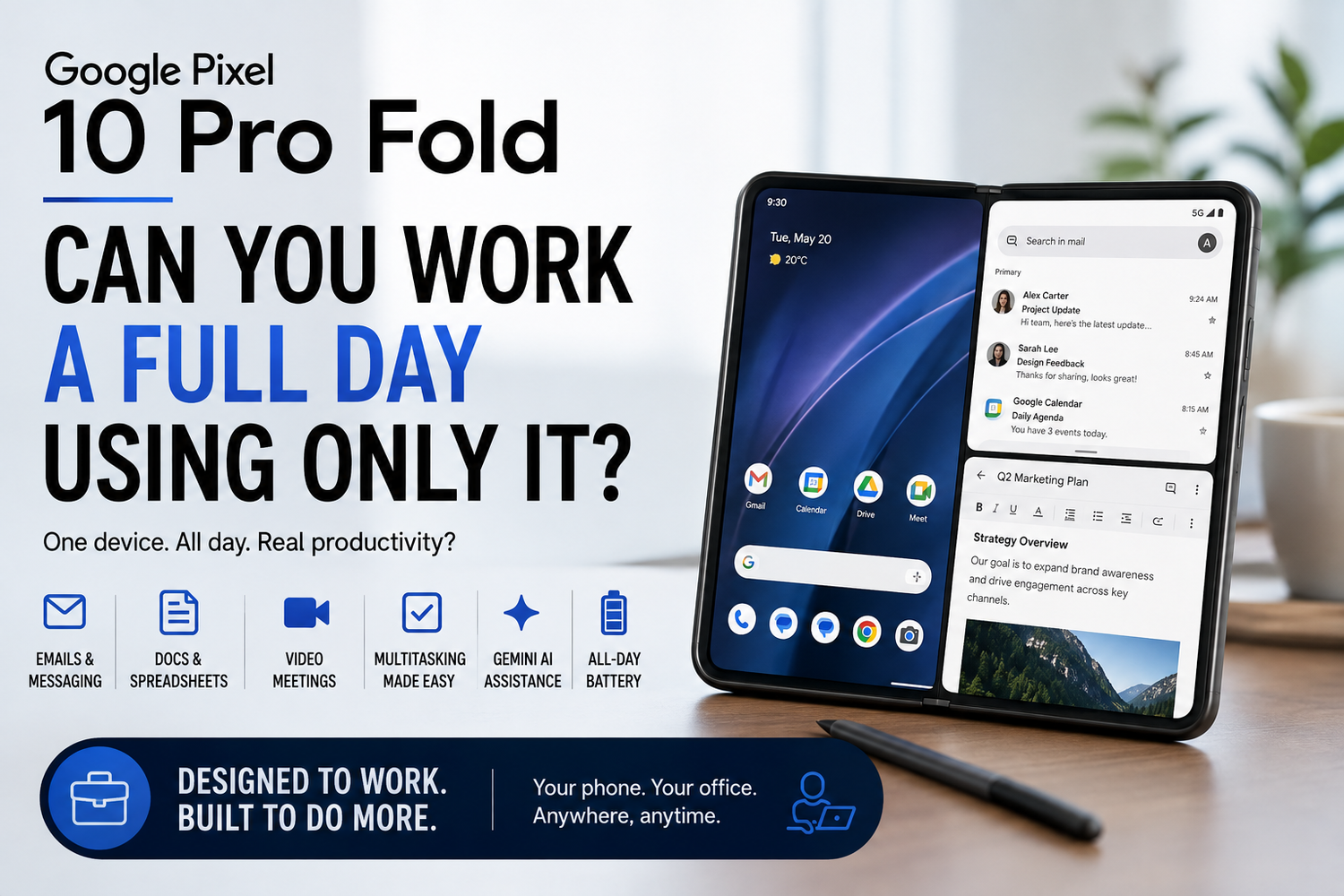
For years, smartphones have been capable of handling emails, documents, video calls and other everyday work. The problem has always been screen size. Trying to manage several apps or edit a lengthy document on a conventional phone can quickly become frustrating.That's where the Google Pixel 10 Pro Fold becomes interesting.Its foldable design gives you the portability of a smartphone while providing a larger inner display when you need more room. Add Google's productivity apps, Android multitasking and Gemini-powered features, and the Pixel 10 Pro Fold has the potential to become more than a phone.But could you genuinely leave your laptop behind and work an entire day using only the Pixel 10 Pro Fold?For some professionals, surprisingly, the answer could be yes.
1. Starting the Day With Email and Calendar
Most workdays begin with communication.You check Gmail, review your calendar, respond to messages and work out what needs your attention first.These are tasks the Pixel 10 Pro Fold should be naturally suited to handling. When you only need to read a quick message or check your next appointment, the outer display offers the convenience of a normal smartphone.When it's time to work through a crowded inbox, opening the larger display gives you more room.That's the fundamental advantage of a foldable for productivity: you don't need the large screen all the time, but it's available whenever you need it.For workers who spend much of their day communicating rather than creating complex documents, that alone could eliminate many trips to the laptop.
2. Multitasking Is the Real Advantage
A large screen becomes considerably more useful when you put more than one app on it.Supported Android multitasking features can allow compatible applications to appear alongside one another.Imagine having Gmail open next to Google Calendar while arranging a meeting. You could keep a document visible while referencing information from Chrome or read a message while checking a spreadsheet.On a conventional smartphone, you'd normally jump backwards and forwards between apps.On a foldable, compatible split-screen workflows can reduce that friction.It won't provide the same working area as a large desktop monitor, but for quick comparisons and everyday administrative work, the larger canvas can make a substantial difference.
3. Google Workspace Makes a Strong Foundation
The Pixel 10 Pro Fold has an obvious productivity advantage for anyone already living inside Google's ecosystem.Gmail, Google Docs, Sheets, Drive, Meet and Calendar cover many of the tasks involved in a typical office day.Google Docs is particularly practical for reviewing files, making edits and adding comments.Sheets can work for checking figures and making relatively simple changes, although complicated spreadsheets remain far more comfortable on a laptop.Google Drive also means your files can follow you between devices.Start a document on your office computer, review it on the Fold during your commute and continue editing later without manually transferring files.That cloud-first approach suits a foldable particularly well.
4. Could You Write a Long Document?
Technically, yes.Comfortably? That depends on your setup.The on-screen keyboard is perfectly suitable for messages, notes and shorter edits. But typing several thousand words on glass isn't going to appeal to everyone.A compact Bluetooth keyboard could transform the experience.Place the Pixel 10 Pro Fold on a small stand, connect a keyboard and you've created an extremely portable writing setup.It's still not identical to using a laptop. You'll have a smaller display, and carrying a keyboard reduces the simplicity of travelling with only a phone.But for writers, journalists, students or business travellers who occasionally need longer typing sessions, the option makes the Fold considerably more capable.
5. Gemini Could Reduce Some Routine Work
AI is becoming increasingly integrated into everyday smartphone experiences, and Google's Gemini ecosystem could be particularly relevant on a productivity-focused foldable.Rather than thinking about AI as a replacement for traditional applications, consider it a tool for reducing small repetitive tasks.You might use AI-supported features to help summarize information, brainstorm ideas, organize notes or get assistance when researching a topic, depending on the features available to your account, region and applications.That can be valuable on a smaller device.Typing and navigating are naturally more constrained than on a desktop computer, so anything that reduces unnecessary steps can make mobile work feel more practical.However, important AI-generated information should still be reviewed for accuracy before being used professionally.
6. Video Meetings Are Easy With One Limitation
Google Meet and other popular video-conferencing services make joining meetings from a smartphone straightforward.The Fold's larger display can make calls more comfortable because participants and shared content have more room.A foldable design can also provide useful positioning options on a desk, depending on the app and how you place the device.There's one obvious limitation.Long meetings can consume battery and make multitasking more difficult, particularly if you need to reference several complex files while simultaneously watching a presentation.For a quick 20-minute team meeting, the Pixel Fold format can be excellent.For a three-hour workshop involving spreadsheets, presentations and constant note-taking, you'll probably start missing your laptop.
7. PDFs and Documents Benefit From the Bigger Screen
Reading documents is one of the clearest advantages of a book-style foldable.PDFs can feel cramped on conventional smartphones because you're constantly zooming and scrolling.The Pixel 10 Pro Fold's inner screen gives documents more breathing room.Contracts, reports, presentations and research papers become easier to inspect, particularly when you're travelling.This could make the Fold valuable for managers, sales professionals and consultants who spend more time reviewingdocuments than creating them.The distinction matters.Foldables are often better at consuming and lightly editing professional content than producing large, complicated files from scratch.
8. Messaging Is Where the Fold Could Excel
Modern work doesn't happen entirely through email.Slack, Microsoft Teams, Google Chat, WhatsApp and other messaging platforms have become central to many workplaces.These applications already work naturally on smartphones.The larger Fold display can make them even more useful, particularly when you need to read longer conversations or switch between communication and another app.This means professionals whose jobs involve coordination, approvals and communication may find it much easier to work from the Fold than someone whose job revolves around specialized desktop software.Your occupation matters more than the phone's specifications.
9. Battery Life Becomes Part of the Workday
Working on your phone for eight hours is very different from occasionally checking notifications.A full productivity day could involve the inner display, mobile data, Wi-Fi, video meetings, document editing, messaging and perhaps navigation.All of those activities consume power.Real-world endurance will depend on settings, network conditions, applications and workload.If you're planning to use the Pixel 10 Pro Fold as your primary work device while travelling, having access to a charger or portable power bank is sensible.The important question isn't whether the battery can achieve a particular laboratory figure.It's whether it can comfortably survive your specific workday.
10. Where a Laptop Still Wins
The Pixel 10 Pro Fold may be versatile, but it doesn't make laptops obsolete.Large spreadsheets are easier with a keyboard, trackpad and wide display. Professional video editing, software development, complex design work and specialized business applications can require desktop operating systems.Managing many files and windows simultaneously also remains easier on a computer.The Fold works best when your job revolves around communication, reviewing content and relatively lightweight creation.Think email, meetings, documents, approvals, research and messaging rather than heavy professional production.
Who Could Actually Work All Day on It?
The Pixel 10 Pro Fold could be particularly practical for business travellers, managers, consultants, sales professionals, students, journalists and remote workers whose workflows are heavily cloud-based.For these users, the ability to carry one device instead of a phone and laptop on lighter workdays could be extremely attractive.Imagine visiting a client.You use the outer display for navigation, unfold the phone to show a document, join a video meeting, update notes, reply to emails and review tomorrow's schedule all without opening a laptop.That's where a foldable starts feeling less like a technological novelty and more like a genuinely different type of work device.