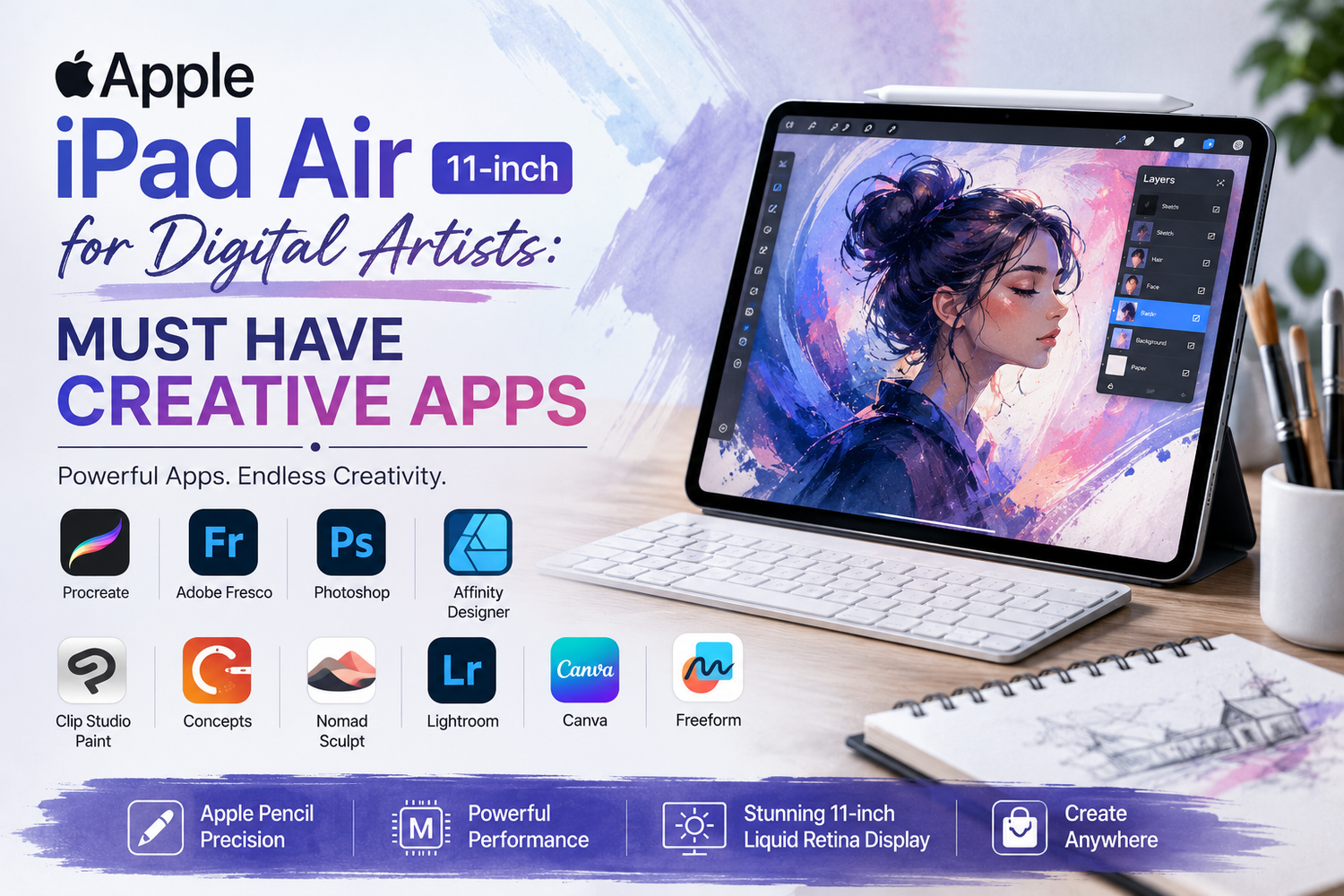
The Apple iPad Air 11-inch has become one of the most popular tablets for digital artists, designers, illustrators, and creative professionals. Its lightweight design, vibrant display, powerful Apple silicon, and seamless compatibility with Apple Pencil make it an excellent tool for creating artwork anywhere. Whether you're sketching ideas during your commute, designing professional illustrations, editing photos, or producing digital paintings, the iPad Air provides the hardware needed to support your creativity.However, great hardware is only part of the experience. The App Store offers an incredible collection of creative applications that transform the iPad Air into a portable digital studio. Choosing the right apps can dramatically improve your workflow and unlock the full potential of the device.Here are some of the must-have creative apps every digital artist should consider on the Apple iPad Air 11-inch.
Procreate: The Gold Standard for Digital Illustration
When people think of digital art on the iPad, Procreate is usually the first app that comes to mind.It has become the preferred choice for professional illustrators, concept artists, comic creators, and hobbyists alike.The app offers an enormous collection of customizable brushes, advanced layer controls, realistic painting tools, animation support, and time-lapse recording that captures every step of your creative process.Combined with Apple Pencil, drawing feels smooth and natural, making the iPad Air feel remarkably close to working on traditional paper.For many artists, Procreate alone justifies purchasing an iPad.
Adobe Fresco for Natural Painting
Adobe Fresco is another outstanding option for artists who enjoy realistic painting.Its Live Brushes simulate watercolor and oil paints in ways that closely resemble traditional media. Colors blend naturally, allowing artists to create expressive artwork without physical materials.Because Fresco integrates with Adobe Creative Cloud, projects can move easily between the iPad and desktop applications like Photoshop and Illustrator.This makes it particularly useful for professionals working across multiple devices.
Affinity Designer for Vector Art
Illustrators and graphic designers often need more than digital painting.Affinity Designer offers professional vector illustration tools suitable for logo creation, icon design, branding projects, and detailed illustrations.Unlike raster artwork, vector graphics remain sharp regardless of size, making them perfect for commercial design work.The iPad Air handles Affinity Designer smoothly, allowing artists to switch between vector and pixel editing without interrupting their workflow.
Adobe Photoshop on iPad
Adobe Photoshop remains one of the most recognised creative applications in the world.The iPad version brings many familiar editing tools to a portable device, allowing users to retouch photographs, manipulate images, create digital compositions, and edit layered artwork while away from their desktop computer.Cloud synchronization makes it easy to continue projects between the iPad Air and desktop systems without losing progress.For photographers and digital artists already using Adobe software, Photoshop becomes an essential addition.
Concepts for Endless Sketching
Not every project begins with detailed artwork.Sometimes artists simply need a place to brainstorm ideas.Concepts provides an infinite canvas that allows unlimited sketching without worrying about page boundaries. Architects, product designers, industrial designers, and illustrators frequently use it to develop ideas before creating polished artwork.Its flexible workspace encourages creativity while maintaining professional precision.
Linearity Curve for Graphic Design
Formerly known as Vectornator, Linearity Curve has become one of the most capable graphic design applications available on the iPad.It provides intuitive vector editing, typography tools, and illustration features suitable for professional design work.Creating marketing graphics, social media content, logos, or presentation visuals feels smooth and responsive on the iPad Air.The application's clean interface also makes it approachable for beginners.
Canva for Fast Creative Projects
Not every creative project requires advanced illustration.Sometimes speed matters more.Canva offers thousands of professionally designed templates that help artists quickly produce posters, presentations, social media graphics, invitations, and marketing materials.The iPad Air's touchscreen makes dragging elements and editing layouts especially enjoyable.It's an excellent companion alongside more advanced creative software.
Nomad Sculpt for 3D Artists
Digital art increasingly includes three-dimensional design.Nomad Sculpt transforms the iPad Air into a surprisingly capable portable sculpting studio.Artists can create detailed characters, creatures, product concepts, and sculptures directly on the tablet using intuitive sculpting tools.The Apple Pencil enhances precision, making detailed modeling feel remarkably natural.For artists interested in 3D design, Nomad Sculpt offers exceptional value.
Clip Studio Paint for Comics and Manga
Comic artists and manga creators often choose Clip Studio Paint.The application provides professional inking tools, perspective rulers, speech bubbles, panel creation, and brush customization designed specifically for comic production.Whether creating web comics or full graphic novels, the app offers nearly every feature required by professional illustrators.Its extensive toolset makes the iPad Air a serious platform for publishing-quality artwork.
Adobe Lightroom for Photo Editing
Digital artists often work with photography alongside illustration.Adobe Lightroom provides professional photo editing tools for adjusting exposure, colours, lighting, and composition while preserving image quality.Artists can edit reference photos, improve portfolio images, or prepare photographs for mixed-media projects directly on the iPad Air.Cloud synchronization ensures edits remain available across multiple devices.
Freeform for Creative Brainstorming
Apple's Freeform app deserves attention from creative professionals.The infinite collaborative canvas allows artists to organise sketches, reference images, notes, inspiration boards, and project ideas within one workspace.Whether planning illustration projects or collaborating with clients, Freeform helps organise creative thinking before production begins.
Apple Notes with Apple Pencil
Simple ideas often become great artwork.Apple Notes supports handwritten sketches, annotations, quick diagrams, and creative planning using Apple Pencil.Its seamless synchronization across Apple devices ensures inspiration is always accessible.While basic compared to dedicated illustration software, it remains one of the most frequently used creative apps for everyday idea collection.
Why the Apple Pencil Makes Every App Better
The creative experience on the iPad Air becomes significantly better when paired with the Apple Pencil.Pressure sensitivity, tilt recognition, palm rejection, and precise input allow artists to draw naturally while maintaining excellent control.Whether painting in Procreate, editing photos in Photoshop, designing logos in Affinity Designer, or sculpting in Nomad Sculpt, the Apple Pencil transforms the tablet into a genuine creative workspace.It remains one of the most important accessories for digital artists.