Smartphones have evolved from communication devices into powerful productivity tools capable of handling many everyday business tasks. The Samsung Galaxy S26 Ultra takes this further with flagship performance, a large AMOLED display, integrated S Pen, Samsung DeX and intelligent software features designed to improve efficiency.For Australian professionals, business owners and remote workers, carrying a laptop everywhere is not always convenient. A smartphone that can manage emails, documents, video meetings and presentations could simplify daily workflows.But can the Samsung Galaxy S26 Ultra genuinely replace a laptop, or is it better suited as a companion device? The answer depends on how you work, which applications you use and how much computing power your daily tasks require.
Premium Display for Professional Work
The Samsung Galaxy S26 Ultra features a 6.9-inch Dynamic AMOLED 2X display with QHD+ resolution and an adaptive refresh rate of up to 120Hz.Its large screen provides plenty of space for reading documents, reviewing spreadsheets, responding to emails and browsing business websites.The sharp resolution makes text easier to read, while smooth scrolling improves navigation through lengthy reports and presentations.Samsung's Privacy Display technology adds another practical advantage by helping limit screen visibility from side angles when enabled.This can be useful for professionals reviewing confidential information while travelling, commuting or working in shared environments.However, even a large smartphone screen cannot offer the same workspace as a laptop when managing several detailed documents simultaneously.
Samsung DeX: Turning Your Smartphone Into a Desktop
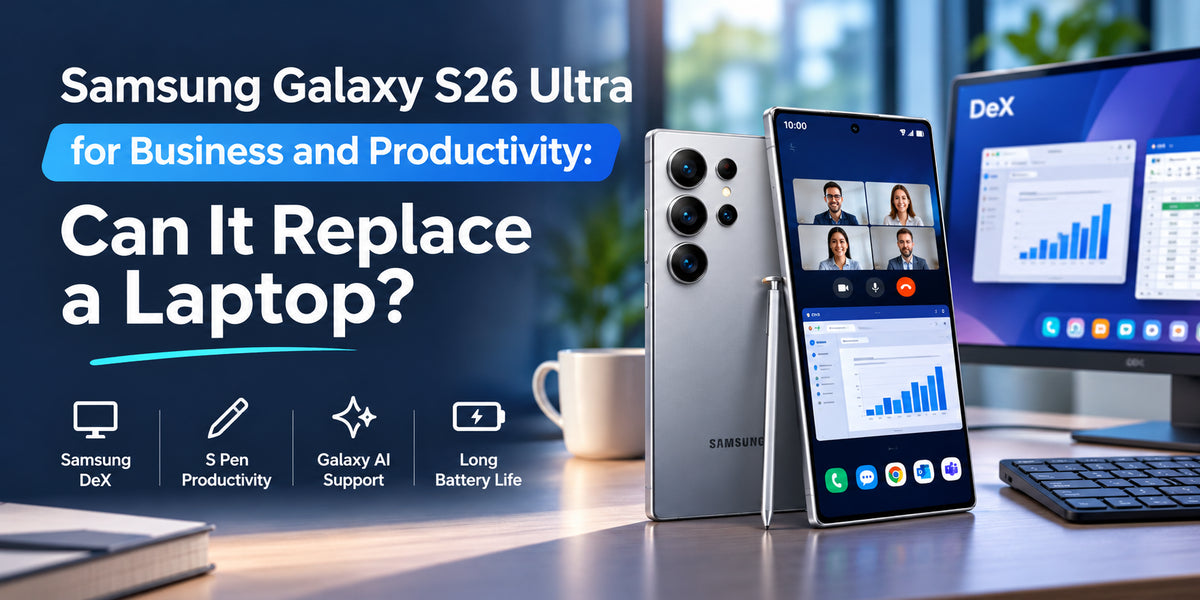
One of the strongest productivity features of the Galaxy S26 Ultra is Samsung DeX.DeX provides a desktop-style interface when the smartphone is connected to a compatible external display, allowing users to work with resizable application windows and familiar navigation controls.With a Bluetooth keyboard and mouse, the Galaxy S26 Ultra can support a workstation suitable for emails, presentations, web browsing and document editing.For professionals who regularly travel between offices, this flexibility can reduce the need to carry a separate computer for basic tasks.A hotel monitor or compatible office display can become a larger workspace without transferring files between devices.However, Samsung DeX still runs Android applications rather than full Windows or macOS desktop software.This distinction matters when working with specialised business programs or applications requiring desktop-specific functionality.
S Pen for Notes, Documents and Creative Tasks
The integrated S Pen makes the Galaxy S26 Ultra particularly useful for business professionals who prefer handwritten notes and precise touchscreen controls.Users can quickly record meeting notes, annotate documents, sketch ideas and review visual materials without carrying a separate notebook.For architects, designers, consultants and students, the stylus provides greater precision than ordinary finger-based navigation.Samsung Notes also makes organising handwritten information convenient, especially when combined with compatible Galaxy AI features.Although the S Pen cannot replace every function of a laptop keyboard, it offers an advantage for tasks involving handwriting, annotations and visual communication.
Galaxy AI for Smarter Business Productivity
Galaxy AI adds another dimension to the Galaxy S26 Ultra's productivity capabilities.Features such as Now Brief and Now Nudge help users access relevant information, reminders and contextual suggestions throughout the day.Supported writing and note-assistance tools can also help organise information and reduce time spent on routine tasks.For busy professionals, these capabilities may simplify meeting preparation, communication and information management.However, AI-generated content should always be reviewed before being shared with clients or colleagues.Feature availability can vary depending on language, region, account requirements and internet connectivity.
Multitasking and Business Applications
The Galaxy S26 Ultra's powerful processor and generous memory make it suitable for demanding mobile workflows.Users can switch between email applications, messaging platforms, cloud storage, calendars and productivity software without constantly closing applications.Split-screen functionality also allows compatible apps to operate simultaneously.For example, a professional could review a document while responding to a message or reference meeting notes during a video call.Popular services such as Microsoft 365, Google Workspace and cloud-based business platforms provide mobile applications that support these workflows.Nevertheless, advanced spreadsheet formulas, complex document formatting and specialised desktop software may still be easier to manage on a laptop.
Battery Life for Long Working Days
Reliable battery life is essential for professionals who spend much of their day away from a desk.The Galaxy S26 Ultra includes a 5,000mAh battery and supports fast wired charging.Samsung advertises up to 31 hours of video playback, although real-world battery performance varies with usage.Activities such as video conferencing, mobile hotspot sharing, GPS navigation and prolonged DeX sessions can increase power consumption.For business travellers, fast charging provides a practical way to replenish battery power between appointments.A portable charger may still be worthwhile during particularly demanding working days.
Security and Privacy for Business Users
Business smartphones often contain sensitive emails, financial information and confidential documents.Samsung Knox provides hardware-backed security capabilities, while Secure Folder allows users to keep selected applications and files in a protected environment.The Galaxy S26 Ultra's Privacy Display adds another layer of protection against casual viewing in public spaces.These features make the device appealing for professionals who regularly access business information while travelling.However, organisations should still implement appropriate security policies, strong authentication and device management.
Where a Laptop Still Has the Advantage
Despite its impressive capabilities, the Galaxy S26 Ultra cannot completely replace a laptop for every professional.Software development, advanced video editing, complex financial modelling and specialist desktop applications often require a traditional computer.Large spreadsheets and extensive document editing are also more comfortable with a full-sized keyboard and larger display.Although Samsung DeX improves productivity, Android application limitations remain.Professionals who depend on desktop-specific software should therefore consider the Galaxy S26 Ultra a supplementary device rather than a complete replacement.
Is the Samsung Galaxy S26 Ultra Worth It for Australian Professionals?
For Australian business owners, sales representatives, consultants and frequent travellers, the Galaxy S26 Ultra offers considerable flexibility.Its combination of Samsung DeX, S Pen, Galaxy AI and powerful performance makes it suitable for communication, presentations, document reviews and remote collaboration.Professionals who primarily use browser-based services and cloud productivity applications may find that it handles most everyday tasks.However, the additional cost of an external monitor, keyboard and accessories should be considered when comparing it with a laptop.